 BillfinchThermal Printer App
Receipts that print clean on your thermal printer.
Type the items, tap Print. Logo, QR and any language come out the same on cheap 58 and 80 mm printers, and other apps can print through Billfinch too.
- Type the items and print in two taps
- Logo, QR and any language print clean
- Print from Chrome, PDFs and web POS apps

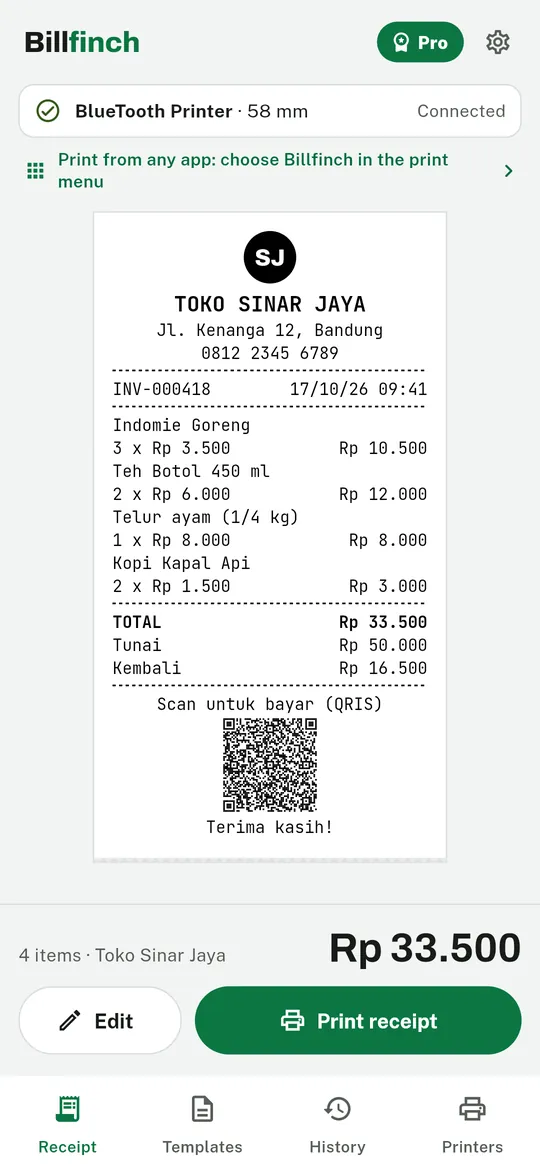
Swipe through Billfinch
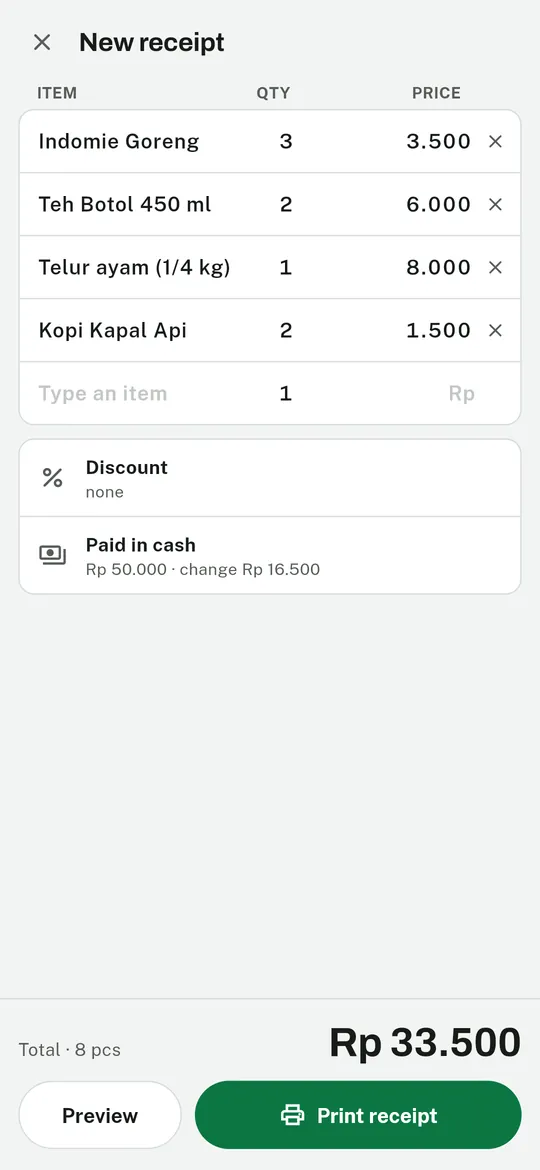
Type and print, no pop-ups 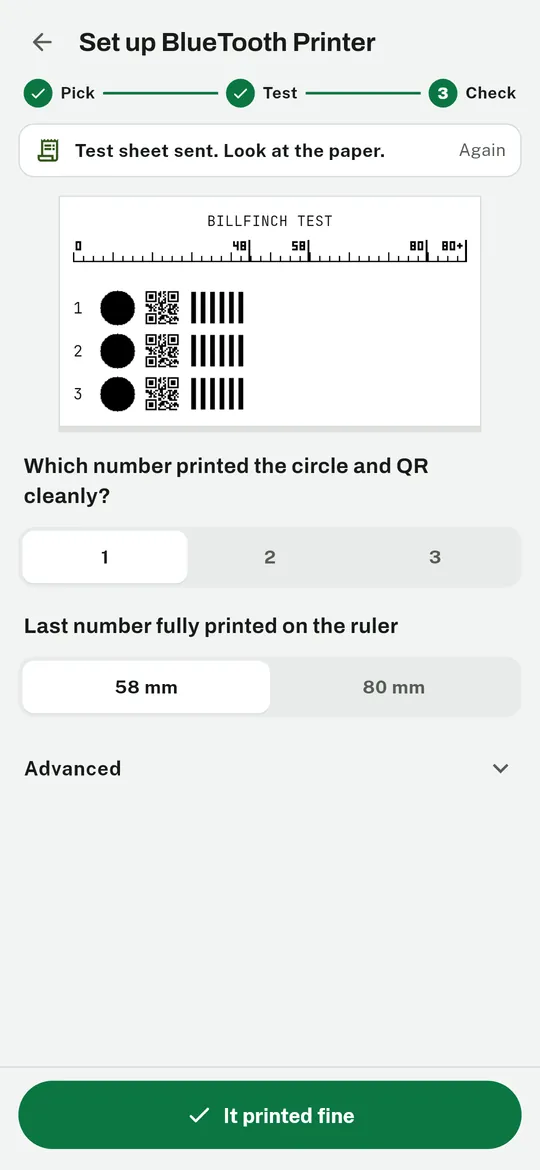
One test sheet sets up the printer 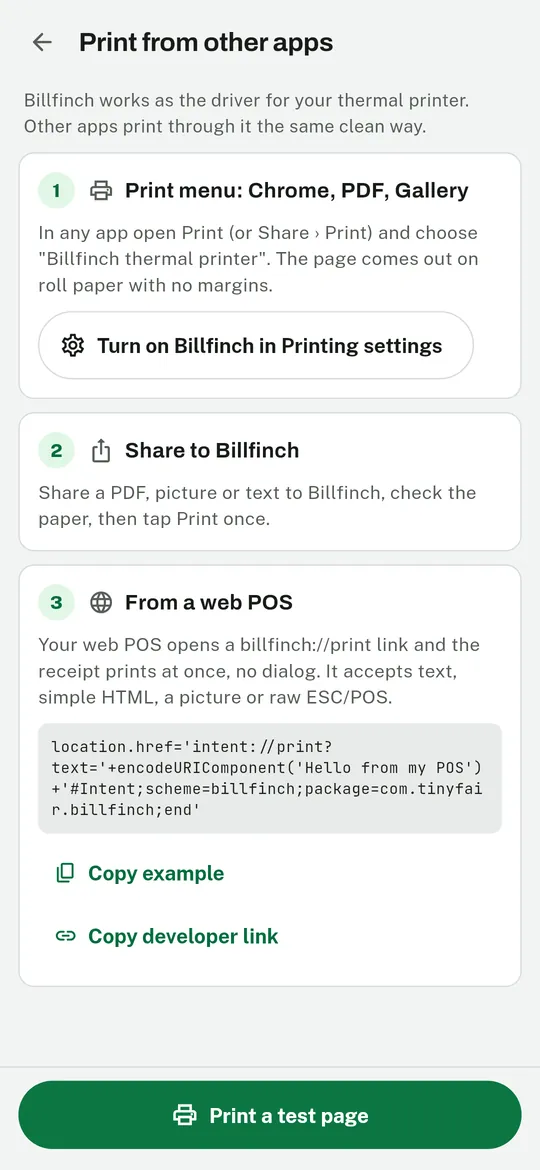
Print from any app 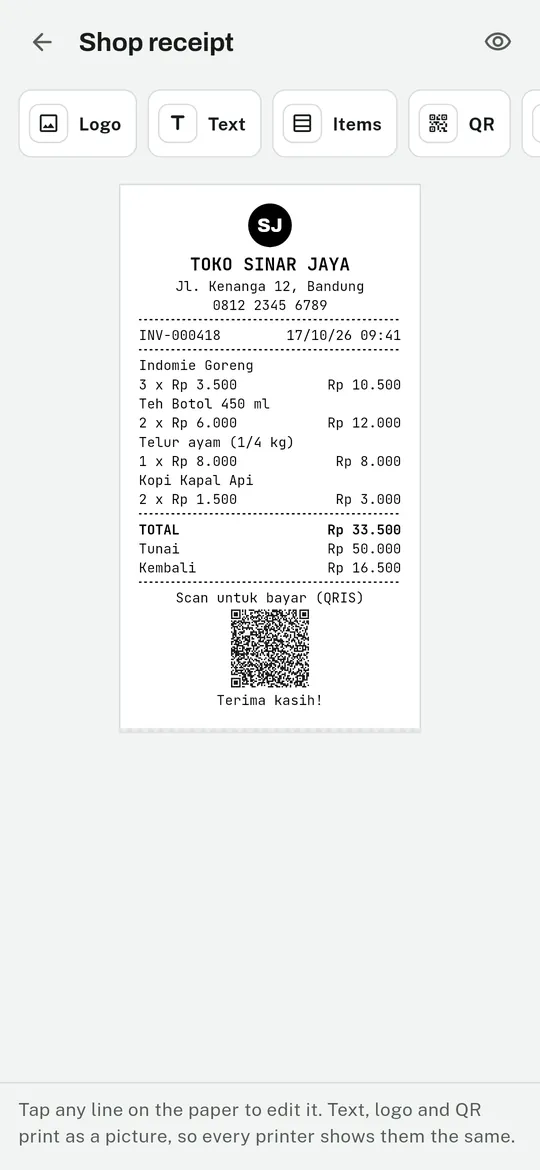
Your receipt, your shop
What you can do
Type and print, no pop-ups. Name, Enter, price, Enter.
One test sheet sets up the printer. Billfinch prints a ruler and three numbered blocks.
Print from any app. Choose Billfinch in the print menu of Chrome or a PDF, share a picture or text to it, or let your web POS open a billfinch://print link.
Your receipt, your shop. Logo, address, your own QR such as a static QRIS code, barcode, tax and the words on the paper.
Free vs Pro
| Feature | Free | Pro |
|---|---|---|
| Receipts printed, no watermark | Unlimited | Unlimited |
| Templates | 3 | Unlimited |
| Logo pictures | 1 | Unlimited |
| Saved printers | 1 | Unlimited |
| Export history (CSV) | Not included | Included |
| No ads | Not included | Included |
Questions
From order to paper
- Pair the printer. In your phone's Bluetooth settings (PIN 0000 or 1234), or add a Wi-Fi printer by IP or a USB cable.
- Print the test sheet. Tap the clean block and the paper width. That is all the setup.
- Type and print. Type the items and tap Print, or print from another app.
Does it work with my printer?
Billfinch works with most ESC/POS thermal receipt printers, 58 mm and 80 mm, over Bluetooth, Wi-Fi (port 9100) or USB. The test sheet finds the picture mode your printer understands. Label printers (TSPL) and cat printers are not supported yet.
Is printing really free?
Yes. There is no print limit and no watermark. Pro only adds more templates, logos and printers, export, and removes ads.
How do I print from Chrome or another app?
Open the print menu in that app and choose "Billfinch thermal printer". The first time, turn on Billfinch in Android's Printing settings; the app shows you where.
Can my web POS print without a dialog?
Yes. Open a billfinch://print link from your web app. See the developer page for examples.
Is Billfinch made by a printer brand?
No. Billfinch is an independent app by Tinyfair and is not affiliated with any printer maker.
Privacy at a glance
- Receipts, items and templates
- Saved only in the app's own storage on your phone. They are never sent to us. Delete them in the app or by uninstalling.
- Printing
- Receipts go straight from your phone to your printer over Bluetooth, USB or your own Wi-Fi network. We do not see what you print.
- Files from other apps
- PDFs, pictures and text you share or print to Billfinch are turned into a printer image on your phone and then deleted.
- Web POS links
- A billfinch://print link from a web page is printed on your phone. If the link asks Billfinch to load a picture from a web address, your phone loads it directly from that address.
Permissions: Nearby devices (Bluetooth), only to talk to the printers you paired; no location access. Notifications (to remind you before a free trial ends). Pictures are chosen with the system photo picker, so no storage permission is needed. USB access is asked when you plug in a USB printer. Internet is used for ads, purchases, Wi-Fi printers on your own network, and pictures a web POS link asks to print.
Something else? Write to support@tinyfair.my.id.
Guides
More from tinyfair
 TracefulOn Google Play
 HearthdaysOn Google Play
 GlidecueOn Google Play
 NightechoOn Google Play
 WeehoursOn Google Play
 BackvoxOn Google Play
 PrintwrenOn Google Play
 RowberryOn Google Play
 TonewashOn Google Play
 SlidequiltOn Google Play
 FrostdialOn Google Play
 WavetallyOn Google Play
 ShiftRingOn Google Play
 CreasebirdComing soon
 SprychairComing soon
 WinkboothComing soon
 TidepenComing soon
 HushmossComing soon
BillfinchFree on Google Play