 ShiftRingShift Work Calendar
Your shift rotation, months ahead.
A shift calendar for nurses, firefighters and factory shifts. Set up your rotation once and see every early, late and night shift, including nights that run past midnight.
- Set up your rotation once, see months ahead
- Night shifts past midnight stay easy to read
- Free with no account and no sign-up

Swipe through ShiftRing
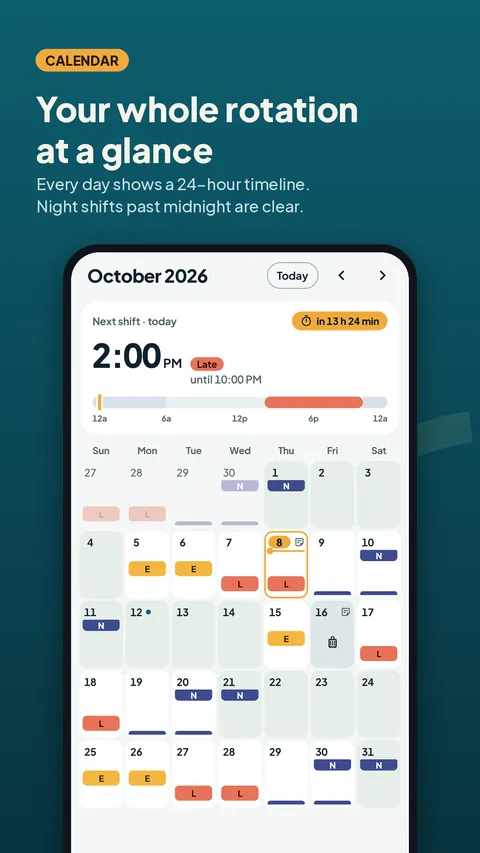
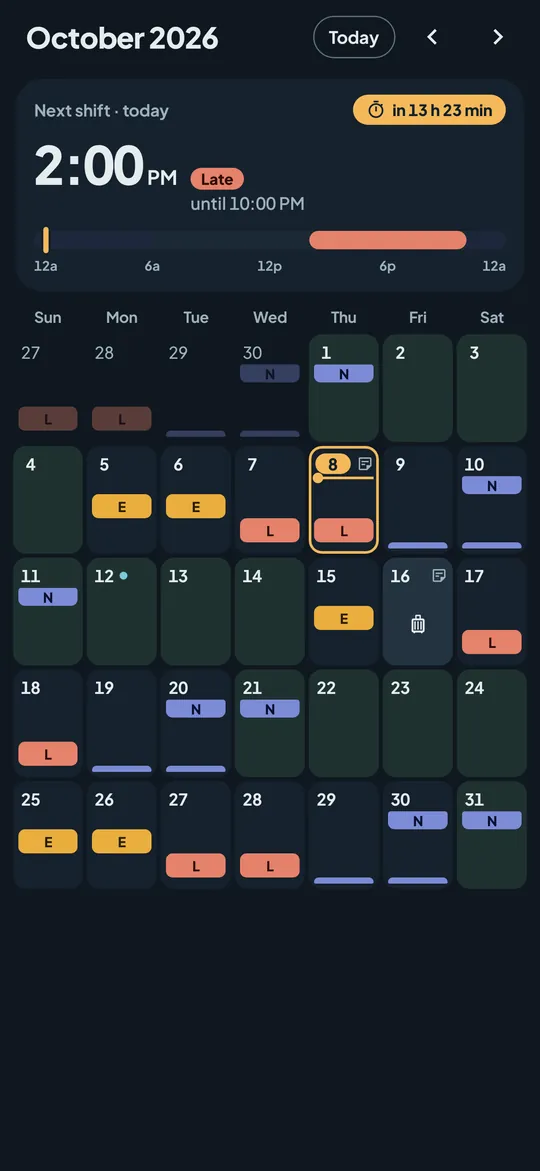
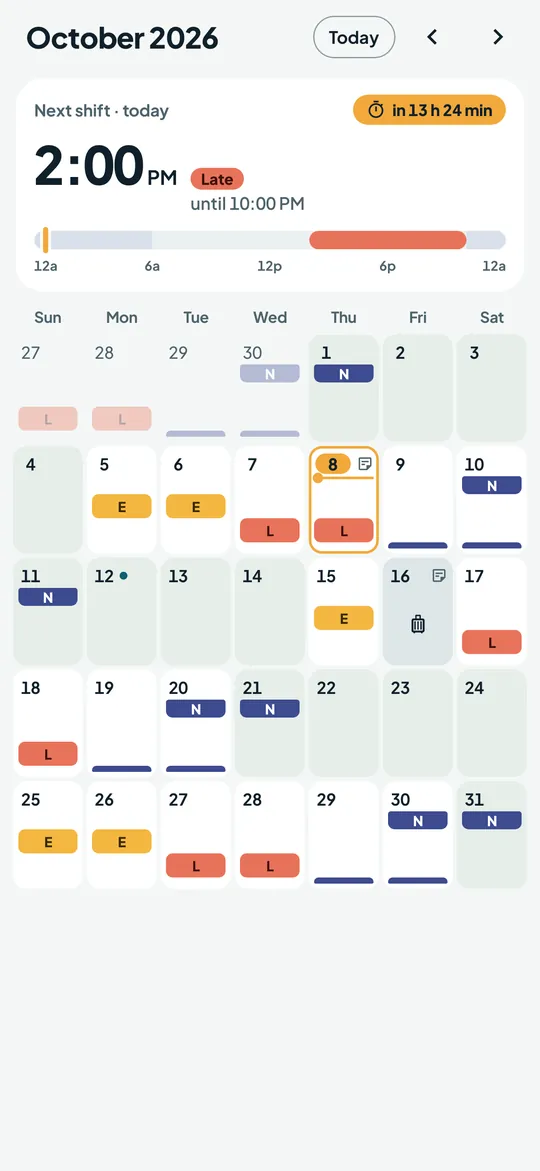
Your whole rotation at a glance 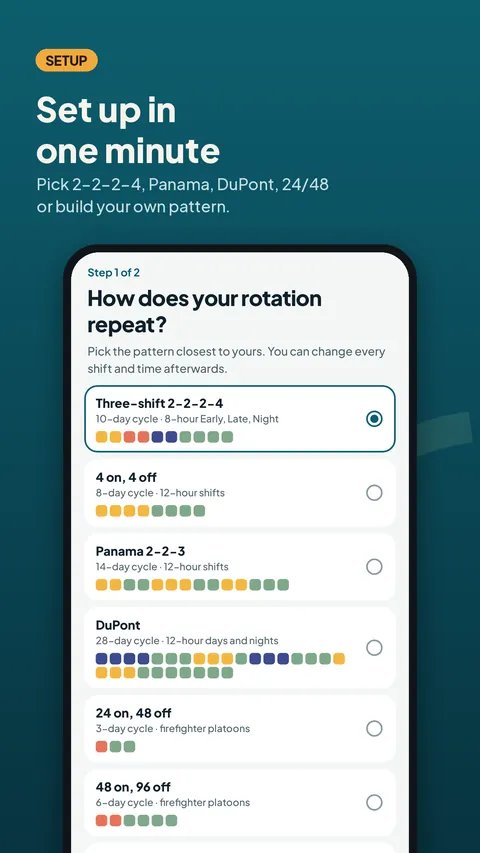
Set up in one minute 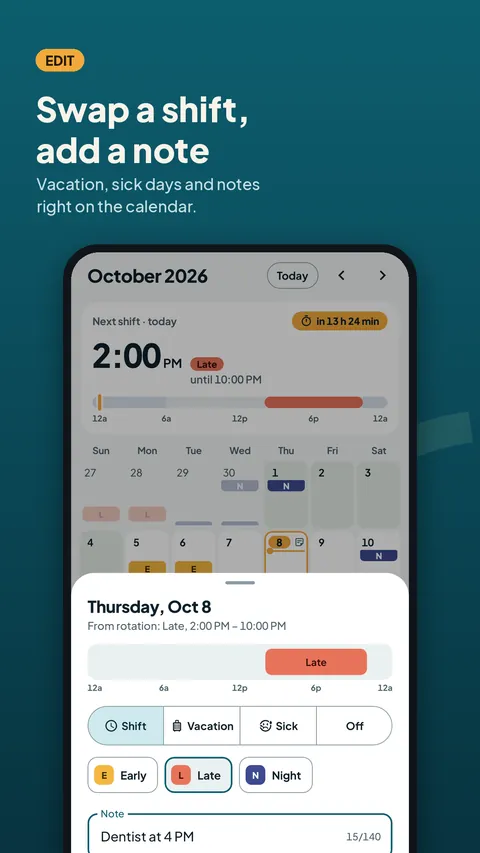
Swap a shift, add a note 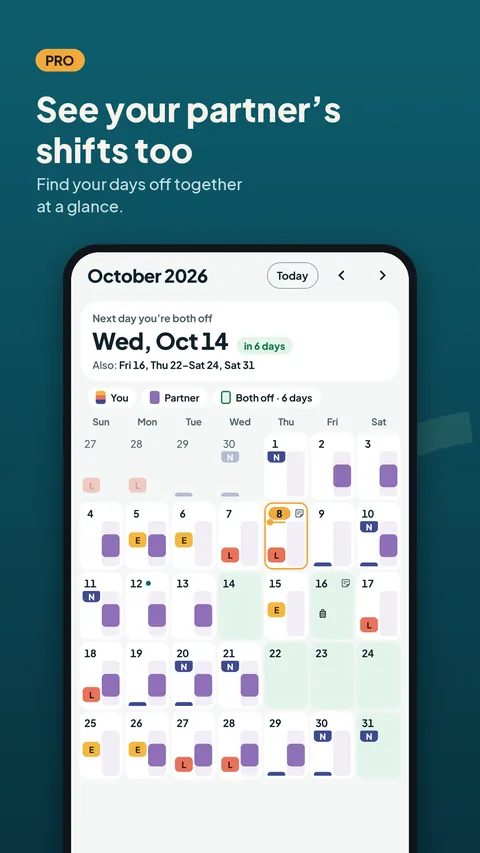
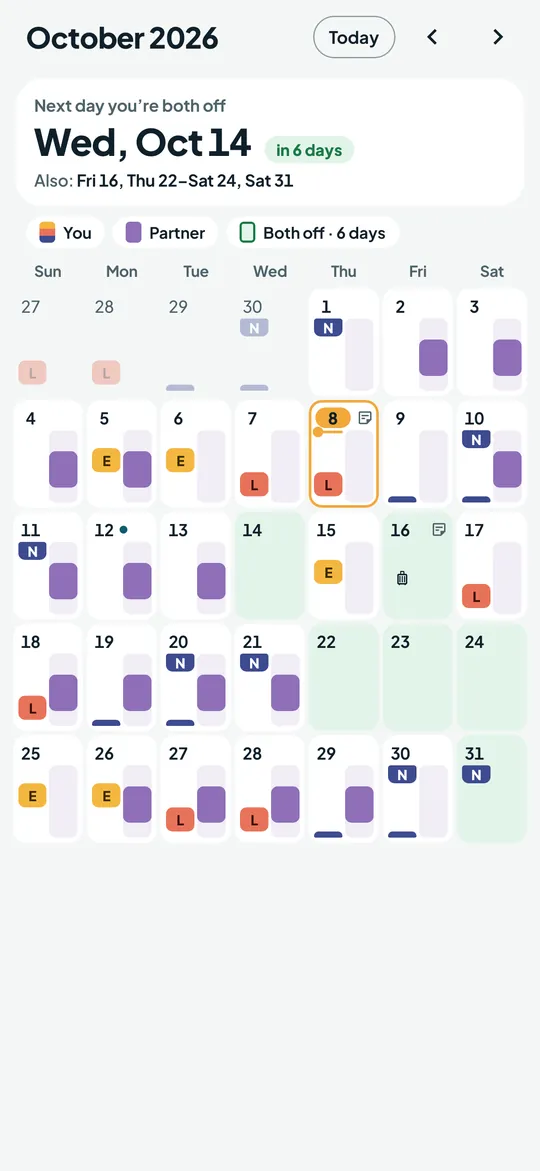
See your partner's shifts too (Pro) 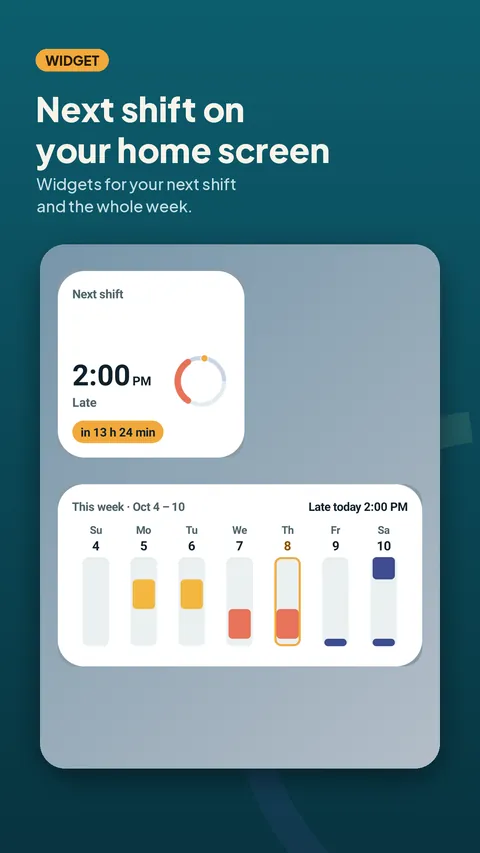
Widgets for your next shift and your week 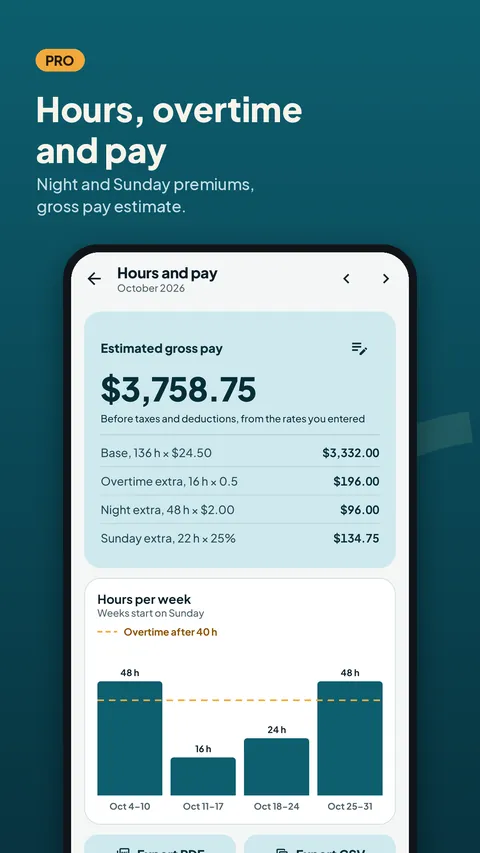
Hours, overtime and pay (Pro) 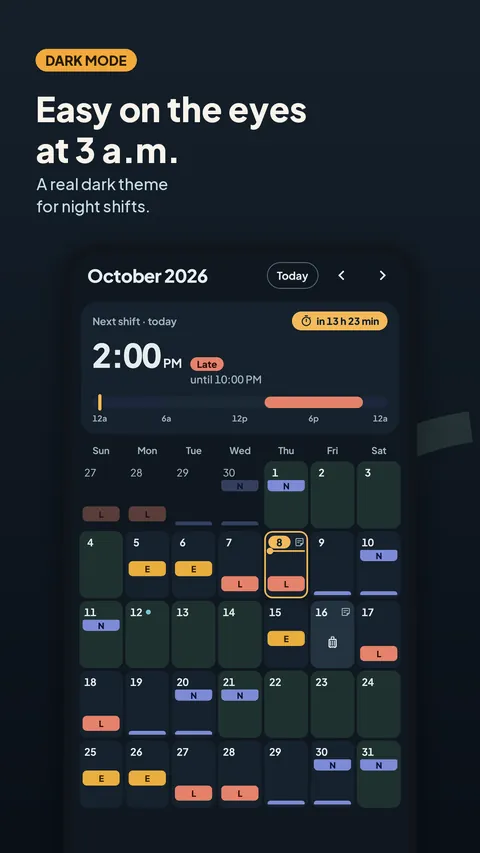
Easy on the eyes at 3 a.m. 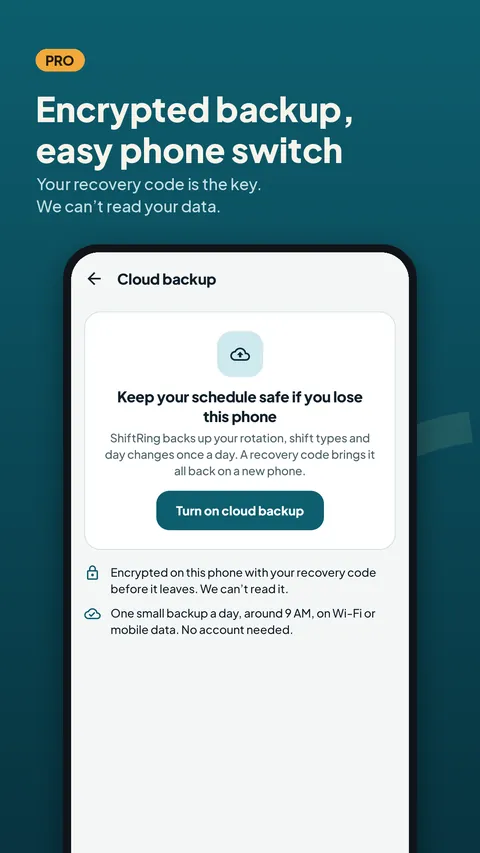
Encrypted backup, easy phone switch (Pro)
What you can do
Every shift on a 24-hour timeline. Each day in the month view shows when a shift starts and ends.
Your rotation in one tap. Pick 2-2-2-4, Panama 2-2-3, DuPont, 4 on 4 off, 24/48 or 48/96, or build your own pattern of any length.
Edit any day. Swap a shift, mark vacation or sick days and add a note.
An alarm before every shift. Set a reminder for each shift type, and see your next shift on a home screen widget.
Your partner's shifts next to yours (Pro). Share your schedule with an invite code and see the days you are both off.
Hours and pay estimate (Pro). Overtime, night and Sunday premiums and a gross pay estimate from the rates you enter, with PDF and CSV export.
Encrypted cloud backup (Pro). A daily backup, encrypted on your phone before it leaves.
Free vs Pro
| Feature | Free | Pro |
|---|---|---|
| Calendar, alarms and public holidays | Included | Included |
| Active rotations | 1 | More than one |
| Home screen widgets | Next shift | Next shift and week |
| Partner's shifts next to yours | Not included | Included |
| Hours, overtime and pay estimate | Not included | Included |
| Encrypted cloud backup | Not included | Included |
| Two-way Google Calendar sync | Not included | Included |
| No ads | Not included | Included |
Questions
Set up in one minute
- Pick your rotation. Choose a ready-made pattern or build your own, then set where your cycle starts.
- Check your shift times. Set the start and end time of each shift and an alarm before it.
- See months ahead. Your calendar fills in at once. Tap any day to change it.
Is ShiftRing free?
Yes, with no account. The calendar, ready-made and custom rotations (one active at a time), editing days, notes, public holidays, alarms, the next-shift widget and backup to a file are free. Pro adds partner sharing, pay estimates, cloud backup, Google Calendar sync, every widget, more than one rotation and no ads.
Which rotations are built in?
2-2-2-4 three-shift, Panama 2-2-3, DuPont, 4 on 4 off, and the 24/48 and 48/96 fire department schedules. You can also build your own rotation of any length.
When do I see ads?
Never on the calendar or while you edit your schedule, and there are no banner ads. Free users see one small ad card on the More tab, and a full-screen ad can appear only after you finish a task such as an export. You can also watch a short video to try one Pro feature for 24 hours. Pro removes every ad.
Is my schedule sent anywhere?
Not in the free version: your schedule stays on your phone, and public holiday lists are downloaded without any personal data. Data goes to our server only when you use a Pro feature: the next 90 days you choose to share, and cloud backups, which are encrypted on your phone so we cannot read them.
Which languages does ShiftRing support?
English and German, with public holidays for the US and every German state.
Privacy at a glance
- Your schedule
- Shift types, rotations, the calendar, day changes, notes, alarms, pay rates and settings are stored in the app on your phone. In the free version they never leave it.
- Google Calendar sync (Pro)
- Runs on your phone through Android's calendar provider: ShiftRing writes your shifts into a calendar you pick and reads back changes you make there. This calendar data is not sent to us.
- Backup to a file
- Saved where you choose. The app does not upload it.
Permissions: Notifications and exact alarms (for the alarm before each shift), starting after reboot (to set those alarms again), and reading and writing your calendar, asked only when you turn on Google Calendar sync. Internet is used for public holidays, Pro features, purchases and ads. No location, contacts, camera, microphone or storage permission is requested.
Something else? Write to support@tinyfair.my.id.
More from tinyfair
 TracefulOn Google Play
 HearthdaysOn Google Play
 GlidecueOn Google Play
 NightechoOn Google Play
 WeehoursOn Google Play
 BackvoxOn Google Play
 PrintwrenOn Google Play
 BillfinchOn Google Play
 RowberryOn Google Play
 TonewashOn Google Play
 SlidequiltOn Google Play
 FrostdialOn Google Play
 WavetallyOn Google Play
 CreasebirdComing soon
 SprychairComing soon
 WinkboothComing soon
 TidepenComing soon
 HushmossComing soon
ShiftRingFree on Google Play