 SlidequiltCarousel Maker
One long canvas, cut into slides that line up.
Lay out photos across the seams of one wide canvas. Slidequilt cuts it into 2 to 20 slides, saved in order to your gallery, so the picture continues as people swipe. No account.
- One long canvas with the seams always visible
- Cut into 2 to 20 slides, saved in order
- Photos stay on your phone, no account

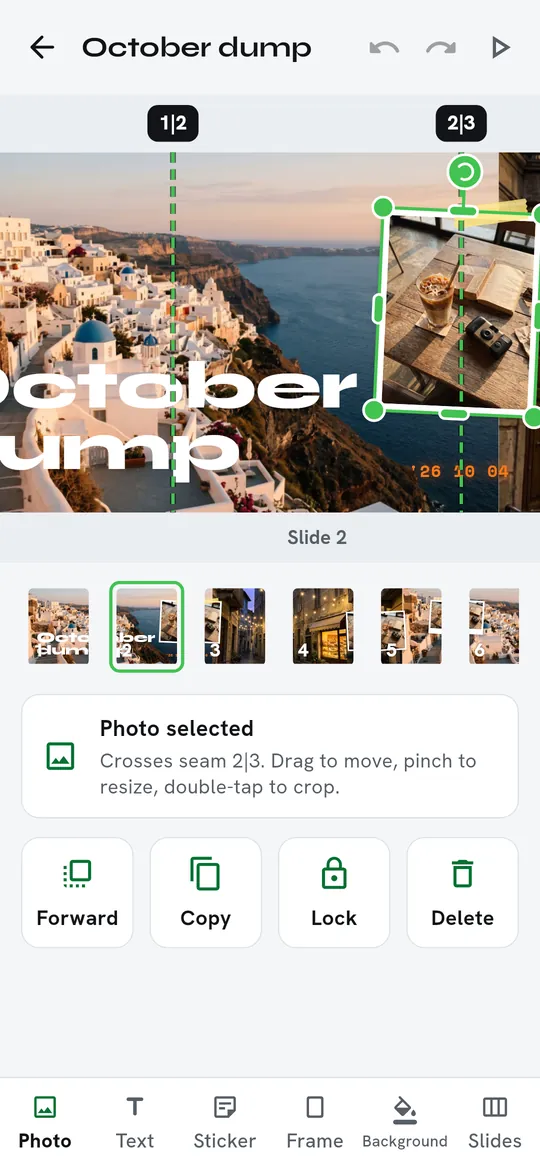
Swipe through Slidequilt
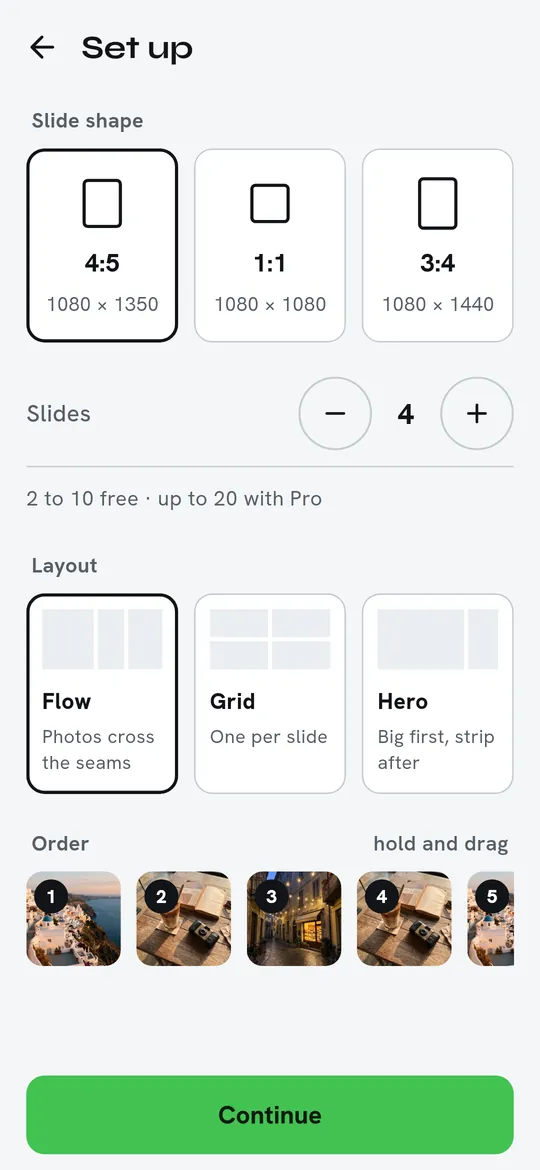
Pick a shape and a slide count 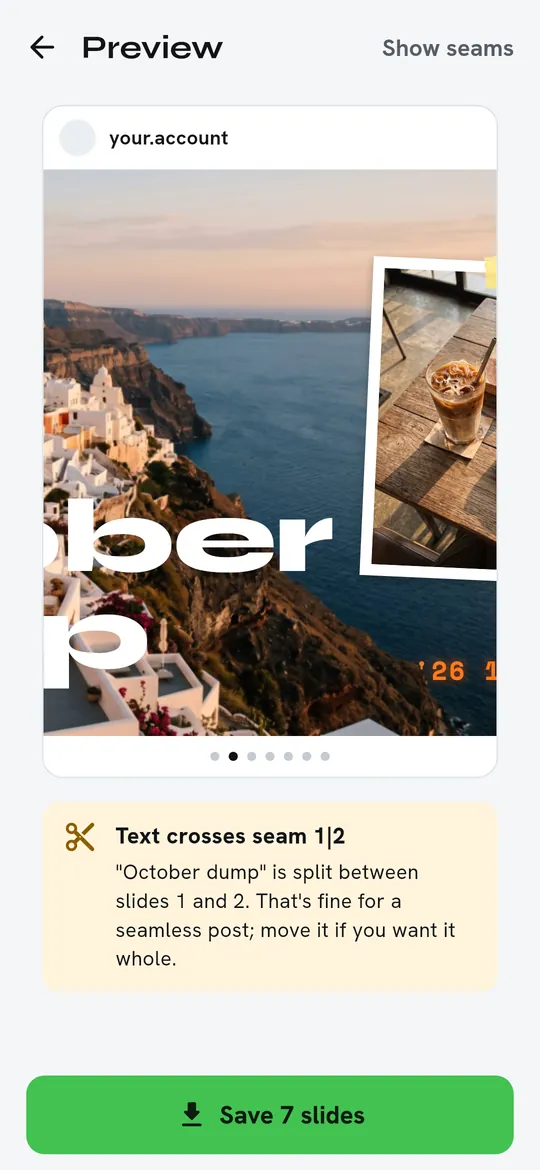
Swipe through before you save 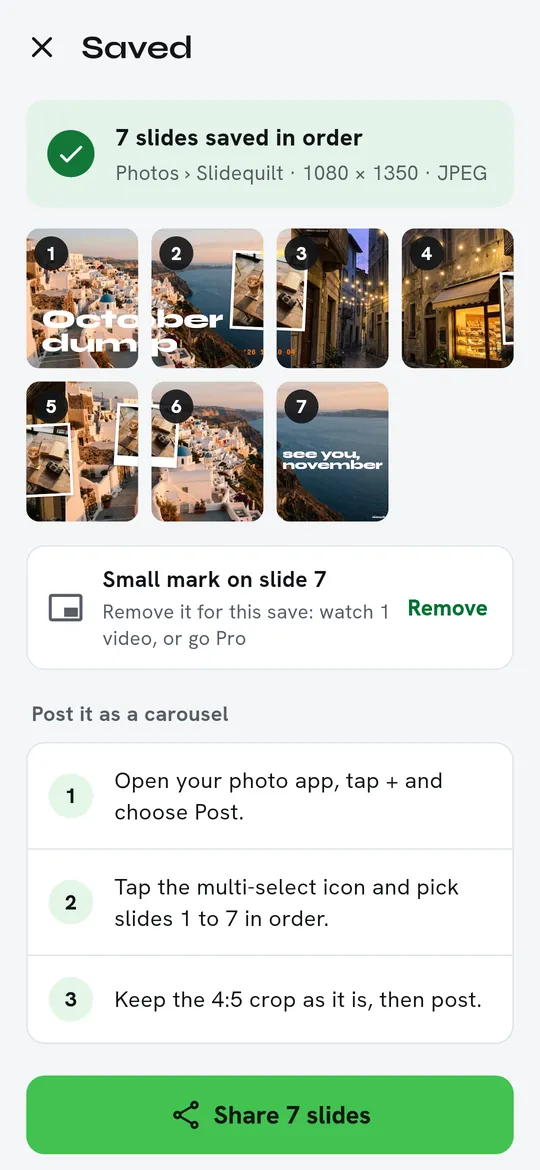
Saved in order, ready to post
What you can do
See every seam while you edit. Dashed lines and numbers show where one slide ends and the next begins.
Pick a shape and a slide count. 4:5, 1:1 or 3:4 slides, 1080 px wide.
Swipe through before you save. The preview warns you when text crosses a seam, so a word is never cut in half by accident.
Saved in order, ready to post. Slides go to a Slidequilt album in your gallery, numbered in order.
Free vs Pro
| Feature | Free | Pro |
|---|---|---|
| Photos and saving | Unlimited | Unlimited |
| Slides per carousel | 2 to 10 | 2 to 20 |
| Templates | 12 | 60+ |
| Fonts and sticker packs | 8 basic | All |
| Mark on the last slide | Small | None |
| PNG and 2x export | Not included | Included |
| No ads | Not included | Included |
Questions
How it works
- Pick your photos. Choose them in the photo picker. Slidequilt lays them out on one long canvas.
- Move things across the seams. Drag, resize and add text, stickers and frames. The seams stay visible.
- Save the slides. They are cut and saved in order to your gallery. Post them as one carousel.
Is Slidequilt free?
Yes. Unlimited photos, 2 to 10 slides per carousel, 12 templates and saving are free. A small mark goes on the last slide; you can remove it for one save by watching a video. Pro adds up to 20 slides, all templates, fonts and stickers, PNG and 2x export, no mark and no ads.
Are my photos uploaded?
No. Slidequilt has no servers. Your photos are cut into slides on your phone and saved to your own gallery.
Why does the picture line up when people swipe?
Each slide is an exact piece of the same wide canvas, so the edge of one slide meets the edge of the next.
Privacy at a glance
- Photos
- Chosen with the Android photo picker and processed only on your phone. They are never uploaded or sent to us.
- Projects
- Your layouts, text and settings are saved in the app's private storage on your phone so you can come back and change a slide. There is no account.
- Saved slides
- Written to a Slidequilt album in your phone's gallery. They are shared only when you choose an app in the Android share sheet.
- Purchases and trial reminder
- Handled by Google Play; we never see your payment details. The trial reminder is scheduled on your phone by Android.
Permissions: None for your photos: they are chosen with the Android photo picker, so no storage or media permission is needed, and slides are saved to your gallery without one. Vibration, for a short tap when a photo snaps to a slide edge. No location, contacts, camera or microphone access. Internet is used for ads, purchases and crash reports.
Something else? Write to support@tinyfair.my.id.
More from tinyfair
 TracefulOn Google Play
 HearthdaysOn Google Play
 GlidecueOn Google Play
 NightechoOn Google Play
 WeehoursOn Google Play
 BackvoxOn Google Play
 PrintwrenOn Google Play
 BillfinchOn Google Play
 RowberryOn Google Play
 TonewashOn Google Play
 FrostdialOn Google Play
 WavetallyOn Google Play
 ShiftRingOn Google Play
 CreasebirdComing soon
 SprychairComing soon
 WinkboothComing soon
 TidepenComing soon
 HushmossComing soon
SlidequiltFree on Google Play