 FrostdialGlass Widgets
Home screen widgets that sit well on your wallpaper.
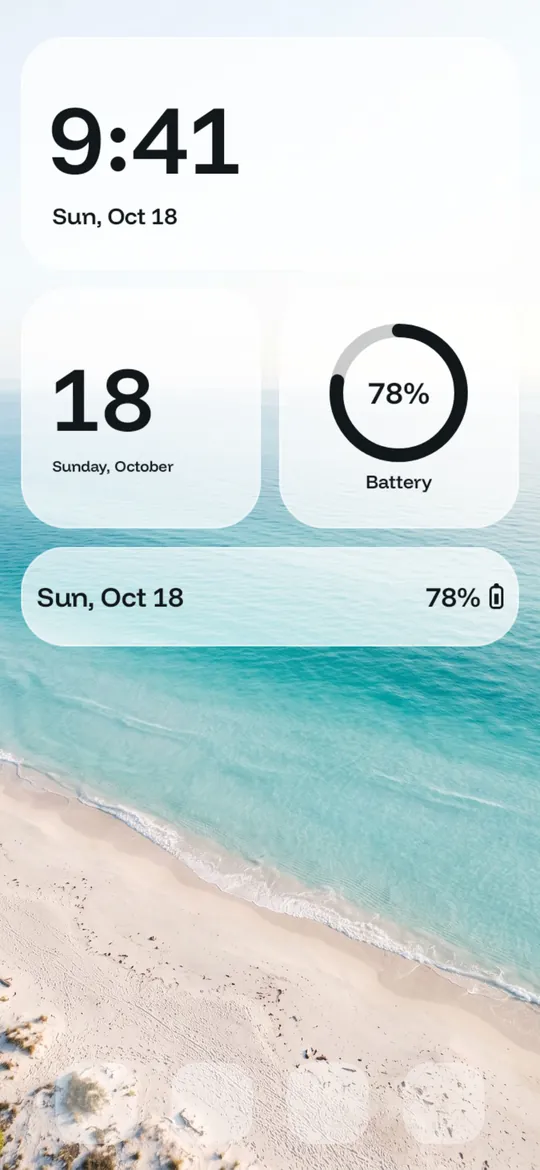
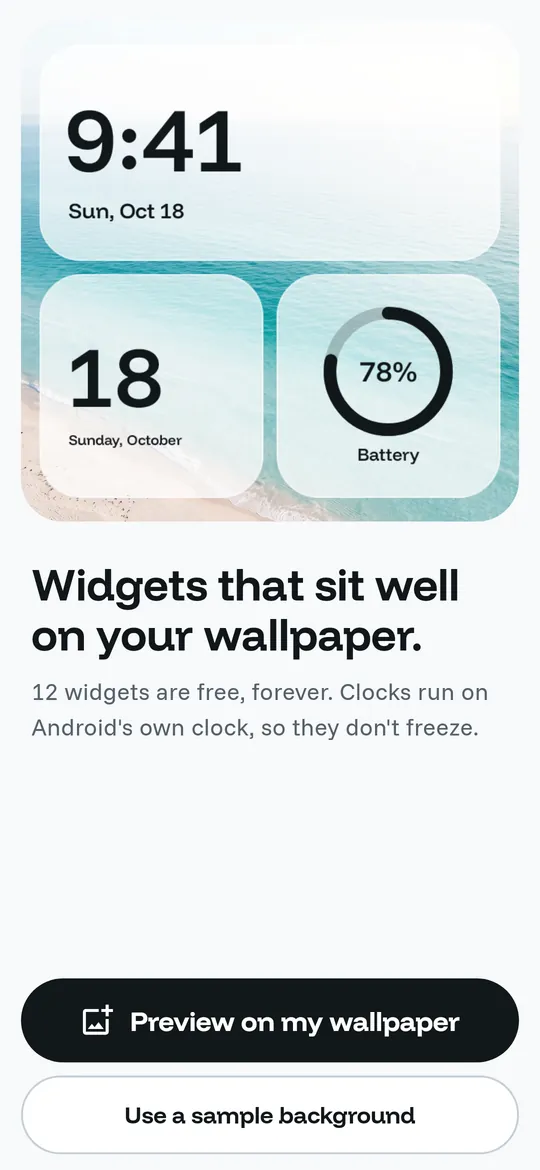
Clock, date, battery, calendar and agenda widgets in glass, solid or wallpaper colors. 12 widgets are free forever, and clocks run on Android's own clock, so they do not freeze.
- 12 widgets free forever, in 3 styles
- Previewed on your own wallpaper
- Clocks run on Android's clock, so they never freeze

Swipe through Frostdial
Your style, your transparency 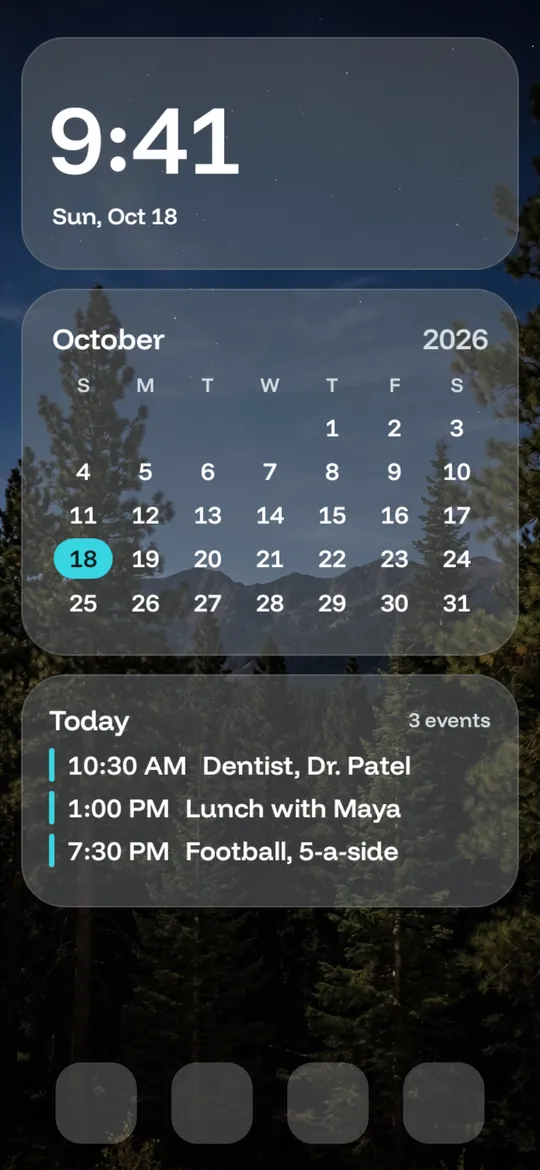
Calendar and agenda at a glance 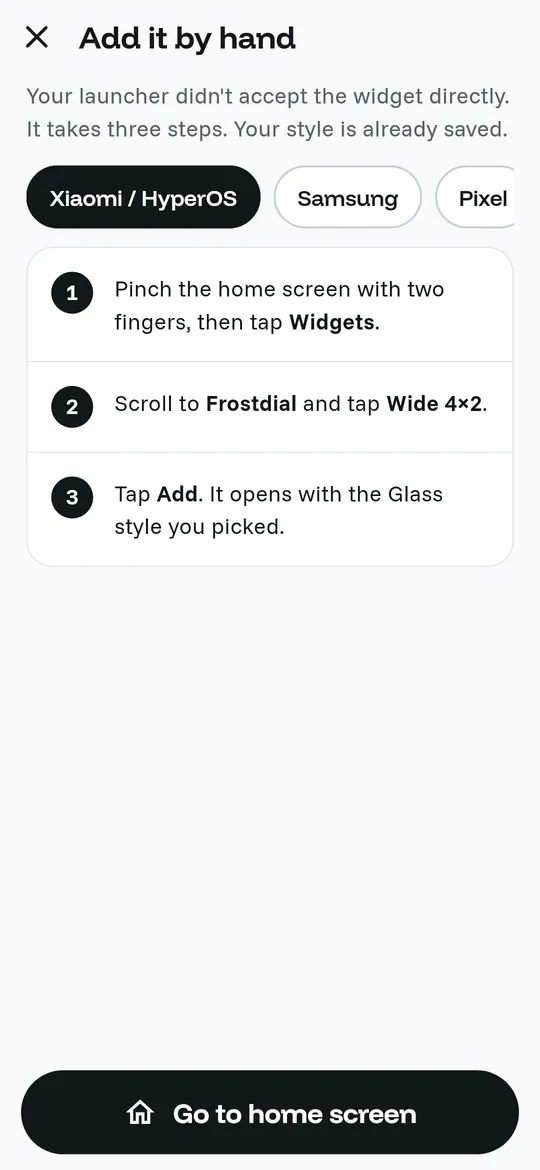
Added even when the launcher says no 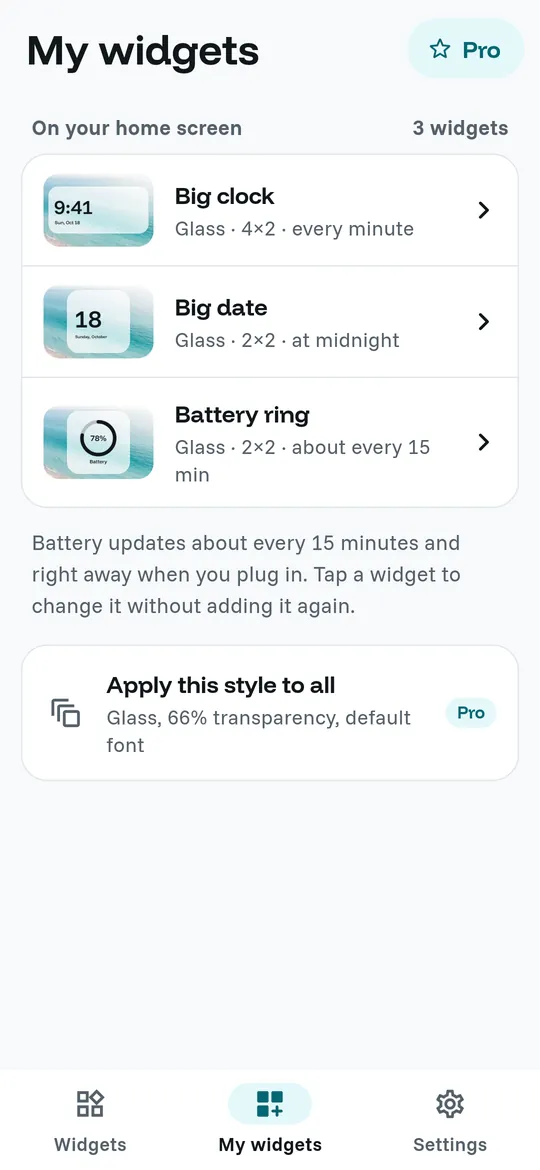
All your widgets in one list
What you can do
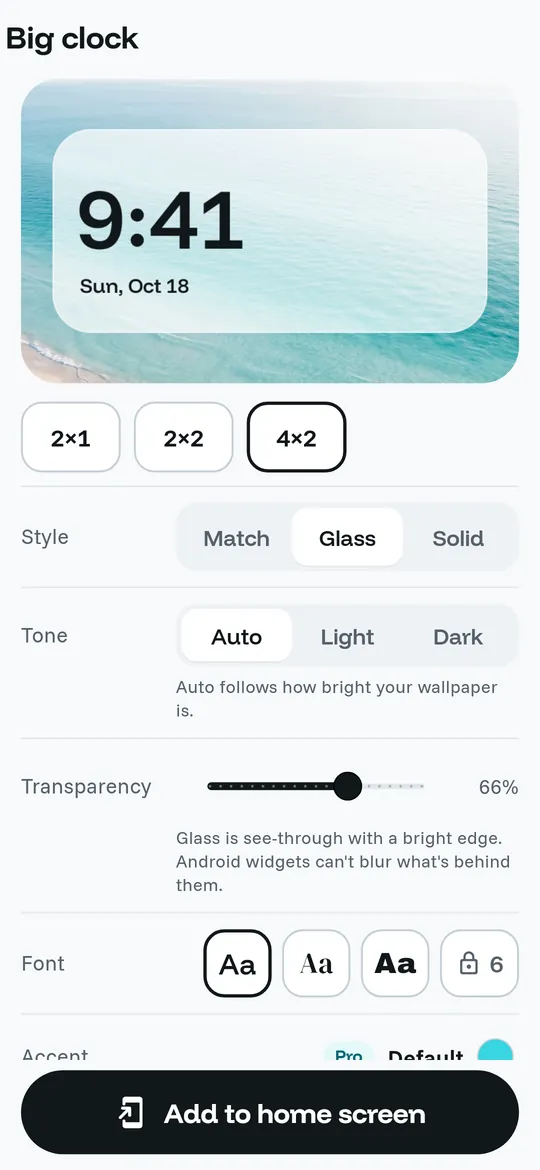
Your style, your transparency. Pick a size, a style and how see-through the glass is, then tap "Add to home screen".
Calendar and agenda at a glance. A month calendar that marks today, and an agenda widget with your next three events.
Added even when the launcher says no. If your launcher does not accept a widget directly, Frostdial shows the three steps for Xiaomi, Samsung or Pixel, with your style already saved.
All your widgets in one list. See every widget on your home screen, how often it updates, and change one without adding it again.
Free vs Pro
| Feature | Free | Pro |
|---|---|---|
| Widget designs | 12 | 40+ |
| Match, Glass, Solid and transparency | Included | Included |
| Fonts | 3 | 9 |
| Any accent color | Not included | Included |
| Apply a style to all widgets | Not included | Included |
| No ads | Not included | Included |
Questions
How it works
- Pick a widget. Clock, date, battery, calendar or agenda, in Match, Glass or Solid.
- Make it yours. Choose the size, transparency and font, previewed on your wallpaper.
- Add it to your home screen. Tap "Add to home screen" and confirm. Long-press it later to resize.
Is Frostdial free?
Yes. 12 widget designs in all three styles, transparency and 3 fonts are free forever, with ads inside the app only. Pro adds 30 more designs (42 in all), any accent color, 9 fonts, one tap to apply a style to all widgets, and no ads.
Why does my clock widget not freeze?
Clock widgets use Android's own clock to show the time, so they keep running even when the app is closed.
Does Frostdial read my calendar?
Only if you add the agenda widget and allow it. Events are read on your phone to show the next three, and never leave your phone. The month calendar works without any permission.
Can the glass blur my wallpaper?
No. Android home screen widgets cannot blur the wallpaper behind them, so Frostdial uses see-through tints and fine edges instead.
Privacy at a glance
- Calendar (agenda widget only)
- Read only if you add an agenda widget and allow calendar access. Events are read on your phone only to show your next events on the widget. Calendar data never leaves your phone and is not collected by us or anyone else.
- Wallpaper preview photo
- If you pick a photo to preview widgets on, you choose it with the Android photo picker. A copy is kept in the app's private storage on your phone only, and it is never uploaded.
- Battery level
- Read on your phone by Android to show on the battery widget. It is not sent anywhere.
- Widget settings
- The style, size, transparency and font of each widget are saved on your phone. There is no account.
- Purchases
- Handled by Google Play; we never see your payment details.
Permissions: Calendar (read only), asked only when you add an agenda widget; if you say no, every other widget still works. No storage or media permission: the preview photo is chosen with the Android photo picker. No location, contacts, camera or microphone access. Internet is used for ads, purchases and crash reports.
Something else? Write to support@tinyfair.my.id.
More from tinyfair
 TracefulOn Google Play
 HearthdaysOn Google Play
 GlidecueOn Google Play
 NightechoOn Google Play
 WeehoursOn Google Play
 BackvoxOn Google Play
 PrintwrenOn Google Play
 BillfinchOn Google Play
 RowberryOn Google Play
 TonewashOn Google Play
 SlidequiltOn Google Play
 WavetallyOn Google Play
 ShiftRingOn Google Play
 CreasebirdComing soon
 SprychairComing soon
 WinkboothComing soon
 TidepenComing soon
 HushmossComing soon
FrostdialFree on Google Play