 HearthdaysLove Days Counter
Every day together, counted.
Count the days you have been together, with a photo widget for your home screen.
- See your days together on your home screen
- Never miss a milestone or anniversary
- Photo widget for free. Pro is one payment
Swipe through Hearthdays
Milestones worth celebrating 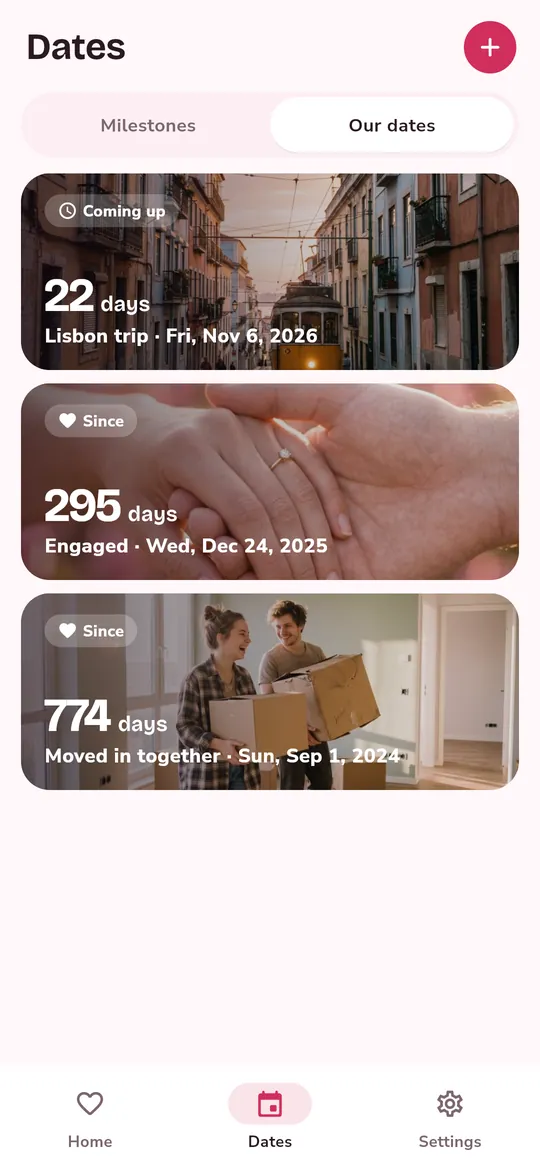
Our dates, each with a photo 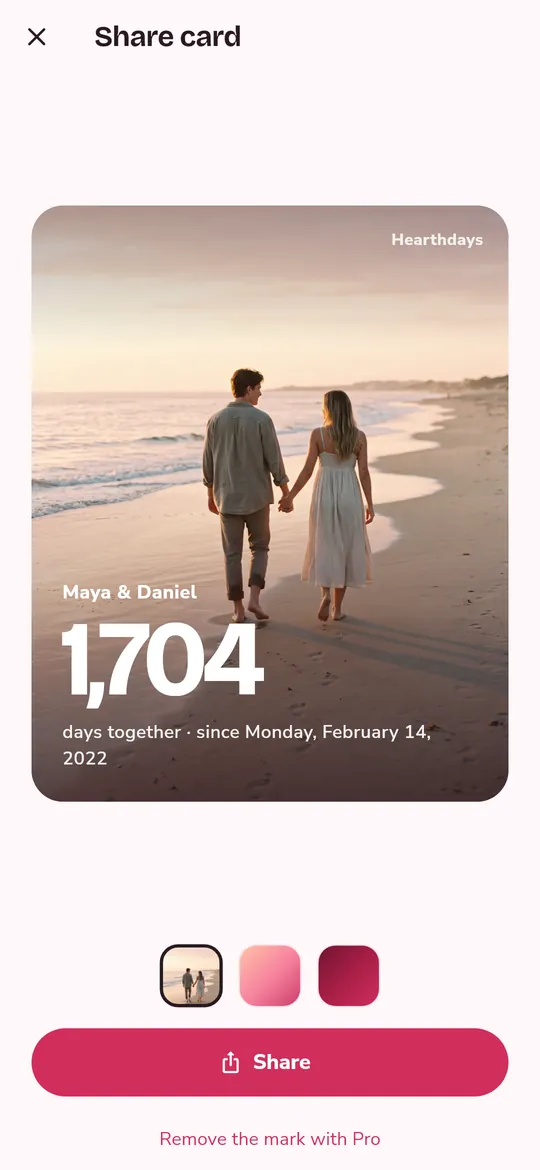
Share the day 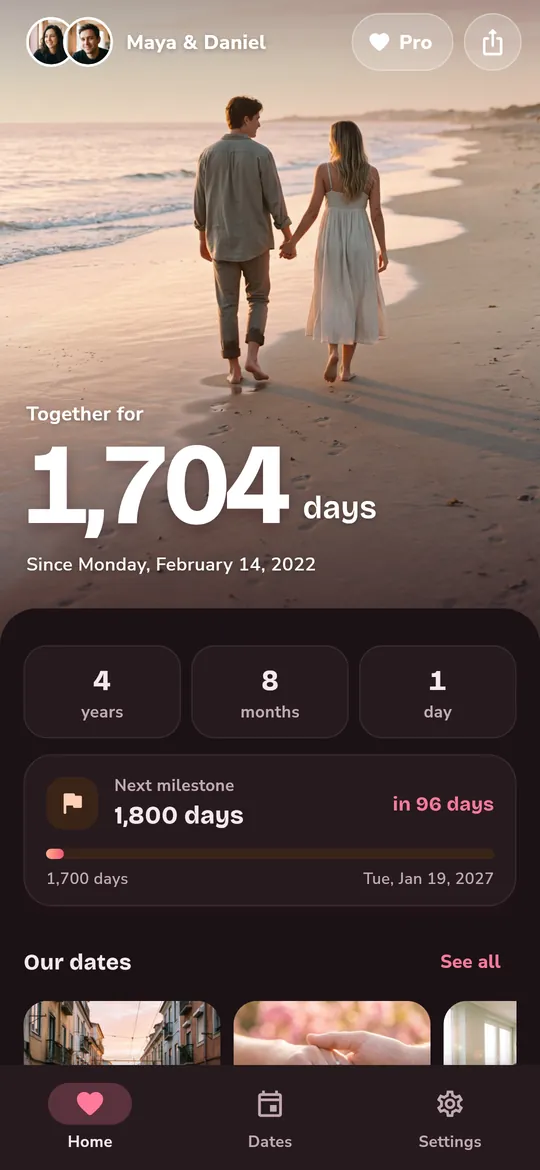
Make it yours
What you can do
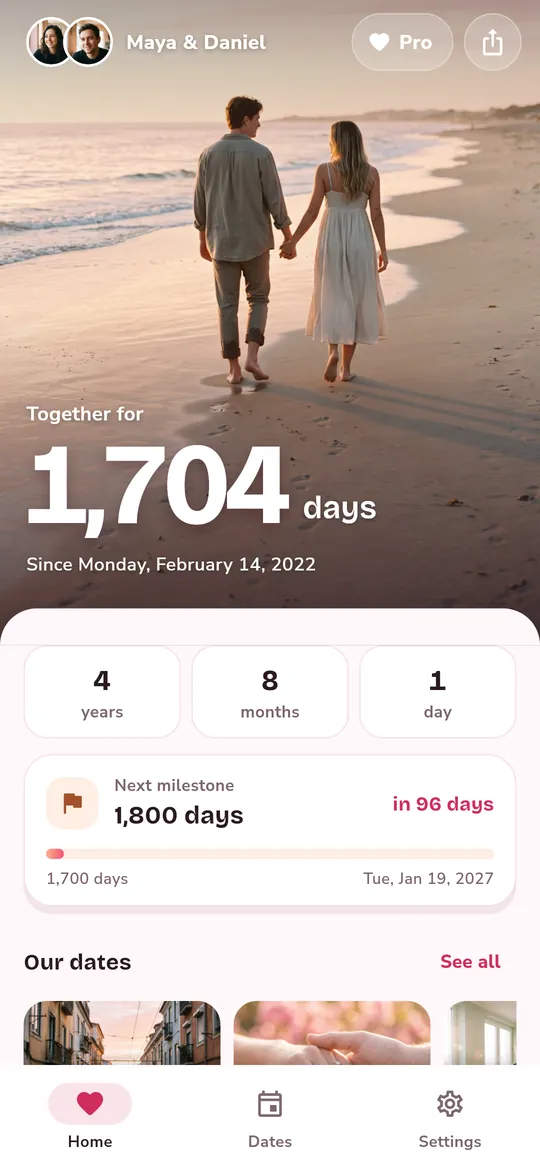
One big number on your photo. Days together, front and center.
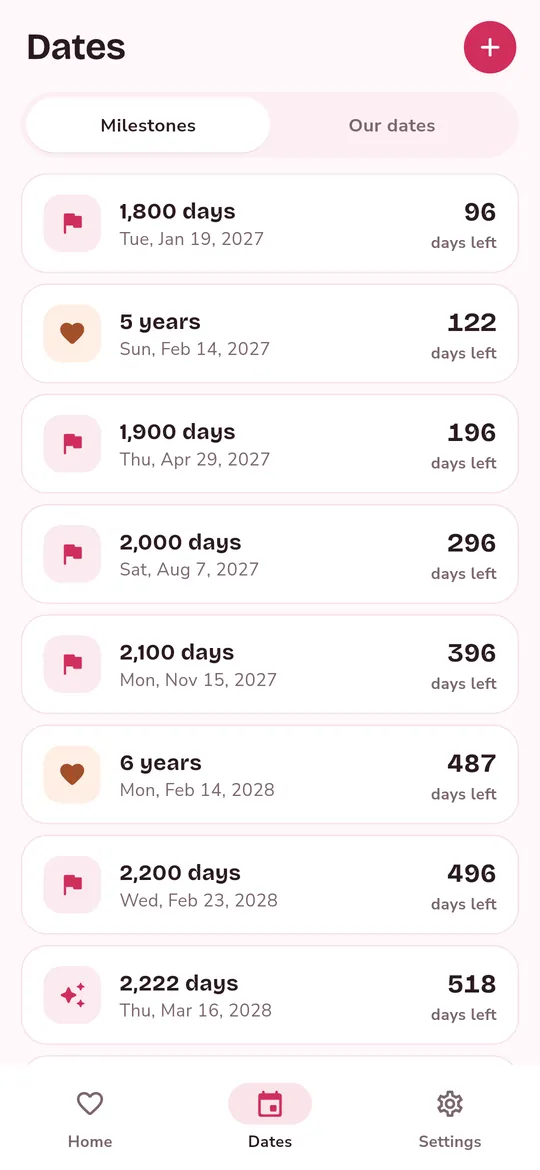
Milestones worth celebrating. Every 100 days up to 10,000, repeating numbers like 1,111, and every anniversary, with a reminder the morning before.
Our dates, each with a photo. Count up from your first date or down to your next trip.
Share the day. Make a share card for your story or chat in one tap.
Make it yours. Light and dark themes and 12 colors: 3 rose shades are free, 9 more come with Pro.
Free vs Pro
| Feature | Free | Pro |
|---|---|---|
| Day counter and milestones | Included | Included |
| Dates you count | 3 | Unlimited |
| Home screen widgets | 1 | 3 |
| Colors | 3 | 12 |
| Share cards without the mark | Not included | Included |
| No ads | Not included | Included |
Questions
Ready in a minute
- Add your names and a photo. Pick the photo with the Android photo picker.
- Choose the day it began. Hearthdays counts every day since, and the milestones ahead.
- Put the widget on your home screen. Your photo and your count, every time you unlock.
Is Hearthdays free?
Yes. The counter, milestones, reminders and the 4×2 photo widget are free. Pro adds extras and removes ads.
Is Pro a subscription?
No. Pro is a single purchase through Google Play. Restore it on a new phone with the same Google account.
When do I see ads?
Never on the counter screen. A small banner sits in the Milestones list and in Settings, and a full-screen ad may appear after you share a card, at most once every few minutes. Pro removes them all. You can also watch 2 videos to try all of Pro, with no ads, for 24 hours (once a day).
Does it sync with my partner?
No. Hearthdays keeps everything on one phone: there is no account, no partner sync and no cloud backup.
Where are our photos stored?
Only on your phone. Names, dates and photos are never uploaded or sent to us.
Privacy at a glance
- Names, dates and photos
- Stored only on your phone. They are never uploaded or sent to us.
- Reminders
- Scheduled on your phone by Android. No reminder data leaves the device.
Permissions: Notifications (milestone reminders) and starting after reboot (to keep reminders scheduled). Photos are picked with the Android photo picker, without storage permission.
Something else? Write to support@tinyfair.my.id.
More from tinyfair
 TracefulOn Google Play
 GlidecueOn Google Play
 NightechoOn Google Play
 WeehoursOn Google Play
 BackvoxOn Google Play
 PrintwrenOn Google Play
 BillfinchOn Google Play
 RowberryOn Google Play
 TonewashOn Google Play
 SlidequiltOn Google Play
 FrostdialOn Google Play
 WavetallyOn Google Play
 ShiftRingOn Google Play
 CreasebirdComing soon
 SprychairComing soon
 WinkboothComing soon
 TidepenComing soon
 HushmossComing soon
HearthdaysFree on Google Play