 RowberryKnitting Row Counter
Count every row without losing your place.
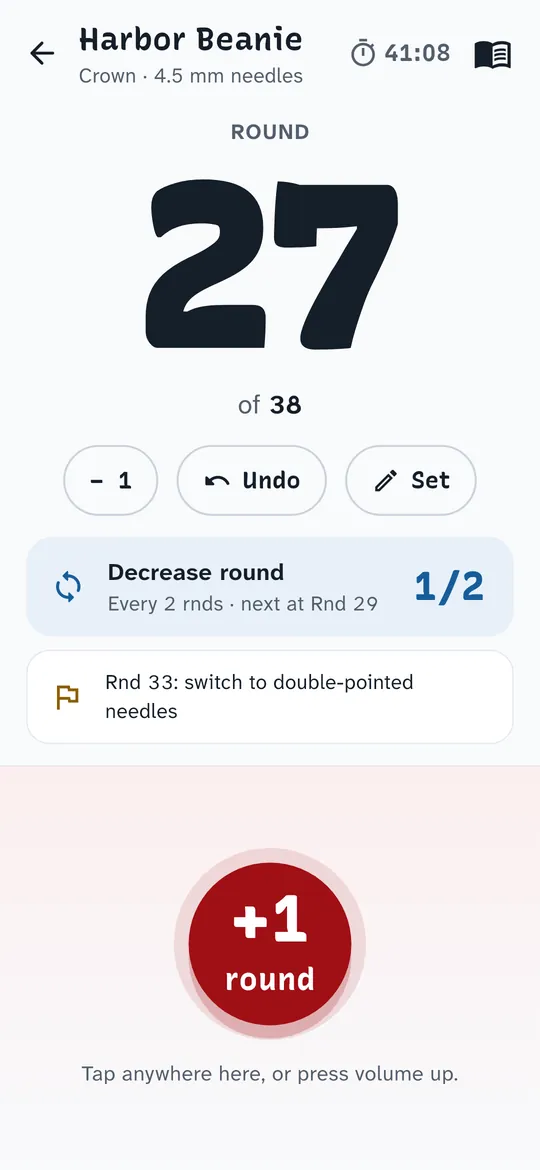
A row counter for knitting and crochet with a project book and your PDF patterns. Tap anywhere on the lower half of the screen to add a row. No account.
- Tap anywhere on the lower half to add a row
- Your PDF pattern with a moving row marker
- Free backups, no account and no ads while you count
Swipe through Rowberry
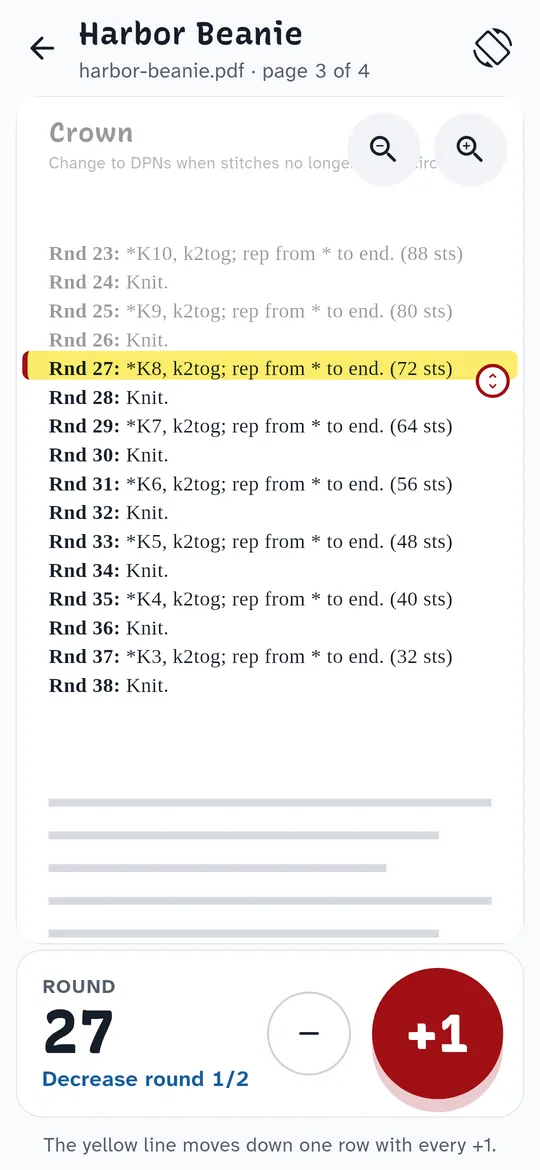
Your PDF pattern, with a row marker 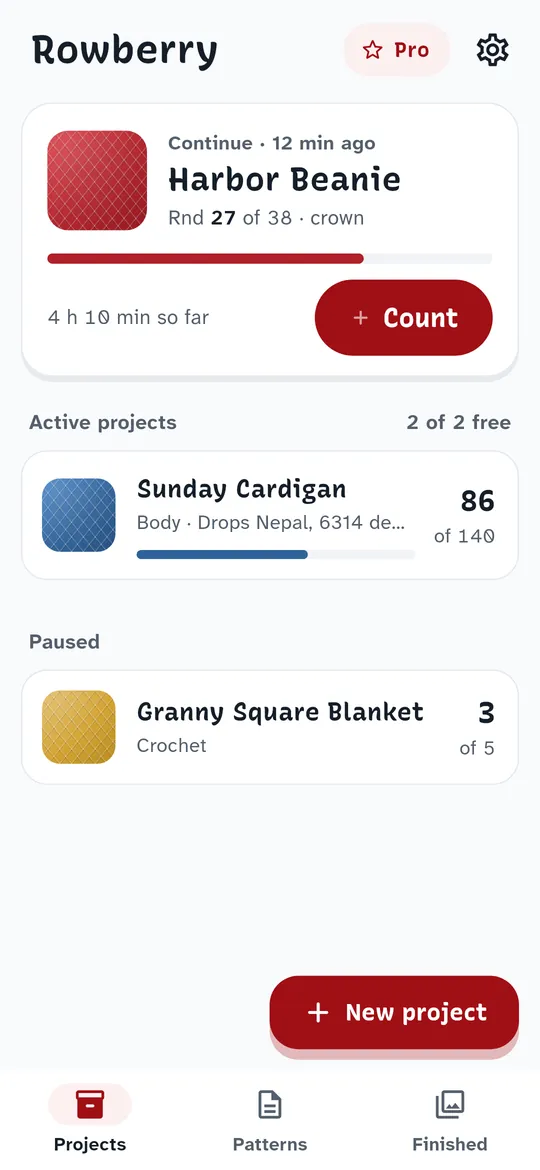
Pick up where you left off 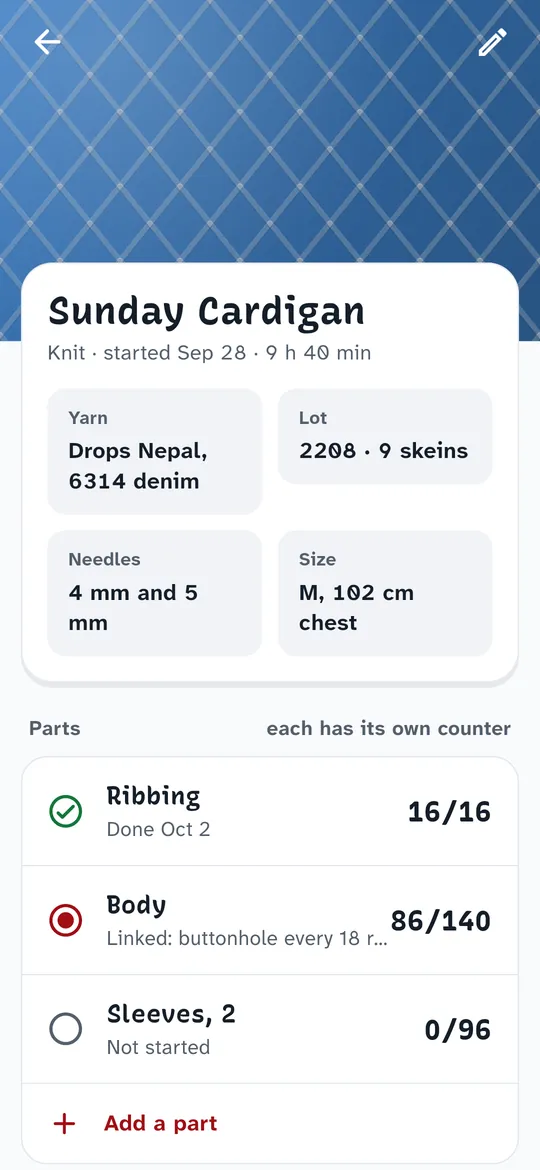
A project book
What you can do
A counter you hit without looking. The lower half of the screen is one big +1.
Your PDF pattern, with a row marker. Open a pattern from any folder on your phone.
Pick up where you left off. The project you knitted last is one tap away, with its round, progress and time so far.
A project book. Yarn and dye lot, needles, size, notes and parts, each with its own counter.
Free vs Pro
| Feature | Free | Pro |
|---|---|---|
| Active projects | 2 | Unlimited |
| Linked counters per project | 1 | Unlimited |
| Patterns with row marker | 1 per project | Unlimited |
| Finished gallery | Last 3 | All |
| Automatic backup | Manual | Included |
| No ads | Not included | Included |
Questions
How it works
- Name your project. Knit or crochet, and US or UK crochet terms. A name is all you need.
- Tap to count. Anywhere on the lower half, or with the volume buttons. Undo fixes a wrong tap.
- Add a linked counter. For repeats like "decrease every 2 rounds". It counts 1, 2, 1, 2 with your rows.
Is Rowberry free?
Yes. Counting rows, one linked counter per project, the pattern viewer with its row marker, the knitting timer and backups are free. Pro adds unlimited active projects and counters, all finished pieces, automatic backup and removes ads.
Does it work for crochet?
Yes. Choose crochet for a project and pick US or UK terms; you can change them later in Settings.
Will I lose my count if I change phones?
Export a backup file in Settings, move it to the new phone and import it there. Both are free.
Privacy at a glance
- Projects and counts
- Saved only in a database on your phone the moment you tap. They are never sent to us. There is no account.
- Patterns
- PDFs you open are copied into the app's own storage on your phone and never uploaded.
- Backups
- A backup file is written only where you choose to save it. We never receive it.
- Purchases and trial reminder
- Handled by Google Play; we never see your payment details. The trial reminder is scheduled on your phone by Android.
Permissions: Notifications, only to remind you before a free trial ends. Files are chosen with the Android file picker, so no storage permission is needed. No location, contacts, camera or microphone access. Internet is used for ads, purchases and crash reports.
Something else? Write to support@tinyfair.my.id.
More from tinyfair
 TracefulOn Google Play
 HearthdaysOn Google Play
 GlidecueOn Google Play
 NightechoOn Google Play
 WeehoursOn Google Play
 BackvoxOn Google Play
 PrintwrenOn Google Play
 BillfinchOn Google Play
 TonewashOn Google Play
 SlidequiltOn Google Play
 FrostdialOn Google Play
 WavetallyOn Google Play
 ShiftRingOn Google Play
 CreasebirdComing soon
 SprychairComing soon
 WinkboothComing soon
 TidepenComing soon
 HushmossComing soon
RowberryFree on Google Play