 WinkboothPhoto Booth Camera
Count down, pose four times, keep the strip.
A photo booth in your phone: 2 to 4 poses, film looks, retro effects and soft beauty touch-ups. Every effect runs on your phone, and your photos are never uploaded.
- Countdown, 2 to 4 poses, taken for you
- Retro effects and beauty made on your phone
- No ads while you shoot, no uploads
Coming soon to Google Play.
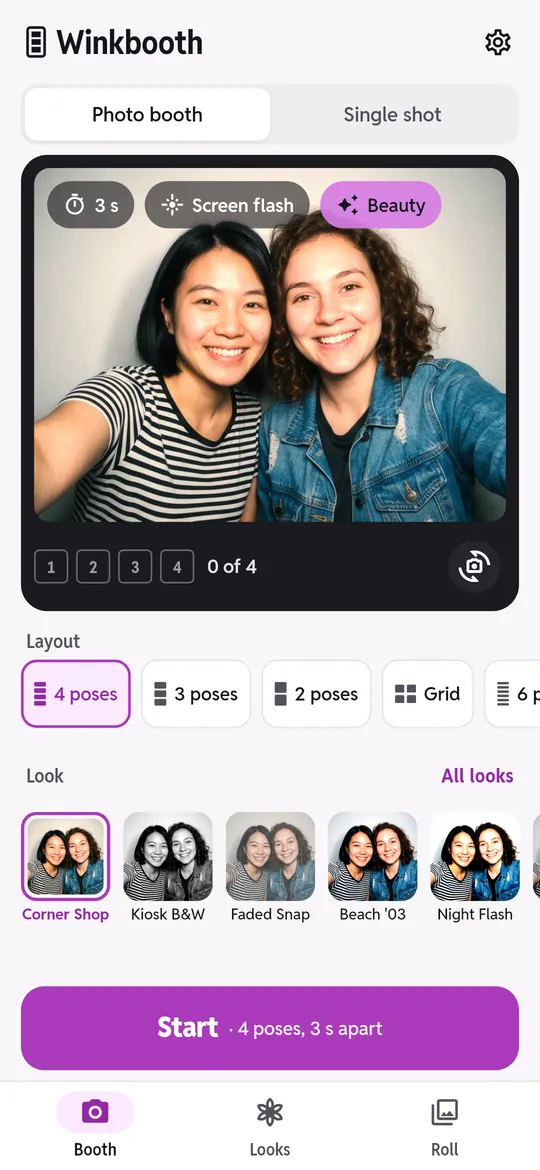
Swipe through Winkbooth
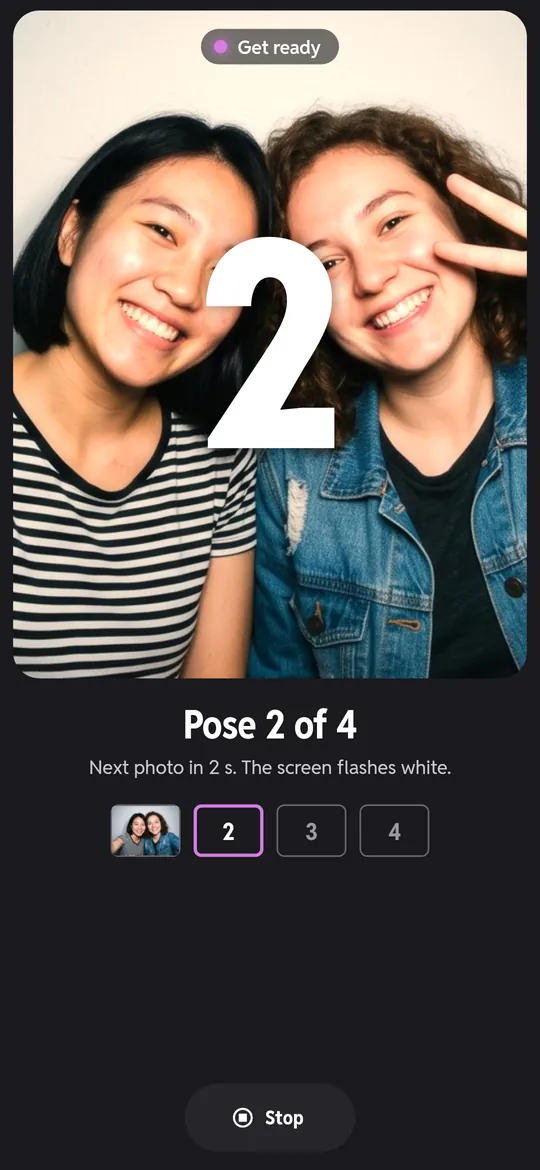
Press Start, then just pose 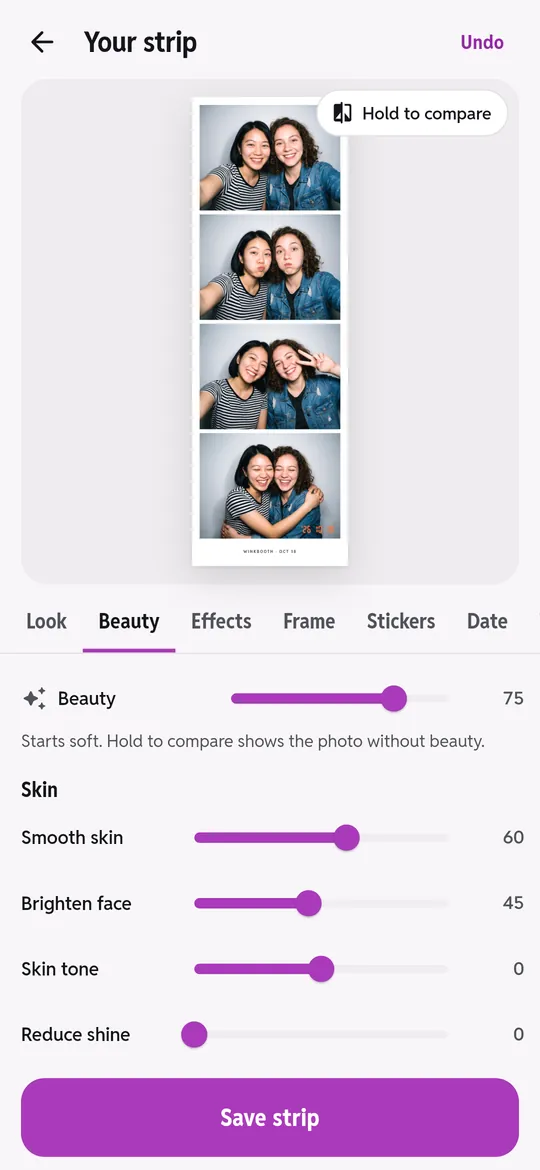
Beauty, soft by default 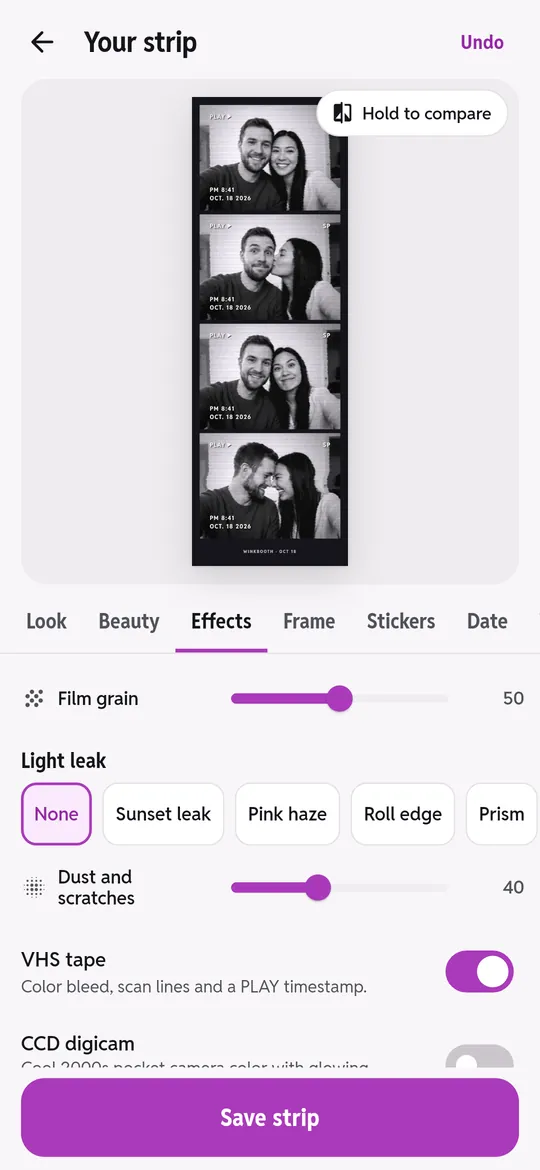
Retro effects made on your phone 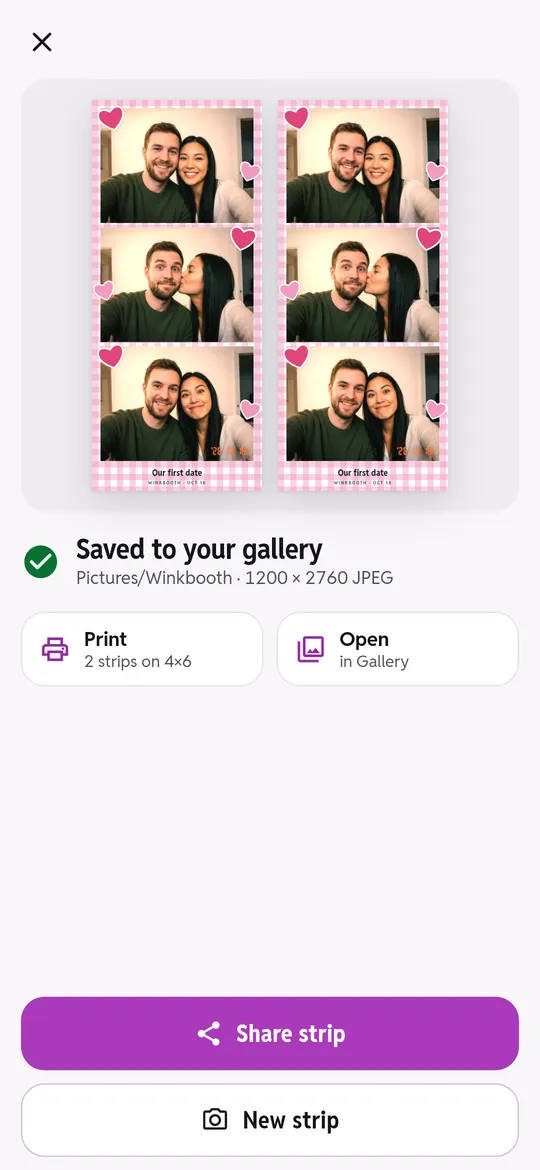
Saved, shared, printed
What you can do
Press Start, then just pose. A big countdown you can read from across the room, the screen flashes as a light, and every pose is taken for you.
Beauty, soft by default. Smooth skin and brighten faces for free.
Retro effects made on your phone. Film grain you can adjust, light leaks, dust and scratches, VHS tape, CCD digicam color, double exposure and an orange LED date stamp.
Saved, shared, printed. Strips save straight to Pictures/Winkbooth.
Free vs Pro
| Feature | Free | Pro |
|---|---|---|
| Strips and photos | Unlimited | Unlimited |
| Film looks | 8 | 24 |
| Frames | 10 | 30 |
| Retro effects | 3 | 13 |
| Smooth skin and brighten | Included | Included |
| Face shape and makeup | Not included | Included |
| Double strip and 6 poses | Not included | Included |
| No ads | Not included | Included |
Questions
How it works
- Pick 2, 3 or 4 poses. Choose a layout and a film look.
- Tap Start. The countdown runs and the booth takes every pose.
- Save the strip. Add a frame, stickers or a date, then save, share or print.
Is Winkbooth free?
Yes. Strips are unlimited. 8 of 24 film looks, 10 of 30 frames, film grain, the date stamp, one light leak and basic beauty (smooth and brighten) are free. Pro adds every look, frame and effect, face shape and makeup, 6-pose and double strips, and no ads.
Are my photos uploaded?
No. Every look, effect and beauty touch-up is made on your phone. Strips are saved to your gallery and nothing is sent to us.
Can I make a strip from old photos?
Yes. Pick 2 to 4 photos with the Android photo picker; Winkbooth only sees the photos you pick.
Can I print it?
Yes. Print sends two strips side by side on 4x6 paper through the Android print dialog, ready to cut like a real photo booth strip.
Privacy at a glance
- Photos and strips
- Taken and edited only on your phone. Finished strips are saved to your gallery (Pictures/Winkbooth), and a small copy is kept in the app for the Roll. Nothing is uploaded and there is no account.
- Faces
- Beauty and face shape effects find faces with an on-device model. Face points are used only while the photo is edited and are never stored or sent anywhere.
- Photos you import
- Chosen with the Android photo picker. The app sees only the photos you pick.
- Purchases
- Handled by Google Play; we never see your payment details.
Permissions: Camera, asked the first time you tap Start, only to take your photos. If you say no, you can still make strips from photos you pick. Notifications, only to remind you before a free trial ends. No microphone, location, contacts or storage permission: strips are saved with Android MediaStore and photos are picked with the Android photo picker. Internet is used for ads, purchases and crash reports.
Something else? Write to support@tinyfair.my.id.
More from tinyfair
 TracefulOn Google Play
 HearthdaysOn Google Play
 GlidecueOn Google Play
 NightechoOn Google Play
 WeehoursOn Google Play
 BackvoxOn Google Play
 PrintwrenOn Google Play
 BillfinchOn Google Play
 RowberryOn Google Play
 TonewashOn Google Play
 SlidequiltOn Google Play
 FrostdialOn Google Play
 WavetallyOn Google Play
 ShiftRingOn Google Play
 CreasebirdComing soon
 SprychairComing soon
 TidepenComing soon
 HushmossComing soon