 CreasebirdEasy Origami
Fold real paper, one clear step at a time.
28 traditional origami models with diagrams that move, so you see each fold happen before you make it. Works offline, with no account.
- 28 traditional models, every fold animated
- No ads on the step screen, ever
- Hands-free: volume buttons or tap anywhere
Coming soon to Google Play.
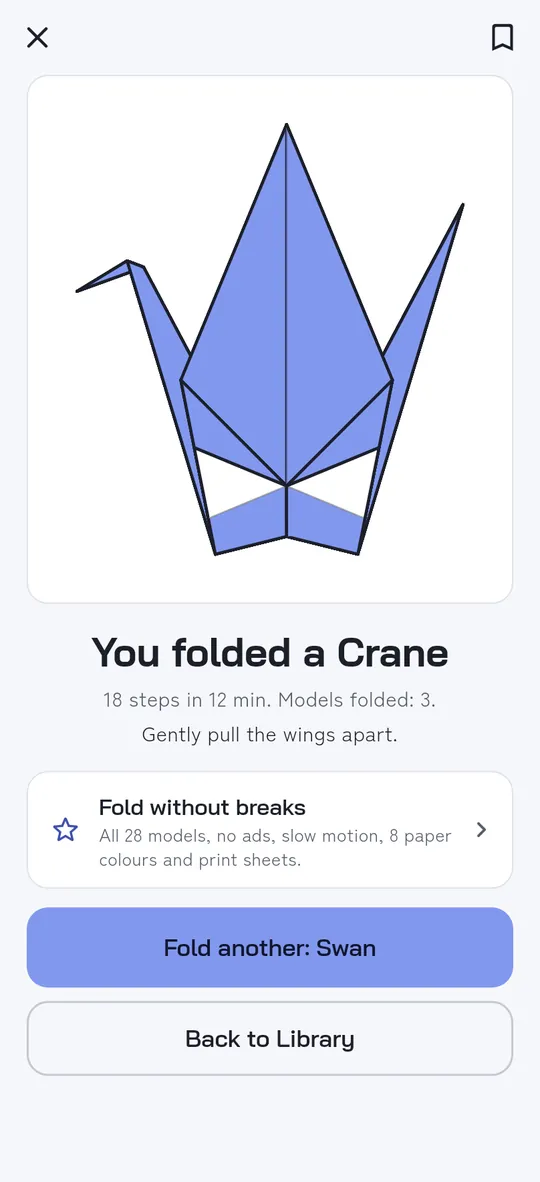
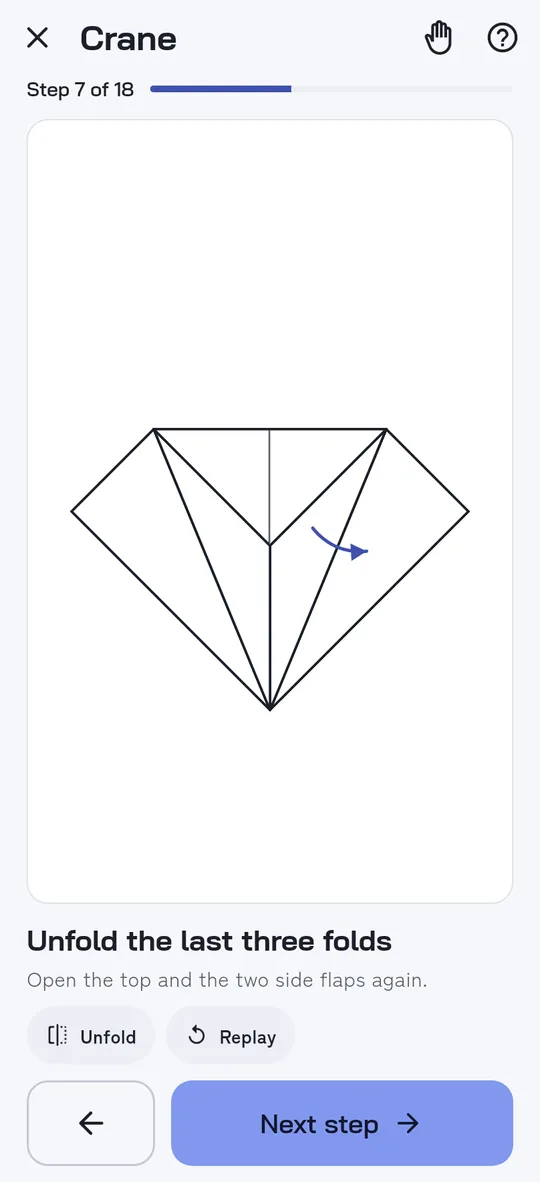
Swipe through Creasebird
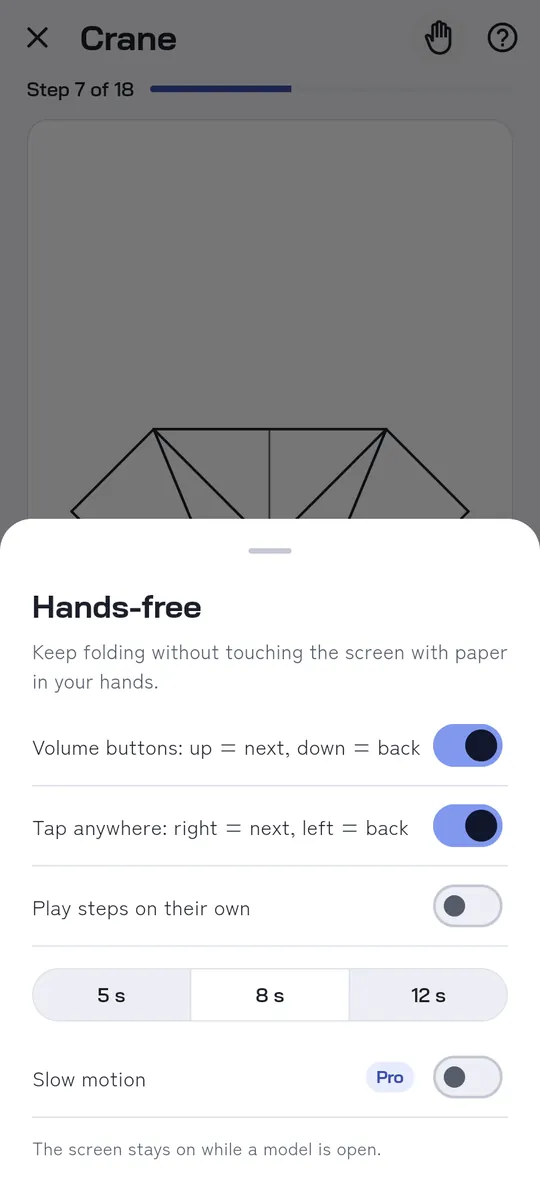
Fold hands-free 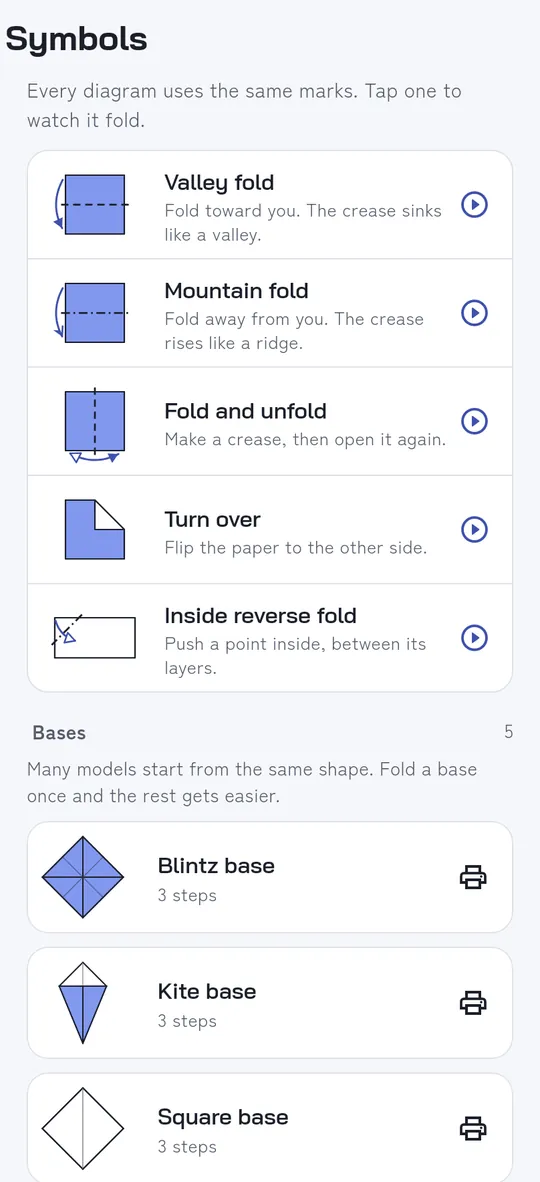
Learn the symbols and bases 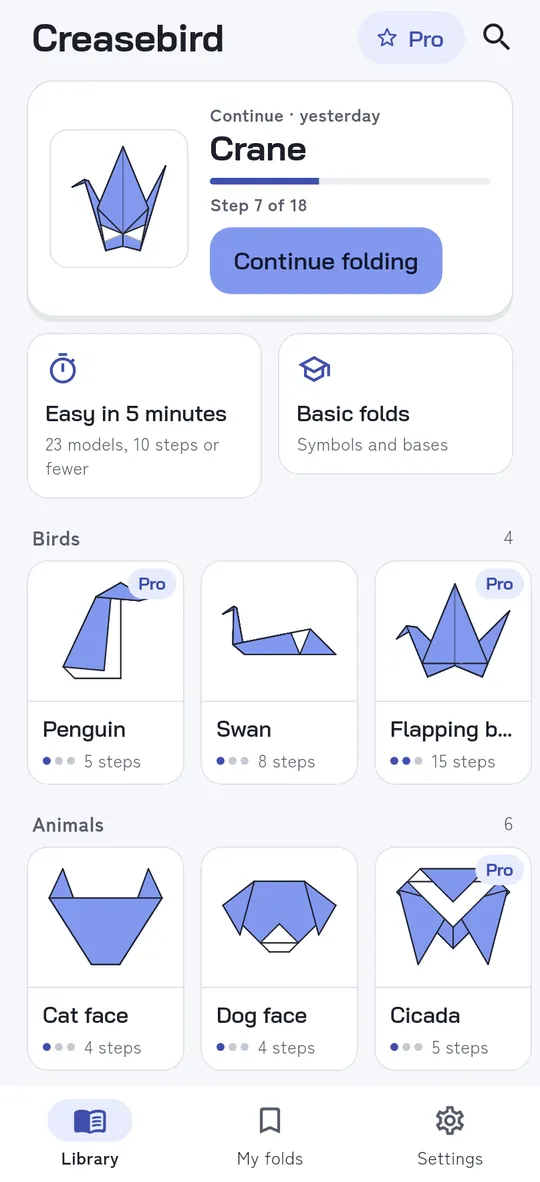
Pick up where you stopped
What you can do
Big diagrams that move. One step per screen with a large drawing, a short instruction and the Next button where your thumb is.
Fold hands-free. Press a volume button or tap either side of the screen to move between steps, or let the steps play on their own.
Learn the symbols and bases. Valley fold, mountain fold, reverse folds and the other marks, each with its own animation, plus the square, waterbomb, bird, kite and blintz bases.
Pick up where you stopped. Easy, medium and harder models in six groups, a list of models you can finish in about five minutes, and one tap to continue your last model.
Free vs Pro
| Feature | Free | Pro |
|---|---|---|
| Traditional models | 9 | 28 |
| Hands-free mode | Included | Included |
| 8 paper colours | 1 | 8 |
| Slow motion steps | Not included | Included |
| Printable practice sheets | Not included | Included |
| No ads | Not included | Included |
Questions
How it works
- Get a square of paper. Origami paper of 15 cm works best, coloured on one side.
- Pick a model. Start with an easy one, or with the crane.
- Follow the moving diagram. Watch the fold, make it, tap Next. Your place is saved on your phone.
Is Creasebird free?
You can start for free: the crane and 8 more models with every step, the moving diagrams, hands-free mode and the base lessons. Pro opens all 28 models and removes ads, and adds slow motion steps, printable practice sheets and 8 paper colours.
Does it work offline?
Yes. Every model is inside the app. There is no account and no sign-in.
Can children use it?
Yes. When the app is first opened it asks for the year of birth. For children under 13 it shows only non-personalised ads suitable for all ages, never offers videos for rewards, and asks a grown-up before anything can be bought.
What paper do I need?
One square sheet. 15 x 15 cm origami paper is easiest, but any thin square of paper works.
Privacy at a glance
- Progress and favourites
- The step you reached, the models you folded and your favourites are saved only on your phone. There is no account.
- Age group
- The first screen asks for the year of birth. Only the age group (under 13, or 13 and over) is saved, on your phone. It decides the ad settings and whether a grown-up is asked before a purchase. The year itself is never stored or sent.
- Purchases
- Handled by Google Play; we never see your payment details.
Permissions: No camera, location, contacts, microphone or storage permission. Volume buttons are read only while hands-free mode is on, and only to move between steps. Internet is used for ads, purchases and, for users 13 and older, crash reports.
Something else? Write to support@tinyfair.my.id.
More from tinyfair
 TracefulOn Google Play
 HearthdaysOn Google Play
 GlidecueOn Google Play
 NightechoOn Google Play
 WeehoursOn Google Play
 BackvoxOn Google Play
 PrintwrenOn Google Play
 BillfinchOn Google Play
 RowberryOn Google Play
 TonewashOn Google Play
 SlidequiltOn Google Play
 FrostdialOn Google Play
 WavetallyOn Google Play
 ShiftRingOn Google Play
 SprychairComing soon
 WinkboothComing soon
 TidepenComing soon
 HushmossComing soon