 PrintwrenPrint PDF & Photos
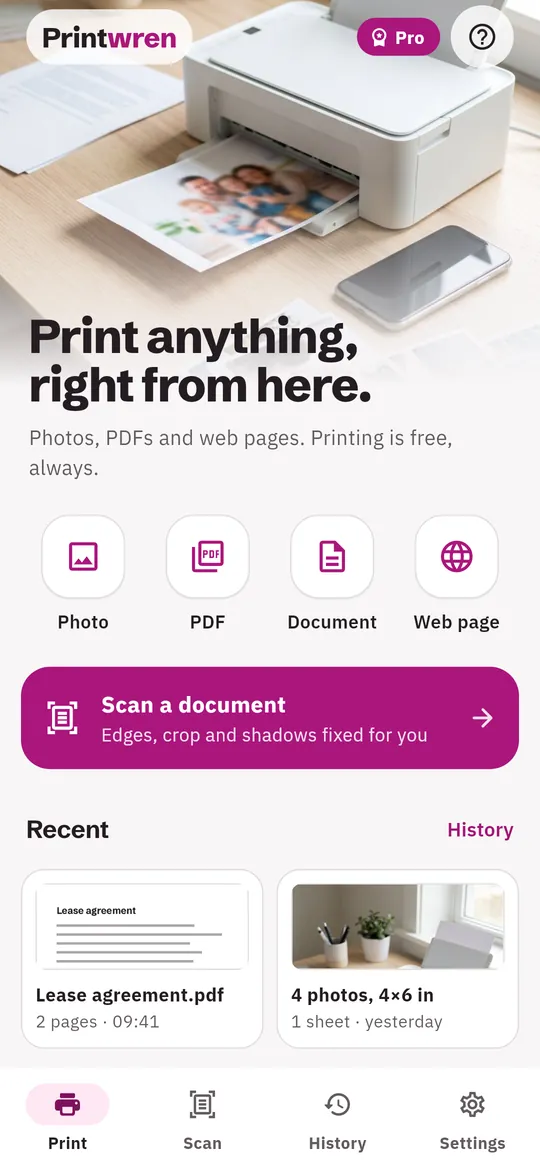
Print PDFs and photos from your phone.
Pick the pages, paper and copies first, then send them to a printer your phone can already reach. Printing is free, with no weekly plan.
- Print photos, PDFs and web pages for free
- Choose pages, paper and copies before you print
- A printer check shows what is missing

Swipe through Printwren
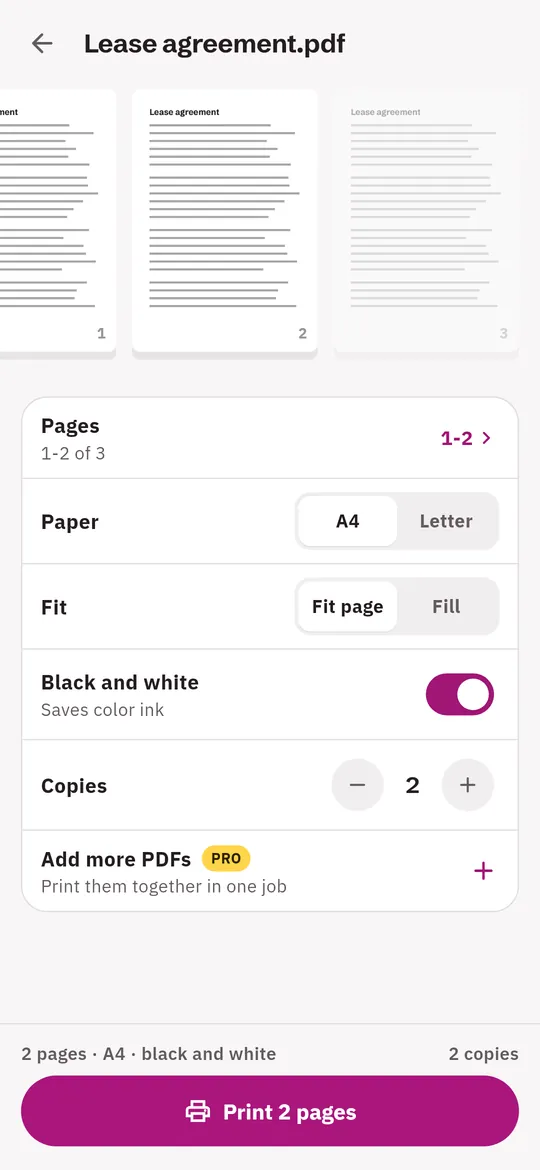
A preview that saves paper 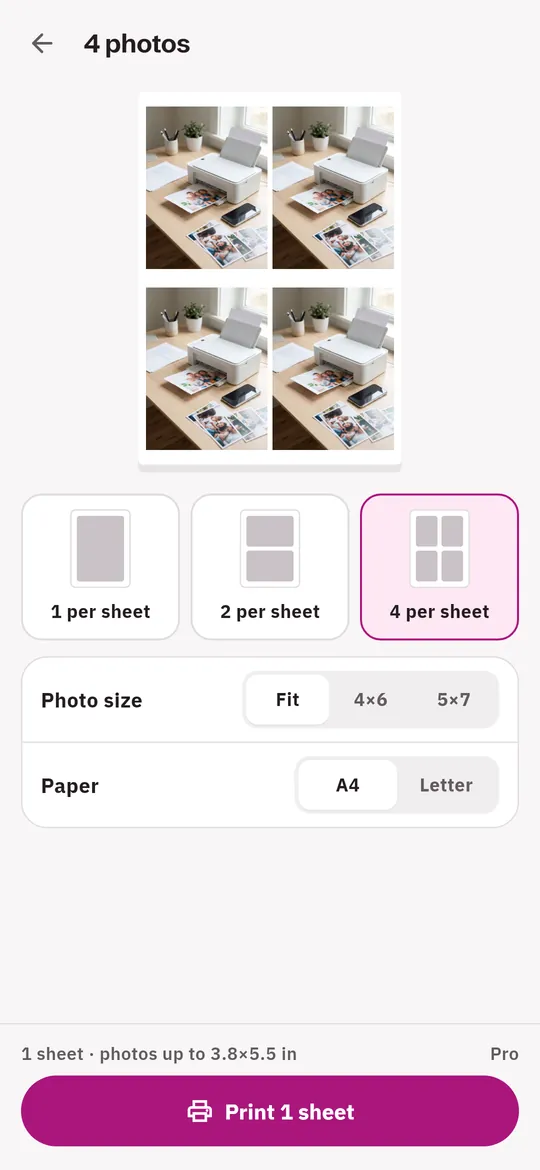
Photos the size you want 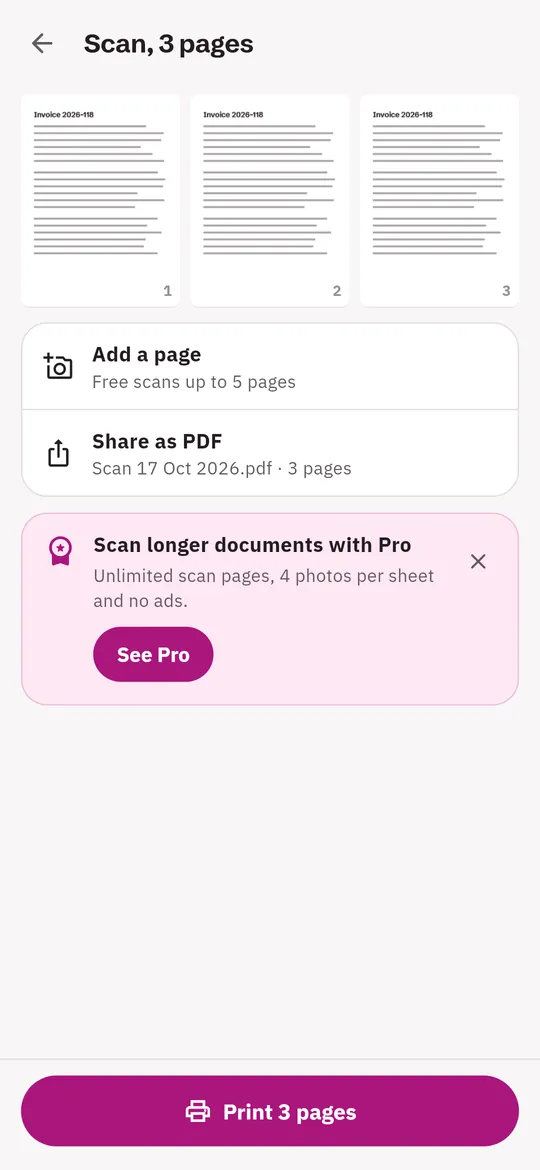
Scan paper, then print it 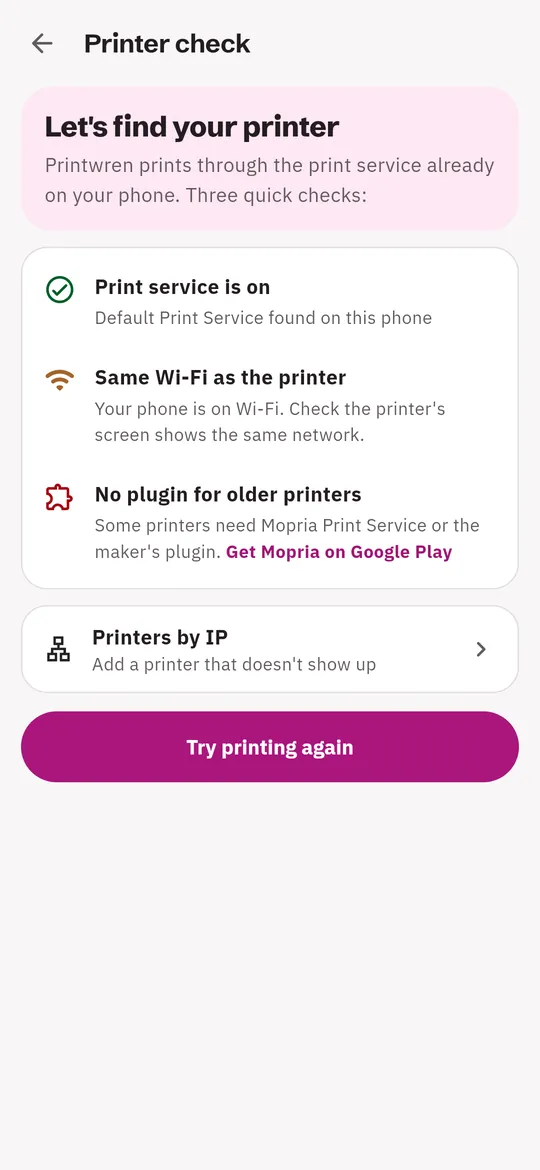
A printer check when nothing shows up
What you can do
A preview that saves paper. Choose a page range, paper size, fit or fill, black and white and the number of copies before the print window opens.
Photos the size you want. One photo per sheet for free.
Scan paper, then print it. The document scanner finds the edges and fixes crop and shadows.
A printer check when nothing shows up. Checks the print service, Wi-Fi and printer plugins, and links to Mopria Print Service on Google Play if you need it.
Free vs Pro
| Feature | Free | Pro |
|---|---|---|
| Print photos, PDFs and web pages | Included | Included |
| Scan pages per document | 5 | Unlimited |
| Photos per sheet, 4×6 and 5×7 | 1 | Up to 4 |
| Print history | Last 10 | All, with search |
| Several PDFs in one print job | Not included | Included |
| No ads | Not included | Included |
Questions
From file to paper
- Pick what to print. A photo, a PDF, a text file, a web page link or a fresh scan. Or use Share > Printwren from another app.
- Set it up. Pages, paper, fit, black and white, copies.
- Print. Android's print window opens. Choose your printer or Save as PDF.
Does it work with my printer?
Printwren prints through the print service on your phone, so it works with printers that service supports: many Wi-Fi printers through the built-in Default Print Service or Mopria Print Service, and others through the printer maker's plugin. If the print service cannot find your Wi-Fi printer, add the printer by its IP address in the app. It does not print over Bluetooth or USB. Run the printer check in the app to find out what is missing.
Is printing really free?
Yes. Printing has no limit and no weekly plan. Pro only adds photo layouts, longer scans, full History and removes ads.
Can it print Word or Excel files?
Not yet. Save them as PDF in your office app first, then print the PDF in Printwren.
Is Printwren made by a printer brand?
No. Printwren is an independent app by Tinyfair and is not affiliated with any printer maker.
Privacy at a glance
- Files you print
- Photos, PDFs, scans and documents are read on your phone and handed to Android's print service. They are never sent to us.
- History
- A copy of each printed PDF (up to 200) is kept in the app's own storage on your phone so you can print it again. Delete it in the app or by uninstalling.
- Web pages
- When you print a link, your phone loads that page directly from its website, as a browser would. We do not see the link.
- Camera scans
- Pages you scan with the camera are processed on your phone and saved only in the app's own storage until you print or share them. Camera images are never sent to us or anywhere else.
- Printers added by IP
- The printer addresses you add are saved on your phone. Pages you print to them go straight from your phone to that printer on your network.
Permissions: Camera, only to scan pages inside the app; it is asked for the first time you scan and you can refuse it and choose a photo instead. Notifications (to remind you before a free trial ends). Photos and files are chosen with the system pickers, so no storage, location or contacts permission is needed. Internet is used for ads, purchases, web pages you choose to print, and printers you add by IP address on your own network.
Something else? Write to support@tinyfair.my.id.
More from tinyfair
 TracefulOn Google Play
 HearthdaysOn Google Play
 GlidecueOn Google Play
 NightechoOn Google Play
 WeehoursOn Google Play
 BackvoxOn Google Play
 BillfinchOn Google Play
 RowberryOn Google Play
 TonewashOn Google Play
 SlidequiltOn Google Play
 FrostdialOn Google Play
 WavetallyOn Google Play
 ShiftRingOn Google Play
 CreasebirdComing soon
 SprychairComing soon
 WinkboothComing soon
 TidepenComing soon
 HushmossComing soon
PrintwrenFree on Google Play