 TagnibNFC Tag Reader/Writer
Read and write NFC tags, in plain words.
Hold a sticker or card to the back of your phone and see what it does: open a link, join Wi-Fi, save a contact. Then write your own in a few taps, and every write is read back and checked.
- See what a tag does, plus chip, lock and bytes
- Write links, Wi-Fi and contact cards, checked after
- Only the NFC permission, no account
Coming soon to Google Play.
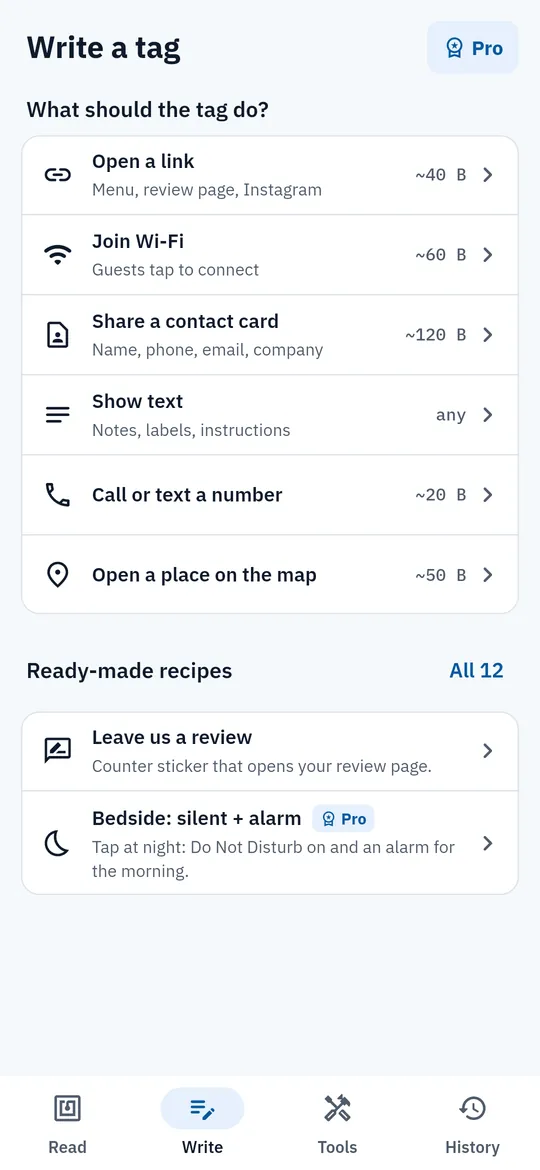
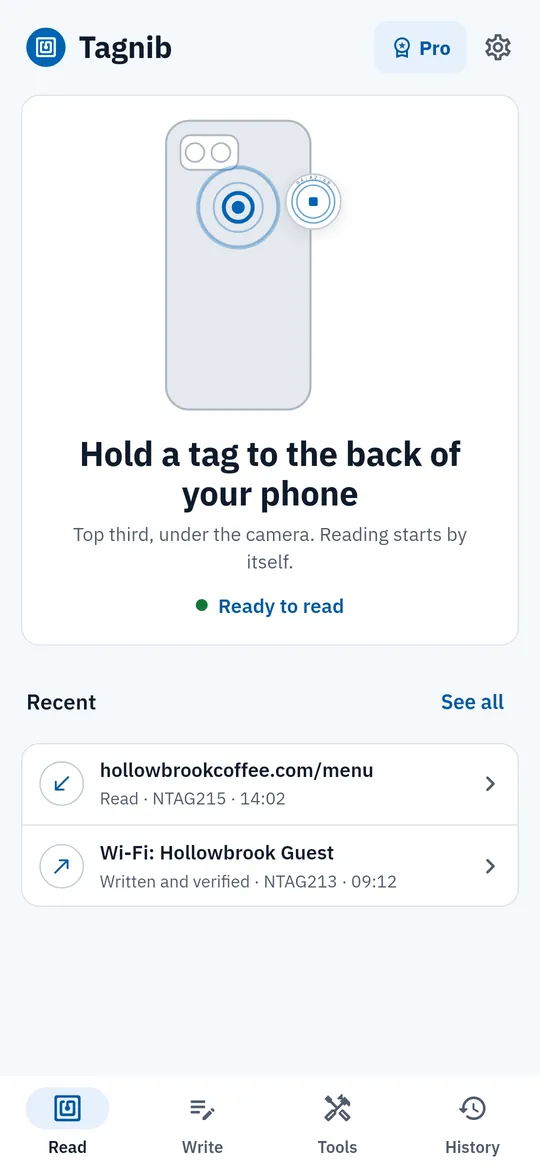
Swipe through Tagnib
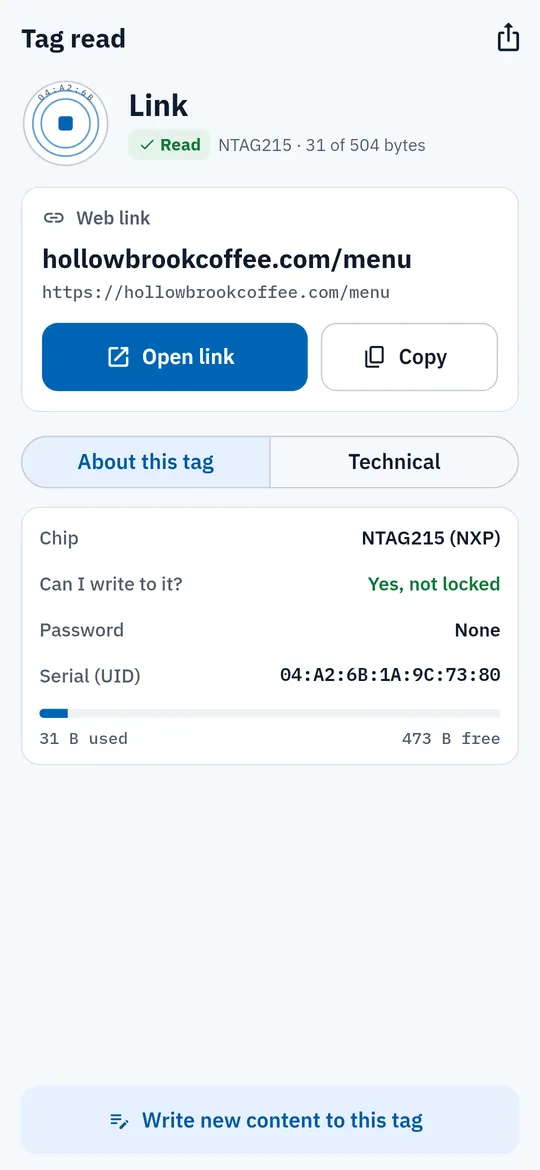
About this tag 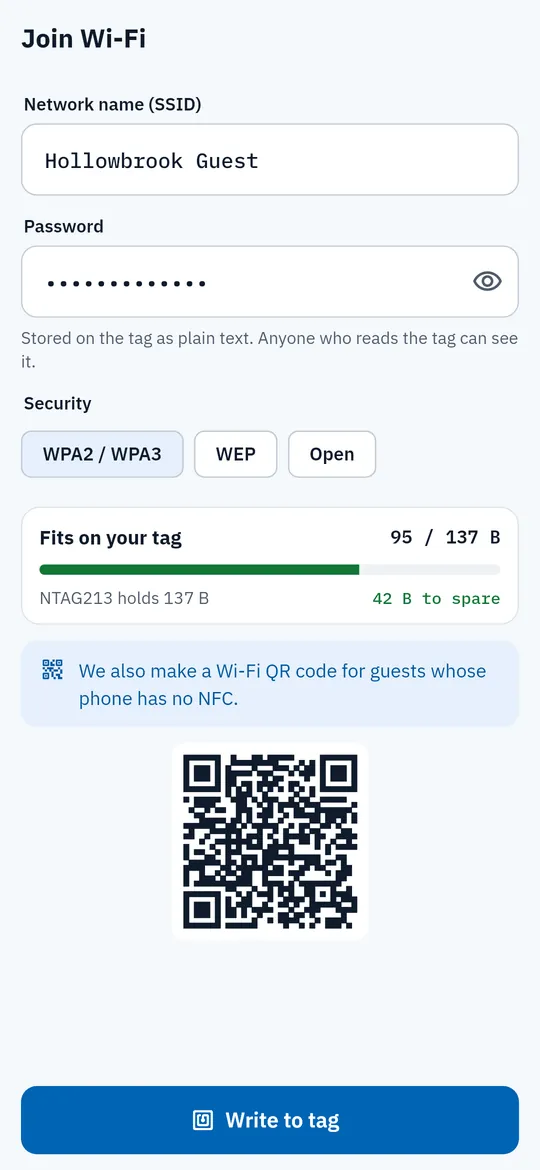
Guest Wi-Fi that fits 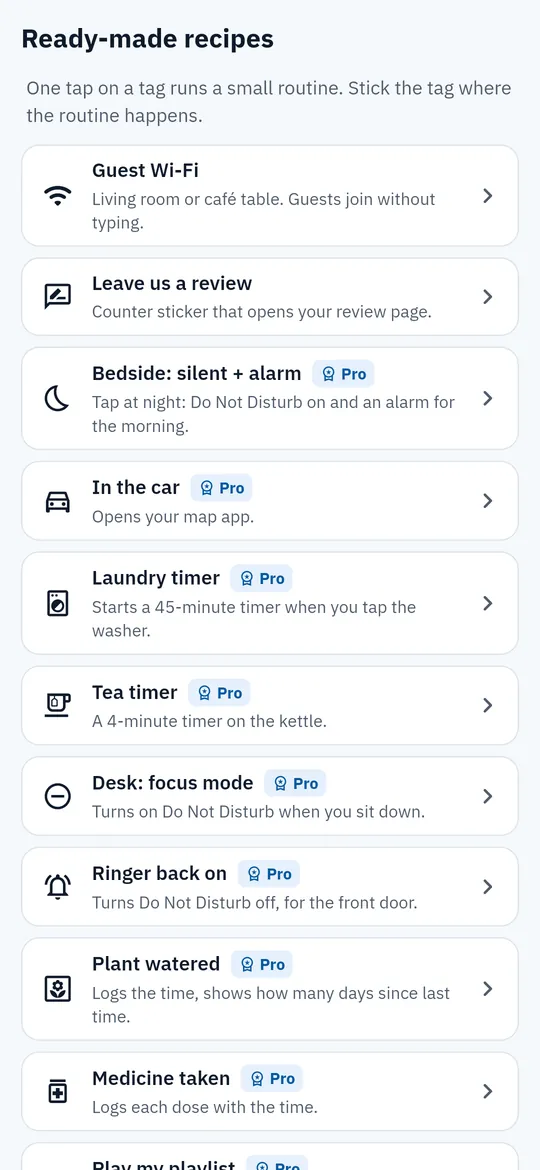
12 ready-made recipes 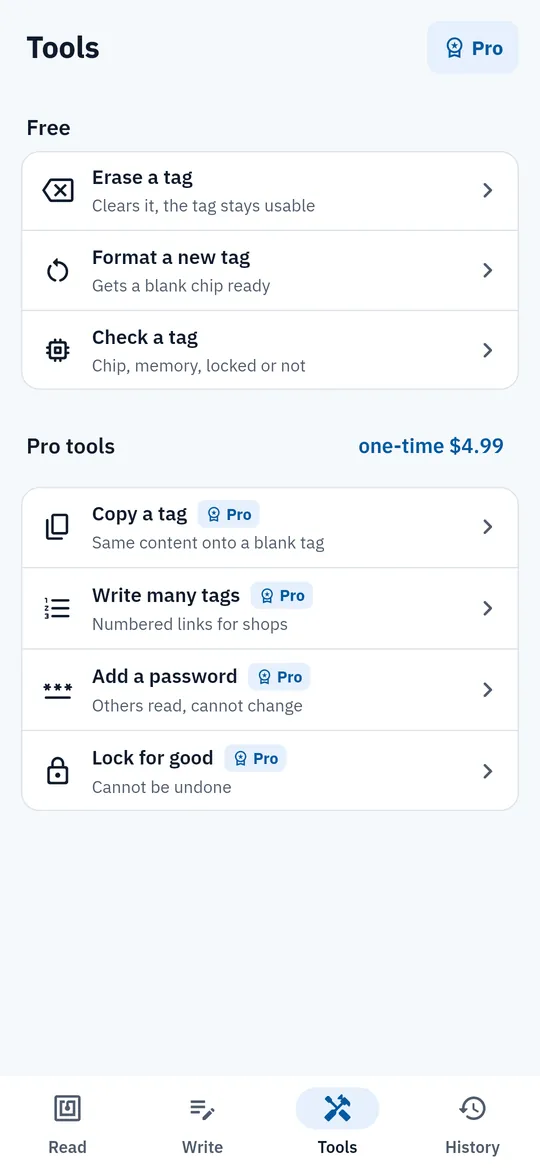
Tools for shops and makers
What you can do
About this tag. Every read shows what is stored in plain words, plus the chip type, whether it can be written or is locked, whether a password is set, the serial number and the bytes used and free.
Guest Wi-Fi that fits. A live byte meter shows whether your Wi-Fi, link or contact card fits on the tag before you write.
12 ready-made recipes. Guest Wi-Fi and a review link are free.
Tools for shops and makers. Erase, format and check a chip for free.
Free vs Pro
| Feature | Free | Pro |
|---|---|---|
| Read and write tags | Included | Included |
| Ready-made recipes | 2 | 12 |
| Erase, format and check | Included | Included |
| Copy, numbered stickers, password, lock | Not included | Included |
| History | Last 20 | All + CSV |
| No ads | Not included | Included |
Questions
How it works
- Find your NFC spot. Tagnib shows where the antenna is on the back of your phone.
- Hold a tag there. The content and the chip details appear in plain words.
- Write your own. Pick a link, Wi-Fi or contact card, fill it in and hold a tag.
Does my phone need NFC?
Yes. Reading and writing tags need an NFC chip. On a phone without NFC, Tagnib tells you so and can still show your contact card as a QR code.
Can it read bank cards or transit cards?
It shows only their chip type. Bank cards, door passes and transit cards are encrypted, and Tagnib does not try to read what is inside.
Can it copy a tag?
Pro copies the stored content to a blank tag. It does not copy the serial number (UID), so it cannot clone access cards.
Why does a tag not read?
Usually the tag is not on the antenna spot, the phone case is too thick, the tag is on metal, or NFC is off. Tagnib explains each one and lets you save your spot in Settings.
Is Tagnib free?
Yes. Reading, writing, 2 recipes, erase, format, check and the last 20 history entries are free. Pro adds all 12 recipes, copy, numbered stickers, password, lock, full history with CSV export and no ads.
Privacy at a glance
- Tags you read and write
- The content of each tag you read or write (links, Wi-Fi details, contact cards, text) is shown on your phone and saved in History in the app's private storage. It is never uploaded, never sent to us and never passed to the ad SDK. If you use Android device backup, it may be included in that backup, which Google encrypts for your account.
- Contact cards
- Cards you make are saved on your phone and leave it only when you write them to a tag or share them as a QR code or .vcf file.
- CSV export
- Created only when you ask (Pro), and saved or shared only where you choose.
- Purchases
- Handled by Google Play; we never see your payment details.
Permissions: NFC, to read and write tags. Vibration, for a short buzz when a tag is read (you can turn it off). Do Not Disturb access, only if you run a recipe that turns it on and allow it in Android settings. Set alarms and timers, to start the timer or alarm of a recipe in your Clock app. No camera, microphone, location, contacts, storage or notification permission. Internet is used for ads, purchases and crash reports.
Something else? Write to support@tinyfair.my.id.
More from tinyfair
 TracefulOn Google Play
 HearthdaysOn Google Play
 GlidecueOn Google Play
 NightechoOn Google Play
 WeehoursOn Google Play
 BackvoxOn Google Play
 PrintwrenOn Google Play
 BillfinchOn Google Play
 RowberryOn Google Play
 TonewashOn Google Play
 SlidequiltOn Google Play
 FrostdialOn Google Play
 WavetallyOn Google Play
 ShiftRingOn Google Play
 CreasebirdComing soon
 SprychairComing soon
 WinkboothComing soon
 TidepenComing soon
 HushmossComing soon