 BrightwickLight Meter & Lux
Is this room bright enough? A lux meter that tells you.
Point your phone at the light and Brightwick shows the lux, what it means for reading, cooking or your plants, and how far you are from the target. Phones without a light sensor get a labelled camera estimate.
- Lux or foot-candles with a verdict and a target
- Works on phones without a light sensor
- No account, readings stay on your phone
Coming soon to Google Play.
Swipe through Brightwick
Plants: is this spot bright enough? 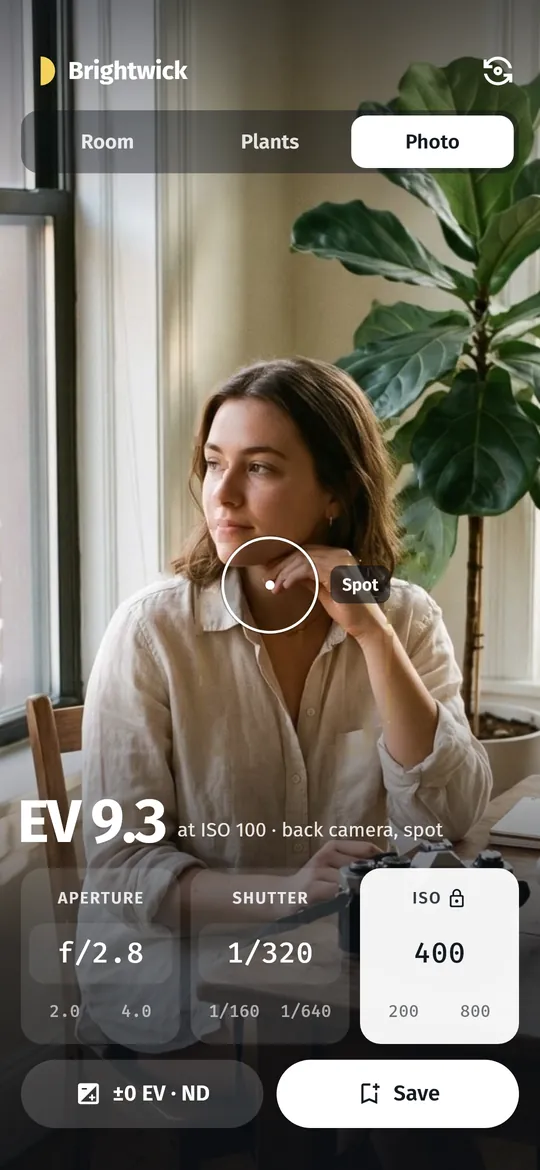
Photo: an exposure meter 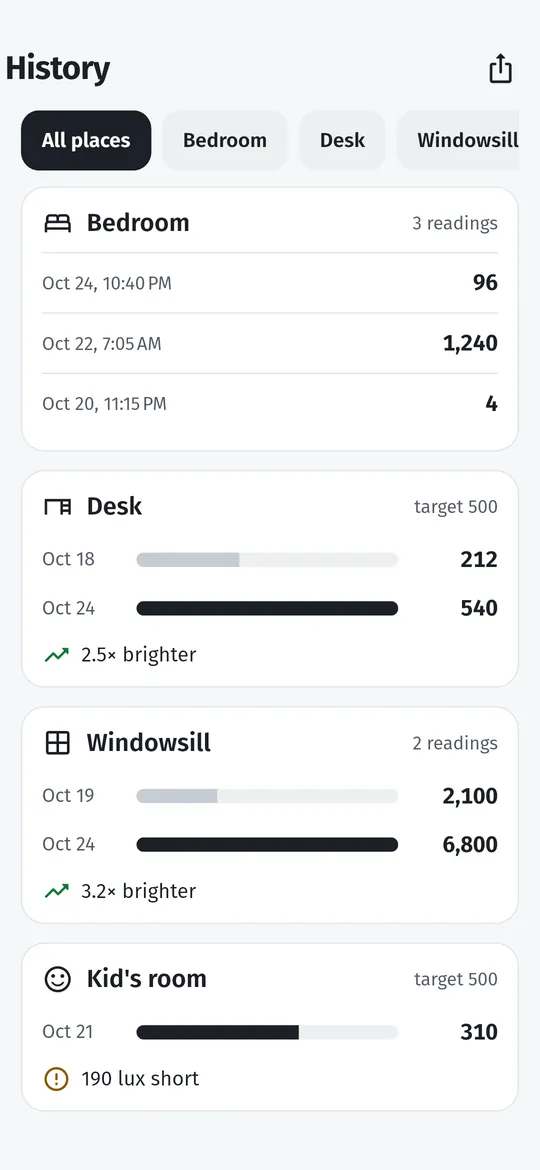
Before and after, per place
What you can do
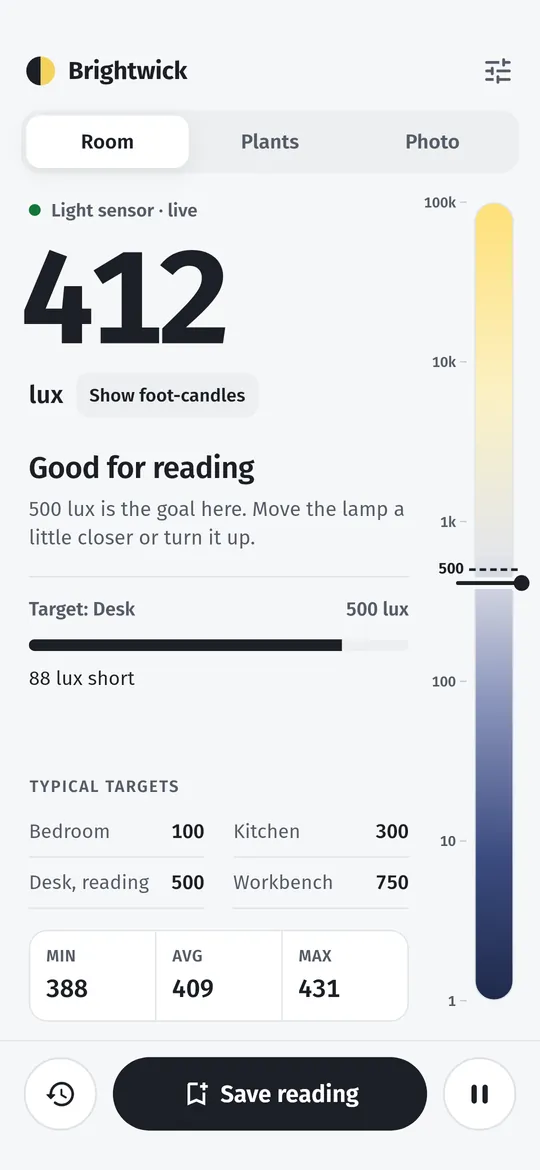
Room: lux with a verdict. A big lux or foot-candle number, a light ladder from 1 to 100,000 lux, min, average and max, and the target for your desk, kitchen or bedroom.
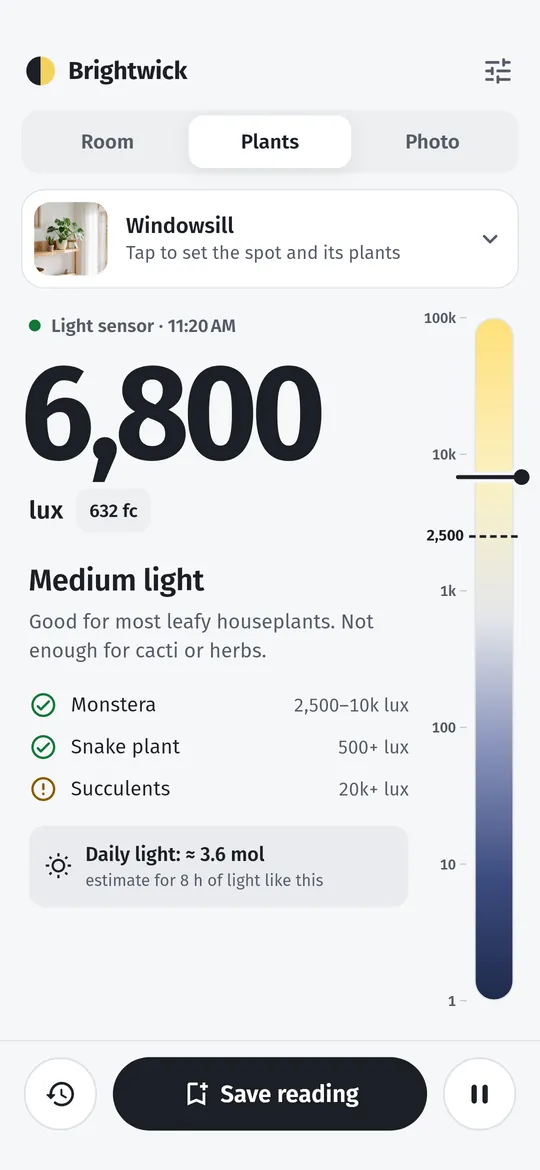
Plants: is this spot bright enough?. Low, medium, bright or direct light, which of your plants are happy there, and an estimate of daily light (DLI) in Pro.
Photo: an exposure meter. Spot metering through the back camera or incident metering with the light sensor, with aperture, shutter and ISO dials.
Before and after, per place. Save a reading before you change a bulb and again after.
Free vs Pro
| Feature | Free | Pro |
|---|---|---|
| Lux, foot-candles, min / avg / max | Included | Included |
| Saved readings | 20 | All |
| Plant daily light (DLI) | Not included | Included |
| Photo: EV comp, ND, half stops | Not included | Included |
| Calibration | 1 point | Curve |
| CSV export | Not included | Included |
| No ads | Not included | Included |
Questions
How it works
- Open it. The number appears at once, no taps needed. Face the top of the phone to the light.
- Read the verdict. Brightwick tells you if the light suits reading, cooking, relaxing or your plants.
- Save it. Two taps saves the reading to a place, with an optional note.
How accurate is a phone light meter?
Phone light sensors are good for comparing rooms and seeing whether you reach a target. For a firmer number, calibrate once against a light meter or lamp you trust.
My phone has no light sensor. Does it work?
Yes. Brightwick uses the front camera instead and labels the number as a camera estimate, which can be off by up to 2x.
Does it record photos or video?
No. The camera is only used to read brightness. Nothing is recorded or saved, and nothing is sent anywhere.
Is Brightwick free?
Yes. Lux and foot-candles, min, average and max, verdicts and targets, the camera estimate, one-point calibration, the photo meter dials and your latest 20 saved readings are free. Older readings stay on your phone. Pro adds daily light for plants, exposure compensation, ND and half stops, multi-point calibration, all history, CSV export and no ads.
Privacy at a glance
- Readings, places and notes
- Saved only in the app's private storage on your phone, with your settings. They are never uploaded, never sent to us and never passed to the ad SDK. If you use Android device backup, they may be included in that backup, which Google encrypts for your account.
- Light sensor and camera
- The light sensor value is read on your phone. When you use the Photo mode, or measure on a phone without a light sensor, the camera is used only to read brightness: no picture or video is recorded, saved or sent.
- Plant spot photos
- Optional, chosen with the Android photo picker, so the app has no access to your gallery. The photo is copied into the app's private storage and never leaves your phone.
- CSV export
- Created only when you ask, and shared only where you choose.
- Purchases
- Handled by Google Play; we never see your payment details.
Permissions: Camera, asked only when you open the Photo mode or choose to measure with the front camera on a phone without a light sensor; it reads brightness only and records nothing. The light sensor needs no permission. No microphone, location, contacts, photos and media, storage or notification permission; plant spot photos come from the Android photo picker. Google's ad and purchase libraries add the advertising ID, network state and billing permissions. Internet is used for ads, purchases, crash reports and the settings file described above.
Something else? Write to support@tinyfair.my.id.
More from tinyfair
 TracefulOn Google Play
 HearthdaysOn Google Play
 GlidecueOn Google Play
 NightechoOn Google Play
 WeehoursOn Google Play
 BackvoxOn Google Play
 PrintwrenOn Google Play
 BillfinchOn Google Play
 RowberryOn Google Play
 TonewashOn Google Play
 SlidequiltOn Google Play
 FrostdialOn Google Play
 WavetallyOn Google Play
 SprychairOn Google Play
 WinkboothOn Google Play
 HushmossOn Google Play
 TagnibOn Google Play
 RenewhawkOn Google Play
 ShiftRingOn Google Play
 CreasebirdComing soon
 TidepenComing soon
 RepcrestComing soon
 TickstaveComing soon
 PawsprigComing soon