 RepcrestPush Up Counter
Put the phone down. It counts your push-ups.
Lay your phone on the floor and the front camera counts every push-up, or tap the screen with your nose. Daily sets from a 1-minute level test take you from 0 to 50 push-ups in 30 days.
- The front camera counts each rep, on your phone
- Nose tap counting when you skip the camera
- 0 to 50 push-ups in 30 days, free
Coming soon to Google Play.
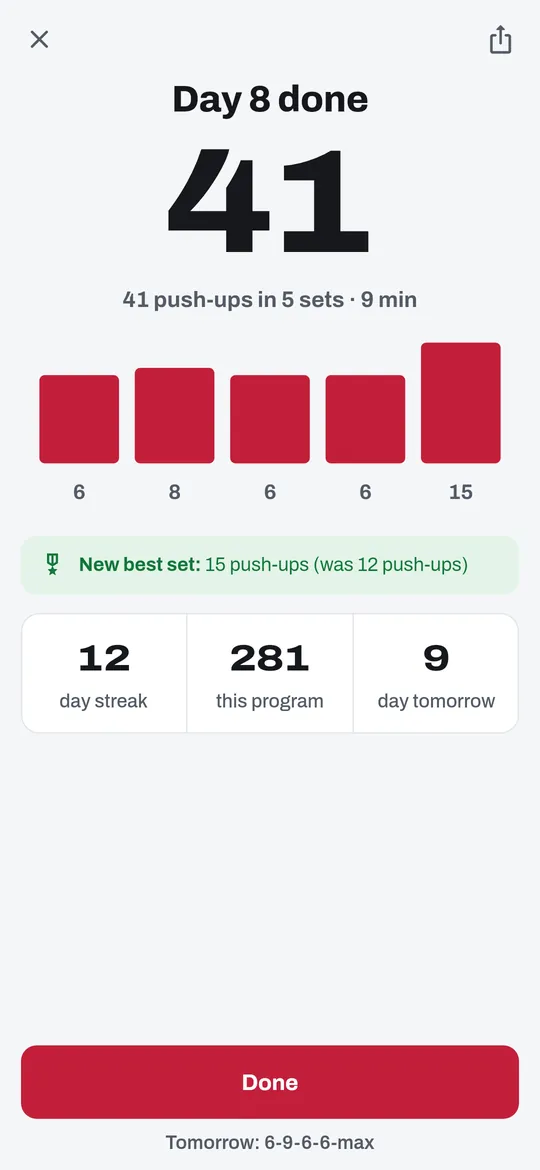
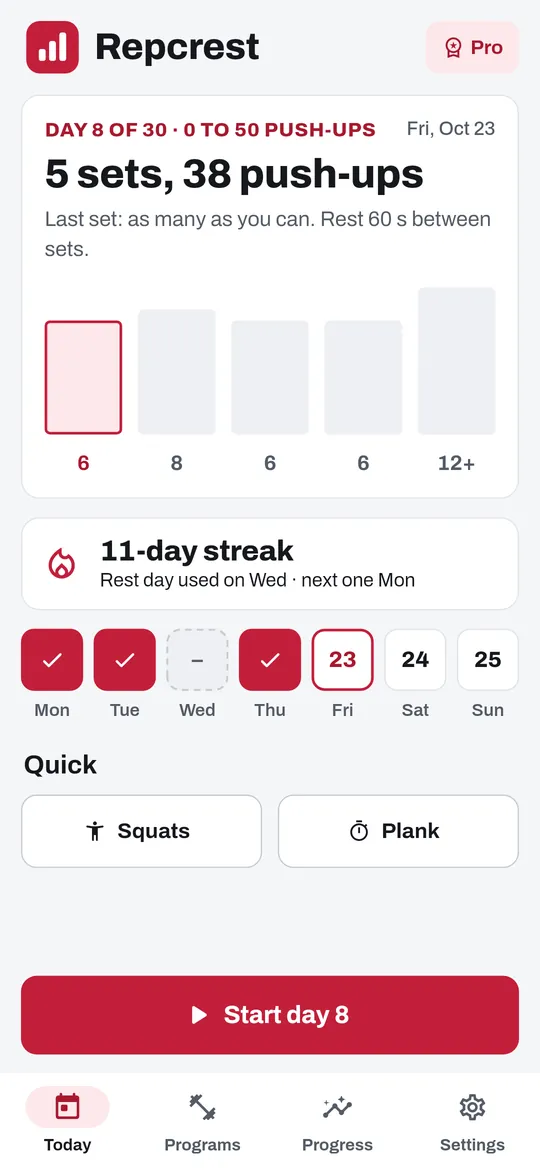
Swipe through Repcrest
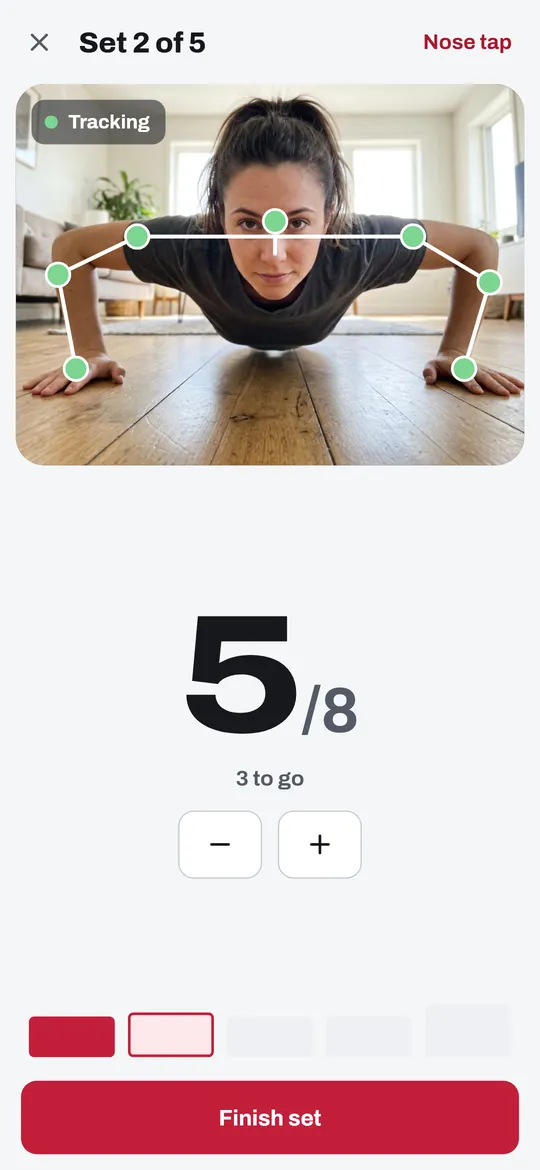
The camera counts each push-up 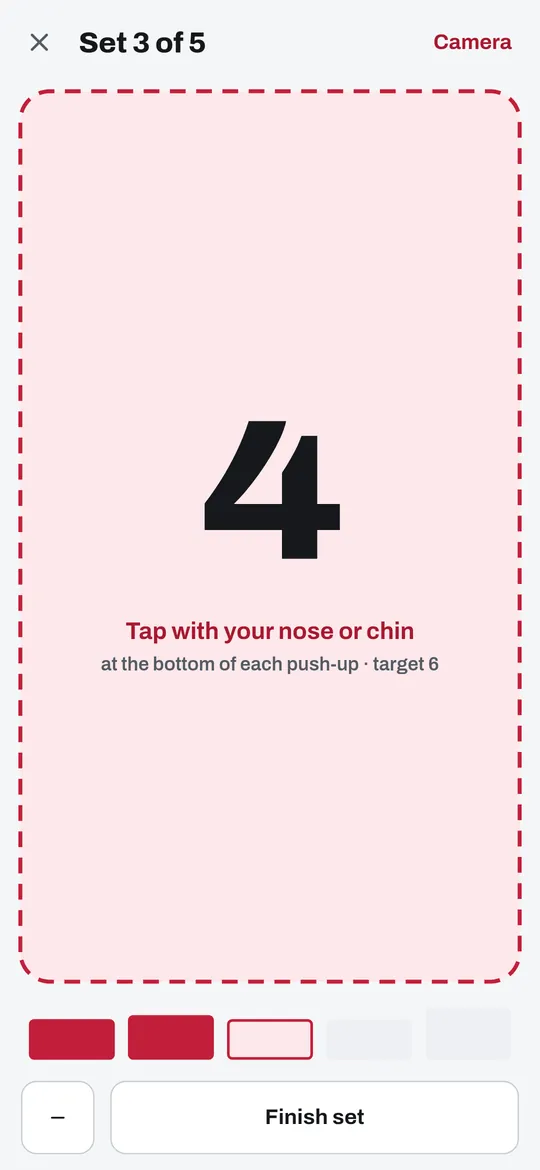
Or tap with your nose 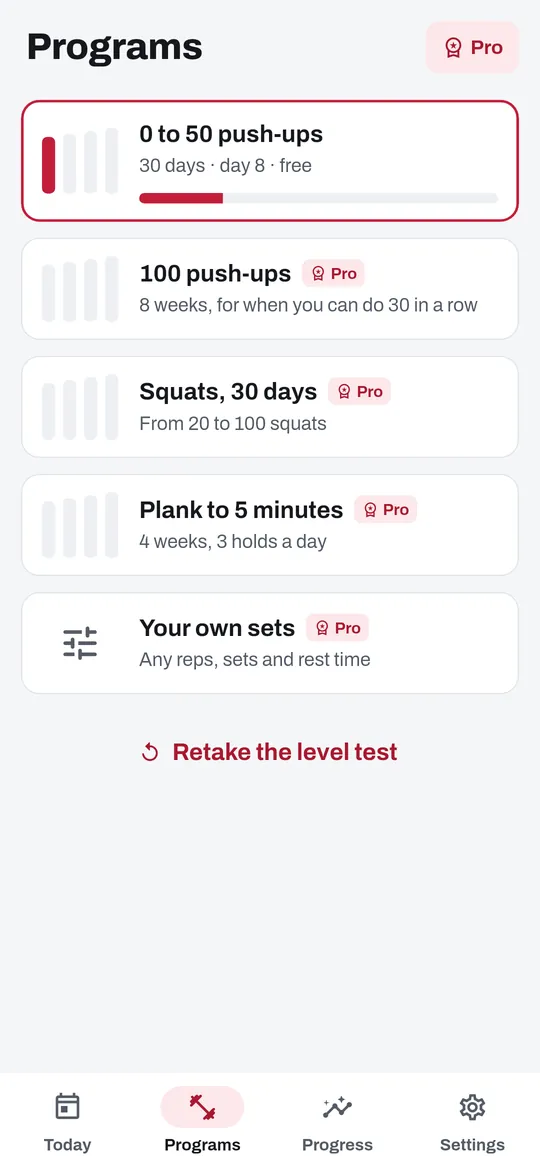
0 to 50 push-ups in 30 days 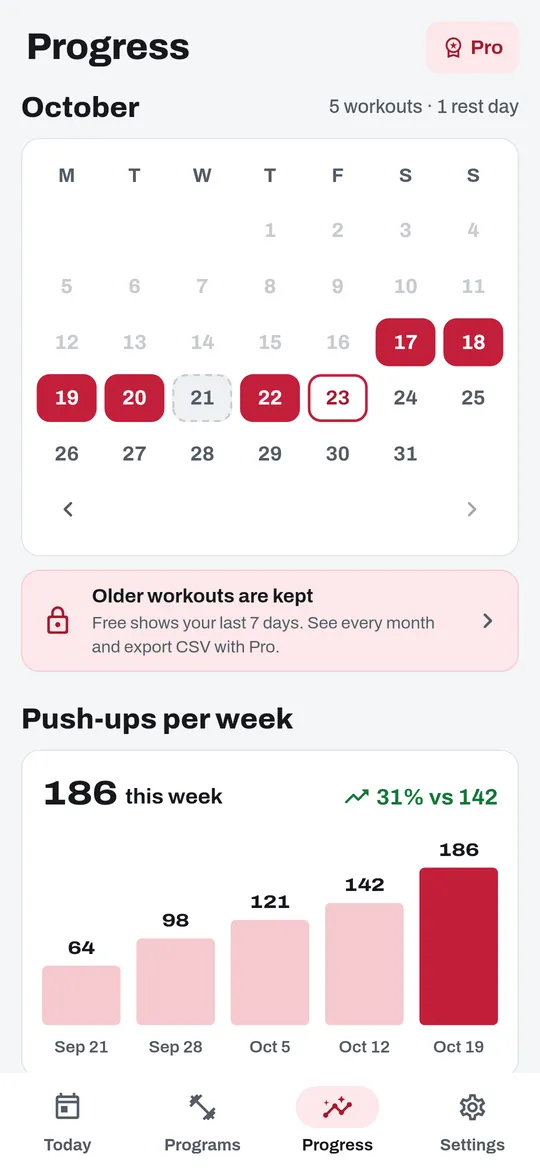
Streak, calendar and best sets
What you can do
The camera counts each push-up. Phone on the floor, front camera facing you.
Or tap with your nose. No camera needed.
0 to 50 push-ups in 30 days. A 1-minute level test sets your daily sets.
Streak, calendar and best sets. One rest day a week keeps your streak.
Free vs Pro
| Feature | Free | Pro |
|---|---|---|
| Camera and nose tap counting | Included | Included |
| Push-ups, squats, plank | Included | Included |
| Programs | 1 | 4 |
| Your own sets | Not included | Included |
| History | 7 days | All + CSV |
| Streak widget | Not included | Included |
| No ads | Not included | Included |
Questions
How it works
- Take the level test. Do as many push-ups as you can. Your daily sets are built from that number.
- Put the phone down. Front camera facing you, about one arm's length ahead of your hands.
- Push. Repcrest counts, rests and starts the next set. Tap Done at the end.
Does Repcrest record me?
No. Camera frames stay in memory for a moment while the phone finds your shoulders, then they are gone. No photo or video is saved or sent.
What if the camera miscounts?
Fix it with the plus and minus buttons. If your shoulders are out of view for 2 seconds, counting pauses instead of guessing.
Can I use it without the camera?
Yes. Nose tap counts a rep each time you touch the screen with your nose or chin. If you do not allow the camera, the app switches to taps.
Is Repcrest free?
Yes. Camera and nose tap counting, push-ups, squats, plank and the 0 to 50 program are free. Pro adds 3 more programs, your own sets, full history with CSV, a streak widget and no ads.
Privacy at a glance
- Camera
- Used only while you count with the camera. Frames are read on your phone by Google ML Kit pose detection, which runs on the device, to find your head and shoulders. They stay in memory for a moment and are never saved, never uploaded and never sent to us or to the ad SDK.
- Your workouts
- Sets, reps, holds, level tests, program days and your streak are saved only in the app's private storage on your phone, with your settings. They are never uploaded. If you use Android device backup, they may be included in that backup, which Google encrypts for your account.
- Daily reminder
- Scheduled on your phone by Android at the time you choose. No reminder content leaves your phone.
- CSV export and sharing
- Created only when you ask, and shared only where you choose.
- Purchases
- Handled by Google Play; we never see your payment details.
Permissions: Camera, asked only when you choose camera counting; if you say no, the app counts with taps. Notifications, asked after your first workout for the daily reminder, and when you start a free trial for one reminder 2 days before it ends. Start at boot, so the reminder is set again after a restart. Vibration and wake lock, so a reminder can arrive while the phone sleeps. No microphone, location, contacts, storage or exact alarm permission. Google's ad and purchase libraries add the advertising ID, network state and billing permissions. Internet is used for ads, purchases, crash reports and the settings file described above.
Something else? Write to support@tinyfair.my.id.
More from tinyfair
 TracefulOn Google Play
 HearthdaysOn Google Play
 GlidecueOn Google Play
 NightechoOn Google Play
 WeehoursOn Google Play
 BackvoxOn Google Play
 PrintwrenOn Google Play
 BillfinchOn Google Play
 RowberryOn Google Play
 TonewashOn Google Play
 SlidequiltOn Google Play
 FrostdialOn Google Play
 WavetallyOn Google Play
 SprychairOn Google Play
 WinkboothOn Google Play
 HushmossOn Google Play
 TagnibOn Google Play
 RenewhawkOn Google Play
 ShiftRingOn Google Play
 CreasebirdComing soon
 TidepenComing soon
 TickstaveComing soon
 PawsprigComing soon
 BrightwickComing soon