 SpinlarkSpin the Wheel Picker
Spin the wheel. Fill it in seconds, trust the result.
Paste a class list or type names with Enter, then flick the wheel. Raffle mode takes each winner off the wheel, and every result comes from your phone's secure random generator.
- Paste a whole list, one name per line
- Raffle mode, chances 1x to 3x and Presenting, free
- Picked by a secure random generator, with the numbers
Coming soon to Google Play.
Swipe through Spinlark
A result you can read from the back 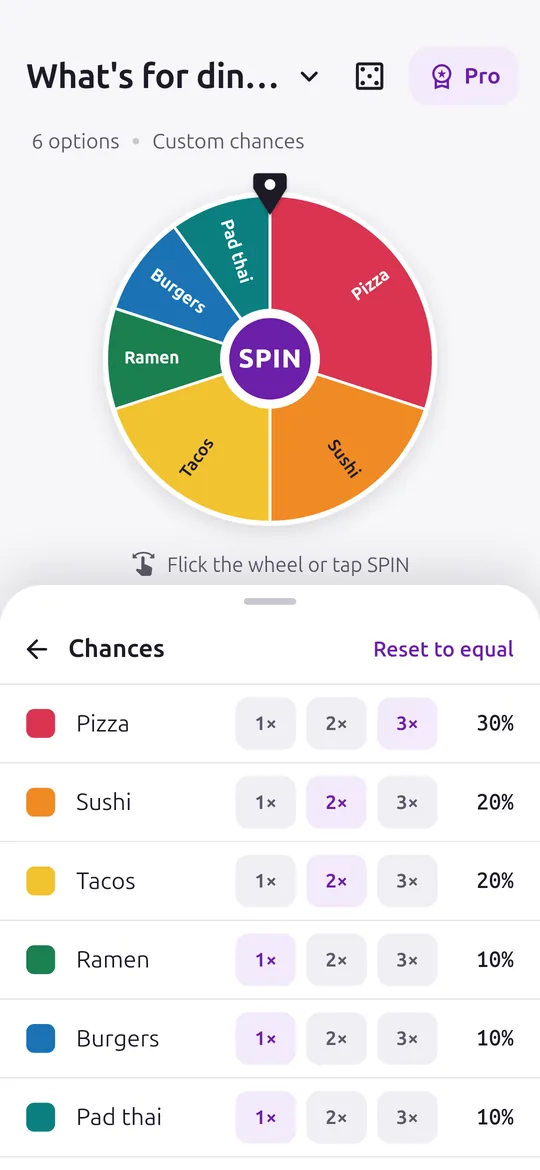
Chances without the maths 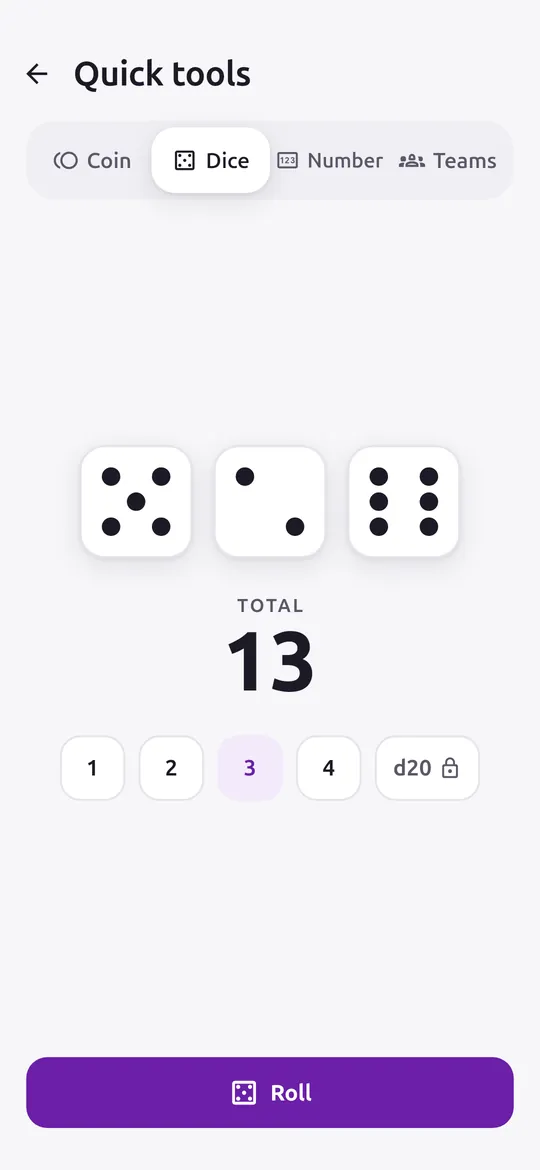
Coin, dice, numbers and teams
What you can do
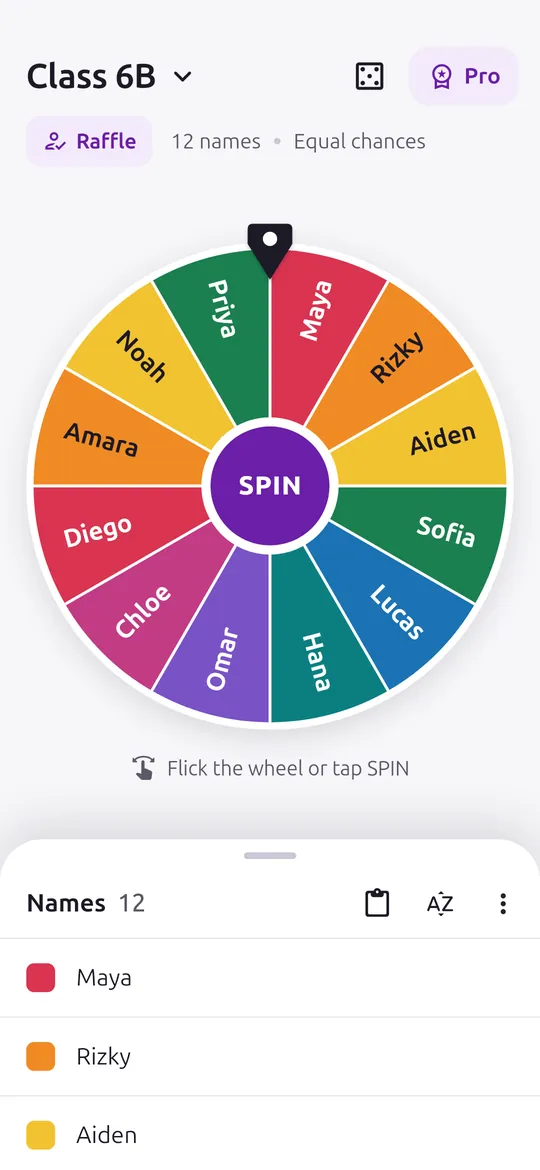
A wheel ready to spin. Tap SPIN or flick the wheel with your finger.
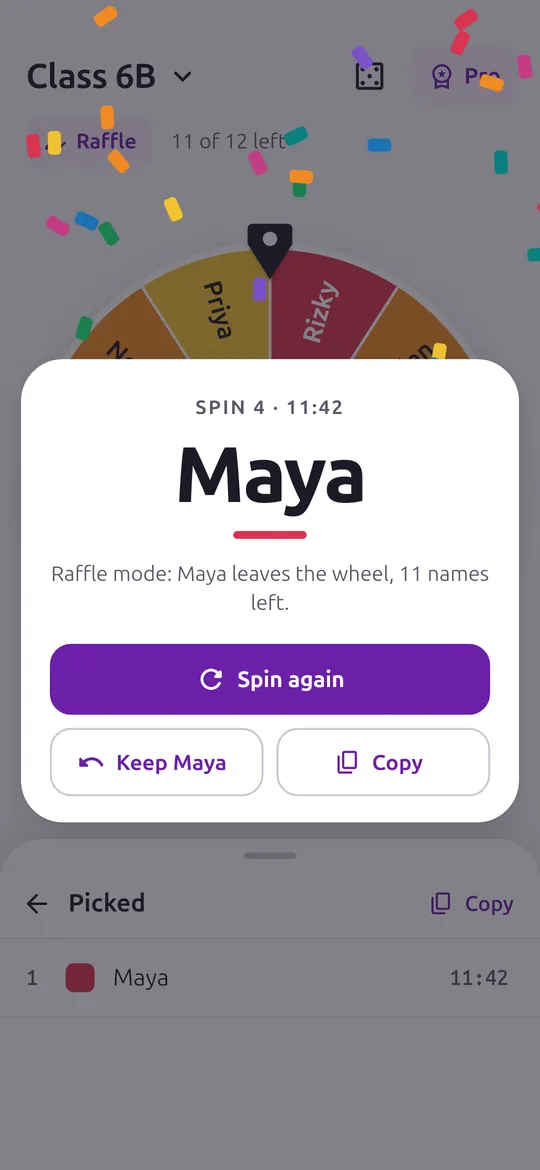
A result you can read from the back. A big result card, Spin again in one tap, and raffle mode that takes the winner off the wheel.
Chances without the maths. Give a slice 1x, 2x or 3x the chance and watch it grow on the wheel.
Coin, dice, numbers and teams. Flip up to 4 coins, roll up to 4 dice, pick a number in a range or split names into teams.
Free vs Pro
| Feature | Free | Pro |
|---|---|---|
| Spin, raffle and Presenting | Included | Included |
| Saved wheels | 10 | No limit + folders |
| Chances per slice | 1x to 3x | Exact % + lock |
| Coin, dice, numbers, teams | Included | Included |
| History | Today | All + CSV |
| Themes and sound packs | Not included | Included |
| No ads | Not included | Included |
Questions
How it works
- Make a wheel. Paste a list, start from a template such as Yes or no, or type names with Enter.
- Spin it. Tap SPIN or flick the wheel. The result shows in a big card.
- Run a raffle. Turn on raffle mode and each winner leaves the wheel until everyone has a turn.
Is the wheel really random?
Yes. Your phone's secure random generator picks the result before the wheel starts; your flick only changes how long it spins. How it's random shows the last 100 spins of each wheel and a fairness test.
Can I use it in class?
Yes. Paste the class list, turn on raffle mode so nobody is picked twice, and use Presenting for a large, dark screen on a projector. There are no full-screen ads while Presenting.
Do I lose my wheels if I change phones?
Your wheels are saved on your phone and included in Android device backup. You can also share a wheel as text, and Pro exports wheel files you can import on another phone.
Is Spinlark free?
Yes. 10 saved wheels, raffle mode, Presenting, chances from 1x to 3x, coin, dice, numbers and teams, today's history and sharing as text are free. Pro adds unlimited wheels and folders, exact percentages and locked slices, full history with CSV, themes, sound packs, more dice, wheel files and no ads.
Privacy at a glance
- Your wheels, slices and results
- Wheel names, slices, chances, history and spin statistics are saved only in the app's private storage on your phone, with your settings. They are never uploaded, never sent to us and never passed to the ad SDK. If you use Android device backup, they may be included in that backup, which Google encrypts for your account.
- Imported files
- Chosen with the Android document picker, so the app has no access to your storage. The file is read once and its wheels are copied into the app.
- Shared text, wheel files and CSV
- Created only when you ask, and shared only where you choose.
- Trial reminder
- If you start a free trial, one reminder 2 days before it ends is scheduled on your phone by Android. Nothing about it leaves your phone.
- Purchases
- Handled by Google Play; we never see your payment details.
Permissions: Notifications, asked only when you start a free trial, for one reminder 2 days before it ends. Start at boot, so that reminder is set again after a restart. Vibration and wake lock, so it can arrive while the phone sleeps. No camera, microphone, location, contacts, photos and media, storage, exact alarm or foreground service permission; wheel files are opened with the Android document picker. Google's ad and purchase libraries add the advertising ID, network state and billing permissions. Internet is used for ads, purchases, crash reports and the settings file described above.
Something else? Write to support@tinyfair.my.id.
More from tinyfair
 TracefulOn Google Play
 HearthdaysOn Google Play
 GlidecueOn Google Play
 NightechoOn Google Play
 WeehoursOn Google Play
 BackvoxOn Google Play
 PrintwrenOn Google Play
 BillfinchOn Google Play
 RowberryOn Google Play
 TonewashOn Google Play
 SlidequiltOn Google Play
 FrostdialOn Google Play
 WavetallyOn Google Play
 CreasebirdOn Google Play
 SprychairOn Google Play
 WinkboothOn Google Play
 TidepenOn Google Play
 HushmossOn Google Play
 TagnibOn Google Play
 RenewhawkOn Google Play
 TickstaveOn Google Play
 ShiftRingOn Google Play
 RepcrestComing soon
 PawsprigComing soon
 BrightwickComing soon