 CapternAuto Captions
Captions for your video, made on your phone.
Pick a video, and Captern writes the captions from what is said, right on your phone. Fix any word, pick a style, and save a new video with the captions burned in, plus an .srt file.
- Videos up to 3 minutes free, 1080p, no watermark
- Never uploaded: speech is recognized on the phone
- No ads while captions are written or edited
Coming soon to Google Play.
Swipe through Captern
Captions from speech, offline 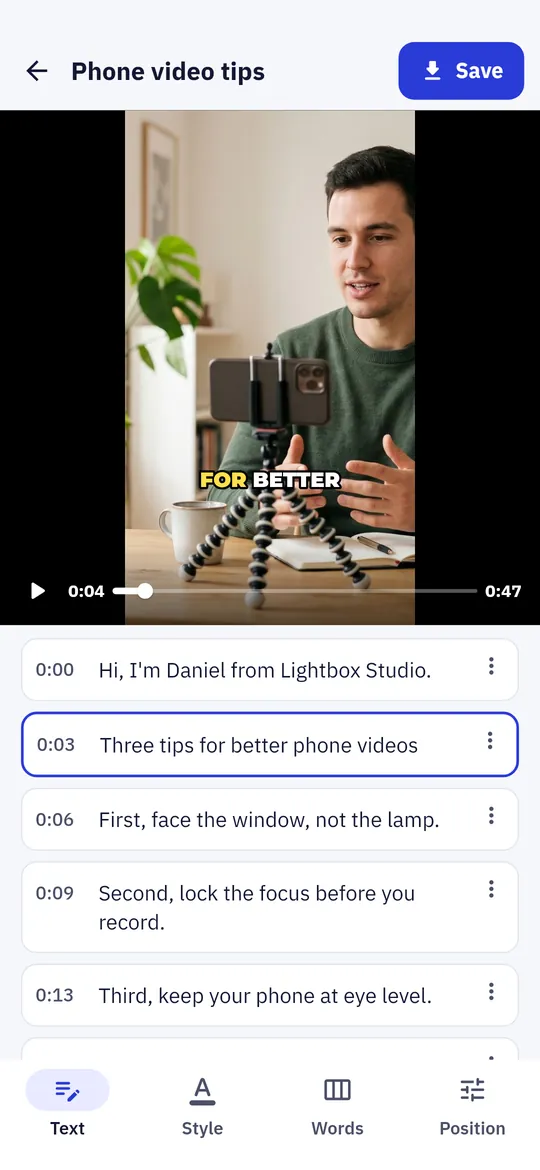
Fix words without losing sync 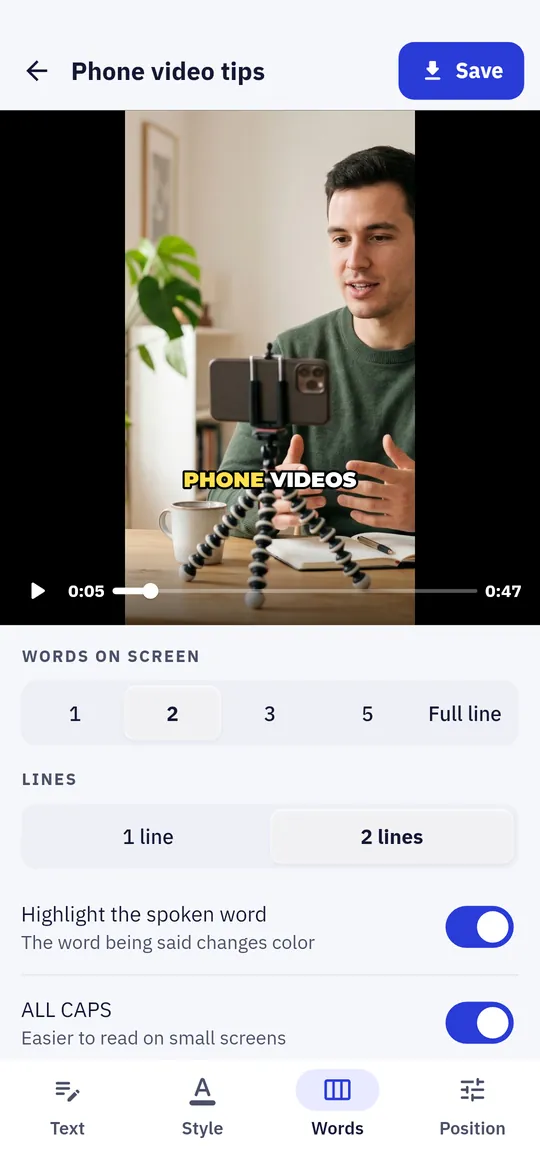
Words on screen, your way 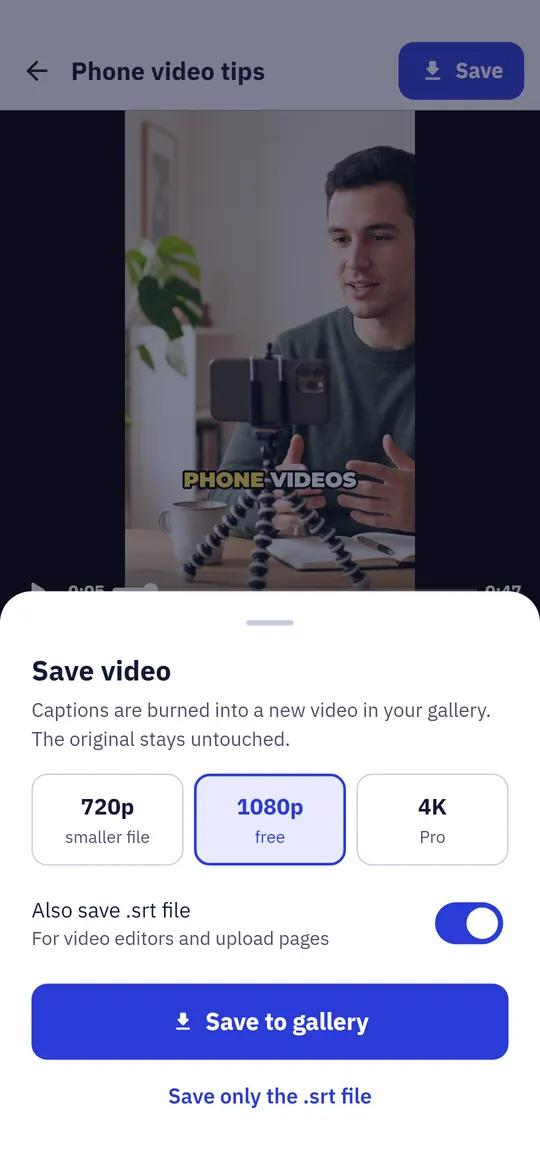
Save a new video and an .srt
What you can do
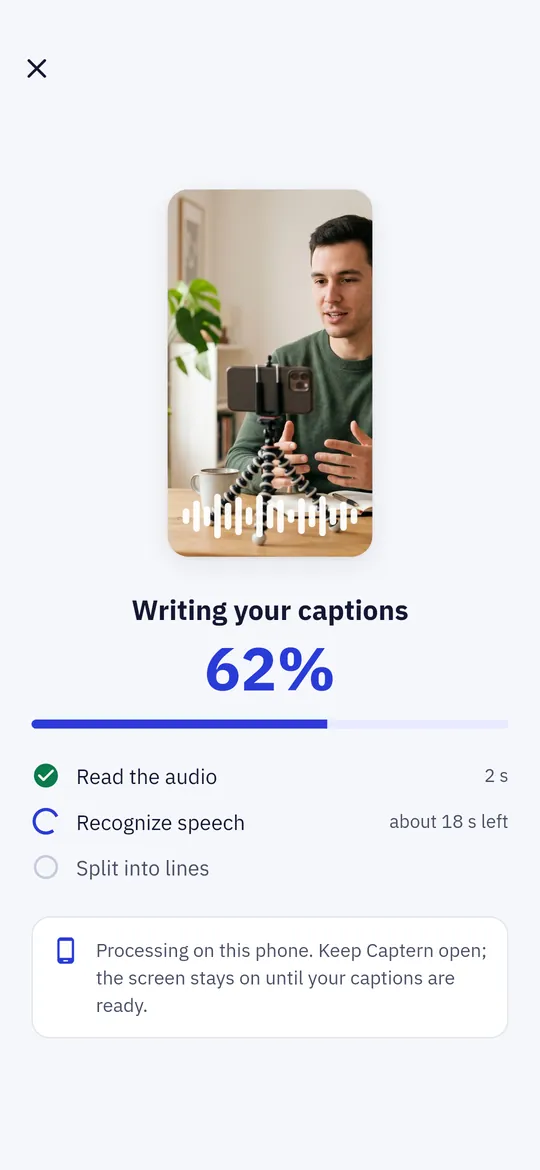
Captions from speech, offline. Captern listens to your video on the phone and writes every word with its timing.
Fix words without losing sync. Tap a line to correct a word.
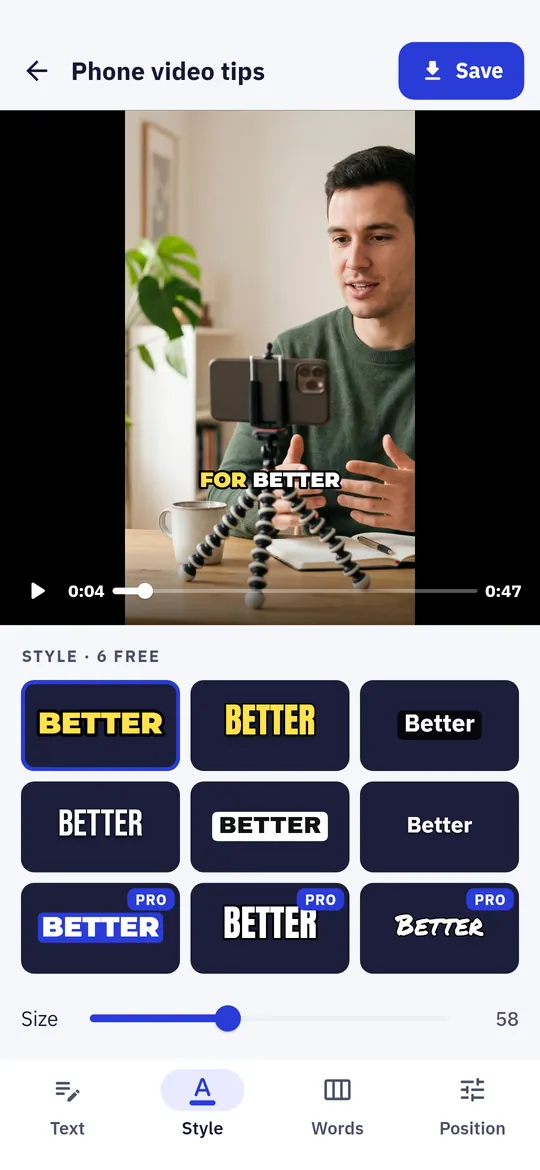
Styles made for short videos. 9 caption styles with bold fonts, outlines, boxes and a highlight on the word being said.
Words on screen, your way. Show 1, 2, 3 or 5 words at a time or a full line, on one or two lines, and place them where they fit.
Save a new video and an .srt. The captions are burned into a new video in your gallery and the original stays untouched.
Free vs Pro
| Feature | Free | Pro |
|---|---|---|
| Auto captions, editing, .srt | Included | Included |
| Video length | Up to 3 min | Any length |
| Caption styles | 6 | All 9 |
| Accurate speech model | Not included | Included |
| Saving quality | 720p, 1080p | + 4K |
| No ads | Not included | Included |
Questions
How it works
- Pick a video. Choose a clip with the Android photo picker and pick the spoken language.
- Let Captern listen. Captions are written on your phone; keep Captern open until they are ready.
- Edit and save. Fix words, pick a style, and save the captioned video to your gallery.
Is Captern free?
Yes. Captions for videos up to 3 minutes, editing, 6 caption styles, saving in 720p or 1080p without a watermark, and .srt files of any length are free. Pro adds videos of any length, the Accurate speech model, all 9 styles, 4K saving and no ads.
Is my video uploaded?
No. Speech recognition runs on your phone. Your video and its audio are never uploaded, sent to us or passed to the ad SDK.
Why does it need internet the first time?
The speech model (about 60 MB) is downloaded once from Hugging Face the first time you make captions. After that, captions are made offline.
How long does it take?
It depends on your phone. On a mid-range phone, a 1-minute video usually takes 1 to 3 minutes. Captern shows an estimate and keeps the screen on.
Which languages work?
Captern recognizes 76 spoken languages, including English, Spanish, Portuguese, Hindi, Indonesian, Arabic, Japanese and Korean.
Privacy at a glance
- Videos you pick
- You choose a video with the Android photo picker, so the app has no access to your other photos or videos. Captern reads its audio on your phone to recognize speech and keeps a working copy in the app's private storage for your project. Videos and audio are never uploaded, never sent to us and never passed to the ad SDK.
- Captions and projects
- Your caption text, styles and project settings are saved only in the app's private storage on your phone. Delete a project in the app to remove it.
- Saved videos and .srt files
- Created only when you tap Save. Videos go to Movies/Captern and .srt files to Download/Captern on your phone. Where you share them next is up to you.
- Speech models
- The first time you make captions, the app downloads a speech model file (whisper.cpp, MIT license) from huggingface.co. The request contains no personal data, no video and no identifier; Hugging Face sees your IP address like any web server.
- Trial reminder
- If you start a free trial, one reminder 2 days before it ends is scheduled on your phone by Android. Nothing about it leaves your phone.
- Purchases
- Handled by Google Play; we never see your payment details.
Permissions: Notifications, asked only when you start a free trial, for one reminder 2 days before it ends. Start at boot, so that reminder is set again after a restart. No camera, microphone, location, contacts, photos and media, storage, exact alarm or foreground service permission; videos are chosen with the Android photo picker. Google's ad and purchase libraries add the advertising ID, network state and billing permissions. Internet is used for ads, purchases, crash reports, the speech model download and the settings file described above.
Something else? Write to support@tinyfair.my.id.
More from tinyfair
 TracefulOn Google Play
 HearthdaysOn Google Play
 GlidecueOn Google Play
 NightechoOn Google Play
 WeehoursOn Google Play
 BackvoxOn Google Play
 PrintwrenOn Google Play
 BillfinchOn Google Play
 RowberryOn Google Play
 TonewashOn Google Play
 SlidequiltOn Google Play
 FrostdialOn Google Play
 WavetallyOn Google Play
 CreasebirdOn Google Play
 SprychairOn Google Play
 WinkboothOn Google Play
 TidepenOn Google Play
 HushmossOn Google Play
 TagnibOn Google Play
 RenewhawkOn Google Play
 RepcrestOn Google Play
 TickstaveOn Google Play
 PawsprigOn Google Play
 BrightwickOn Google Play
 SpinlarkOn Google Play
 ShiftRingOn Google Play
 BullkiteComing soon
 CubejayComing soon
 CoverswiftComing soon
 StillwrenComing soon