 CoverswiftThumbnail Maker
Video thumbnails, made on your phone.
Start from a template, a photo or a frame of your video, edit big outlined titles layer by layer, check how it looks in a feed, and save Full HD with no watermark. It works offline.
- 48 free templates, edit every layer
- Full HD export free, no watermark
- No ads while you edit, no account
Coming soon to Google Play.
Swipe through Coverswift
A frame from your own video 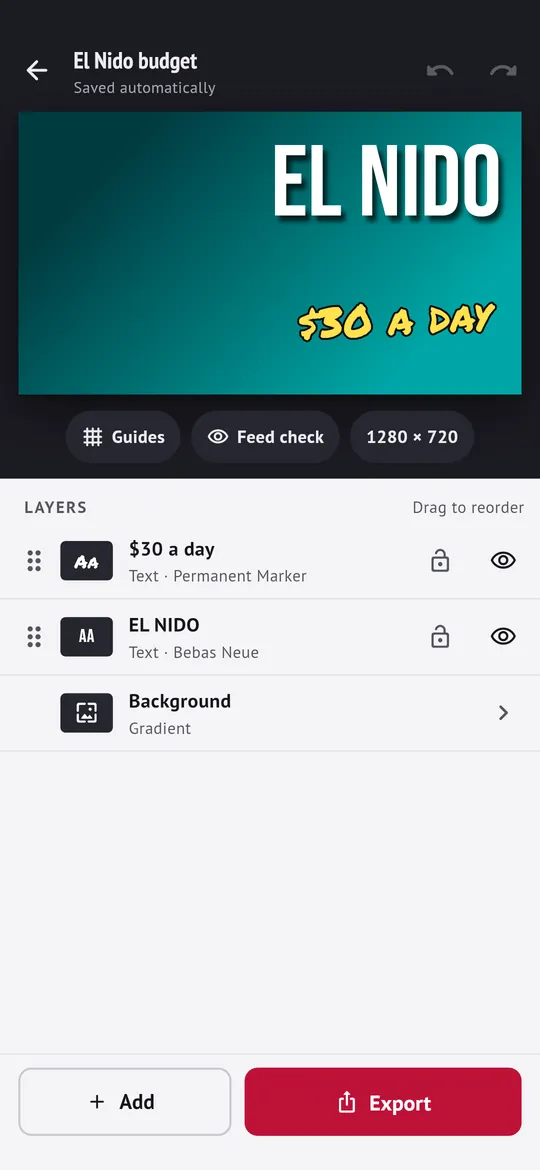
Edit layer by layer 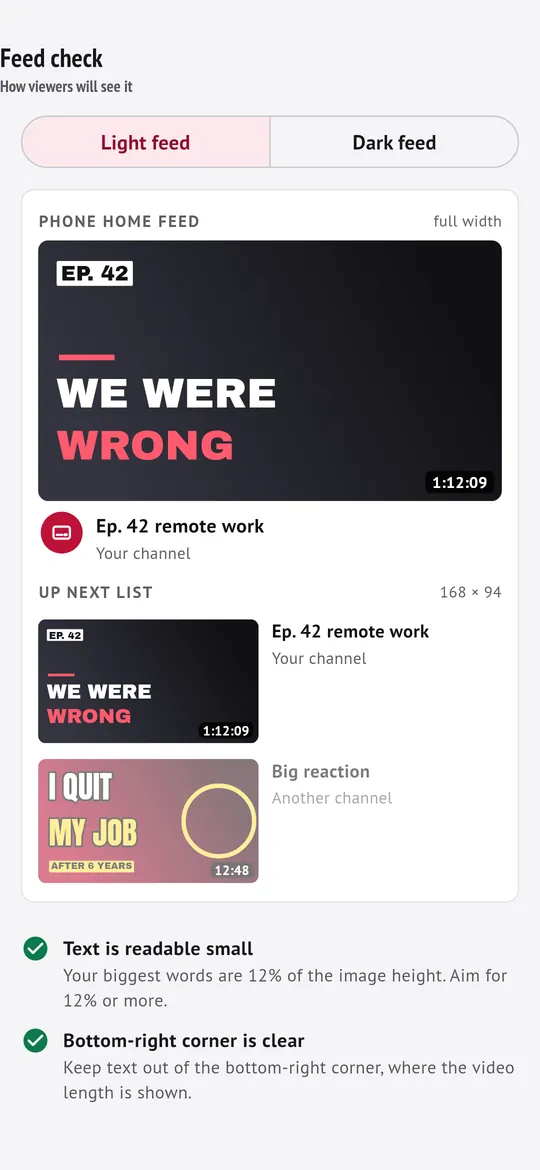
Check it in the feed 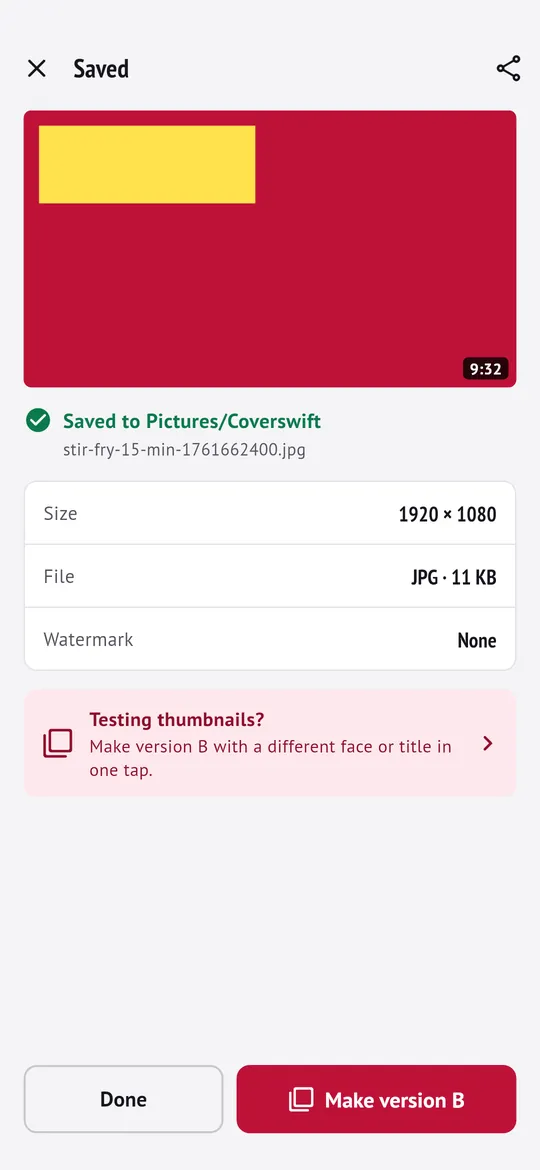
Save and make version B
What you can do
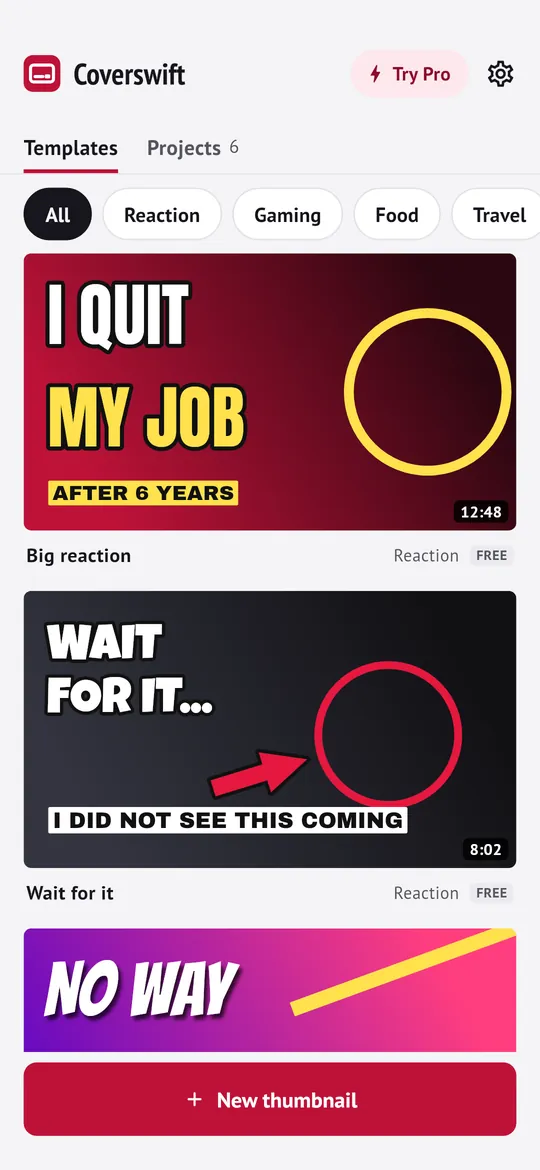
60 templates, 48 of them free. Reaction, gaming, food, travel, tutorial, podcast and more, shown at real video size so you pick what reads well.
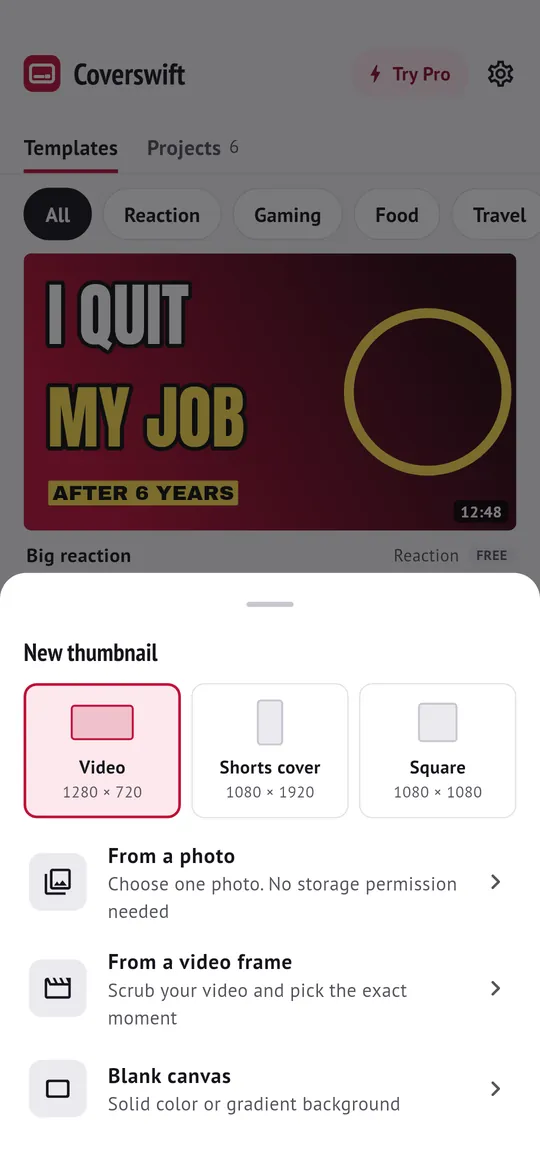
A frame from your own video. Pick a video, slide to the exact moment and use that frame as the background, at the video's full resolution.
Edit layer by layer. Big titles with thick outlines and shadows, arrows, circles and boxes.
Check it in the feed. See your thumbnail at the sizes people really see it, in light and dark, with a warning when text is too small or sits under the duration badge.
Save and make version B. JPG or PNG in HD or Full HD, saved to your gallery with no storage permission.
Free vs Pro
| Feature | Free | Pro |
|---|---|---|
| Templates | 48 | 60 |
| Cut out person | 3 a day | Unlimited |
| Export size | Full HD | 4K |
| Gradient text | Not included | Included |
| Title fonts | 6 | 8 |
| No watermark | Included | Included |
| Ads | After export | None |
Questions
How it works
- Pick a start. A template, a photo, or a frame from your video.
- Write your title. Change the words, fonts and colors, and cut out a person if you like.
- Check and save. Look at it in the feed, then save Full HD to your gallery.
Is Coverswift free?
Yes. 48 templates, the full editor with layers, video frames and photos, 3 person cut-outs a day, the feed check, and HD and Full HD exports with no watermark are free. Pro adds 12 more templates, unlimited cut-outs, 4K export, gradient text, 2 extra title fonts and no ads.
Is there a watermark?
No. Free exports have no watermark and no lowered quality.
Are my photos uploaded?
No. Photos and videos you pick are copied into the app's private storage on your phone. Cutting out a person runs on your phone too.
Does it work without internet?
Yes. Templates, editing and saving work offline. The internet is only used for ads, purchases, crash reports, a small settings file and the one-time download of the cut-out model by Google Play services.
What sizes can I save?
1280 x 720 and 1920 x 1080 for free, 3840 x 2160 with Pro, as JPG or PNG. Shorts (9:16) and square formats are included.
Privacy at a glance
- Photos and videos
- Chosen by you with the Android photo picker, so the app cannot see the rest of your gallery. A photo, or the single video frame you choose, is copied into the app's private storage for your project. Nothing is uploaded, sent to us or passed to the ad SDK.
- Cutting out a person
- Done on your phone by Google ML Kit. The model is installed once by Google Play services; after that it works offline. Your image is not sent anywhere. Like other Google libraries, ML Kit may send Google basic usage and performance information that does not include your images.
- Projects and thumbnails
- Projects are saved only in the app's private storage on your phone. Thumbnails you save go to Pictures/Coverswift in your gallery and stay there until you delete them. They are shared only when you use the Android share sheet.
- Trial reminder
- If you start a free trial, one reminder 2 days before it ends is scheduled on your phone by Android. Nothing about it leaves your phone.
- Purchases
- Handled by Google Play; we never see your payment details.
Permissions: Notifications, asked only when you start a free trial, for one reminder 2 days before it ends. Start at boot, so that reminder is set again after a restart. No camera, microphone, location, contacts, photos and media, storage, exact alarm or foreground service permission; photos and videos are chosen with the Android photo picker. Google's ad and purchase libraries add the advertising ID, network state and billing permissions. Internet is used for ads, purchases, crash reports and the settings file described above.
Something else? Write to support@tinyfair.my.id.
More from tinyfair
 TracefulOn Google Play
 HearthdaysOn Google Play
 GlidecueOn Google Play
 NightechoOn Google Play
 WeehoursOn Google Play
 BackvoxOn Google Play
 PrintwrenOn Google Play
 BillfinchOn Google Play
 RowberryOn Google Play
 TonewashOn Google Play
 SlidequiltOn Google Play
 FrostdialOn Google Play
 WavetallyOn Google Play
 CreasebirdOn Google Play
 SprychairOn Google Play
 WinkboothOn Google Play
 TidepenOn Google Play
 HushmossOn Google Play
 TagnibOn Google Play
 RenewhawkOn Google Play
 RepcrestOn Google Play
 TickstaveOn Google Play
 PawsprigOn Google Play
 BrightwickOn Google Play
 SpinlarkOn Google Play
 ShiftRingOn Google Play
 BullkiteComing soon
 CubejayComing soon
 CapternComing soon
 StillwrenComing soon