 CalendenseCalendar Planner
See how busy every day is, at a glance.
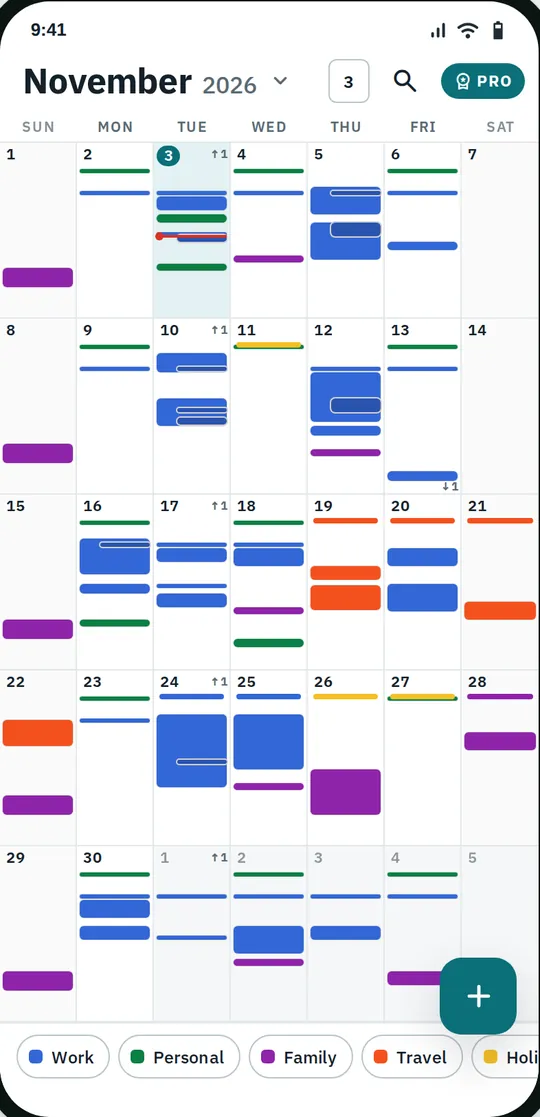
Calendense draws each day of the month as a small hour grid, so your events show up as blocks at the time they happen. It works with the calendars already on your phone, with no account and no sign-up.
- Every day shows its events as hour blocks
- Works with the calendars already on your phone
- No account, events stay on your phone
Coming soon to Google Play.
Swipe through Calendense
Year, week, day and agenda 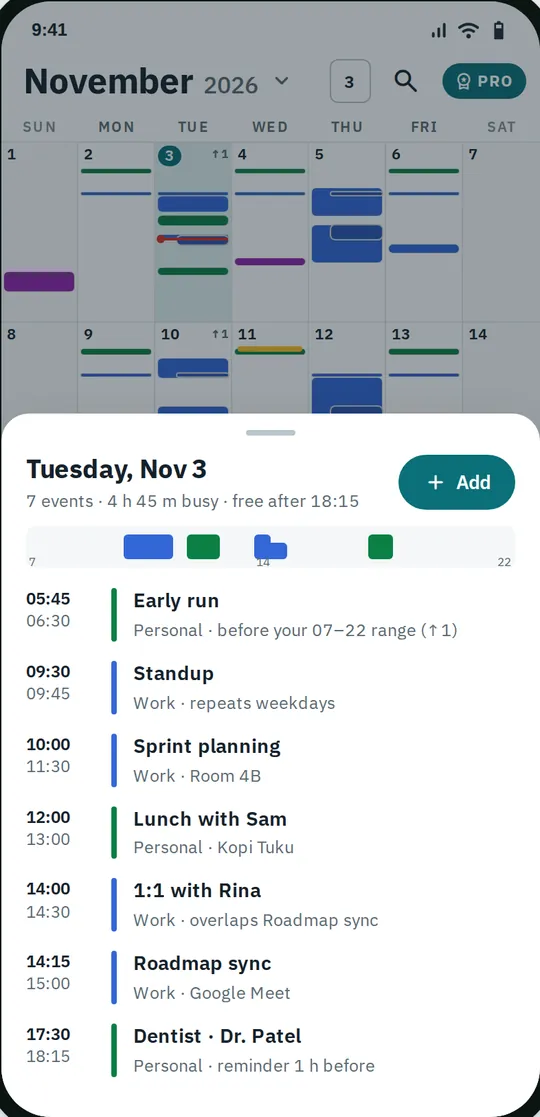
Tap a day to peek 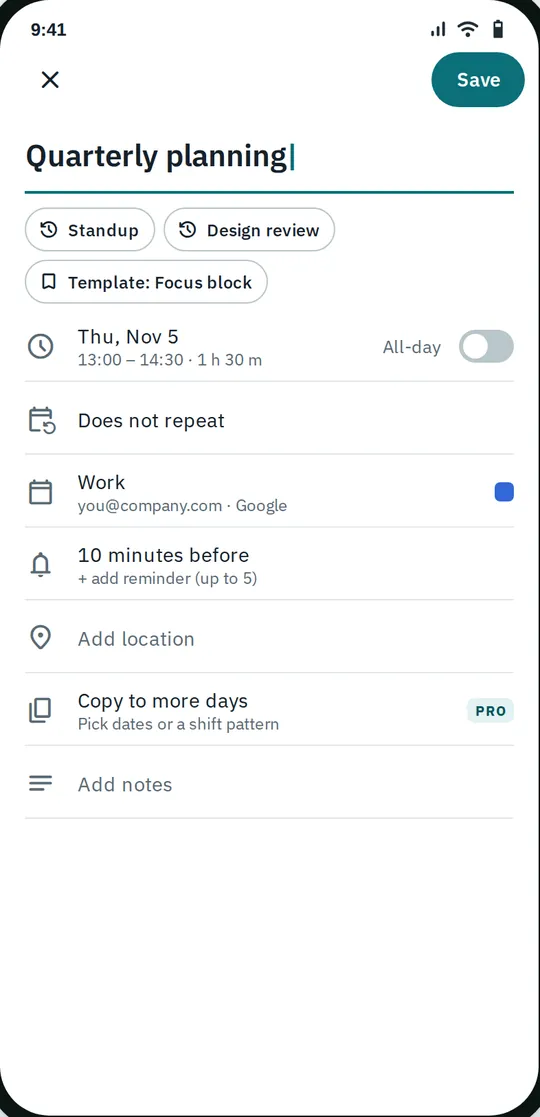
Quick to add and change 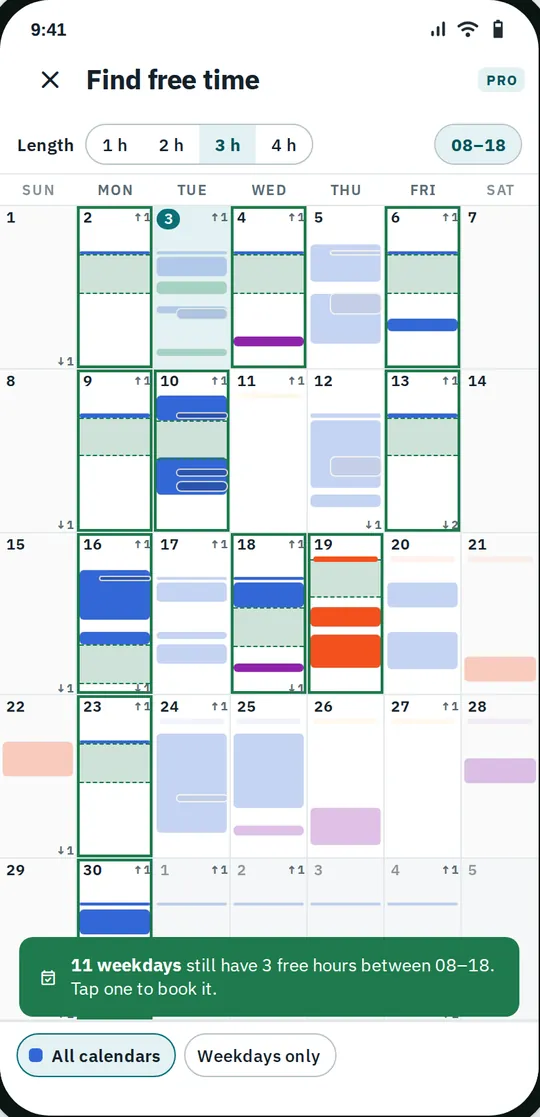
Find free time
What you can do
A month that shows the hours. Every day cell is a tiny timeline.
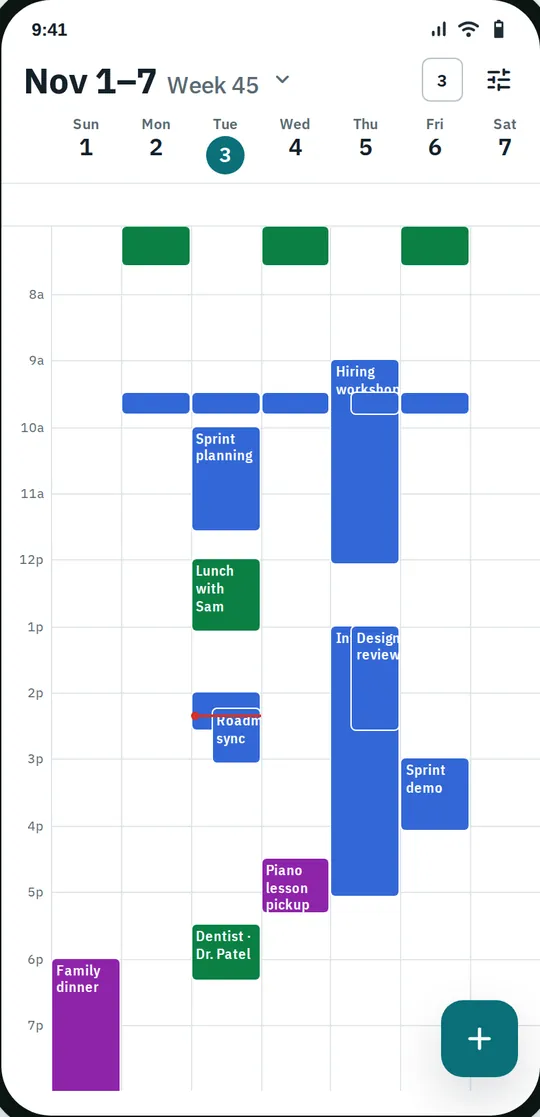
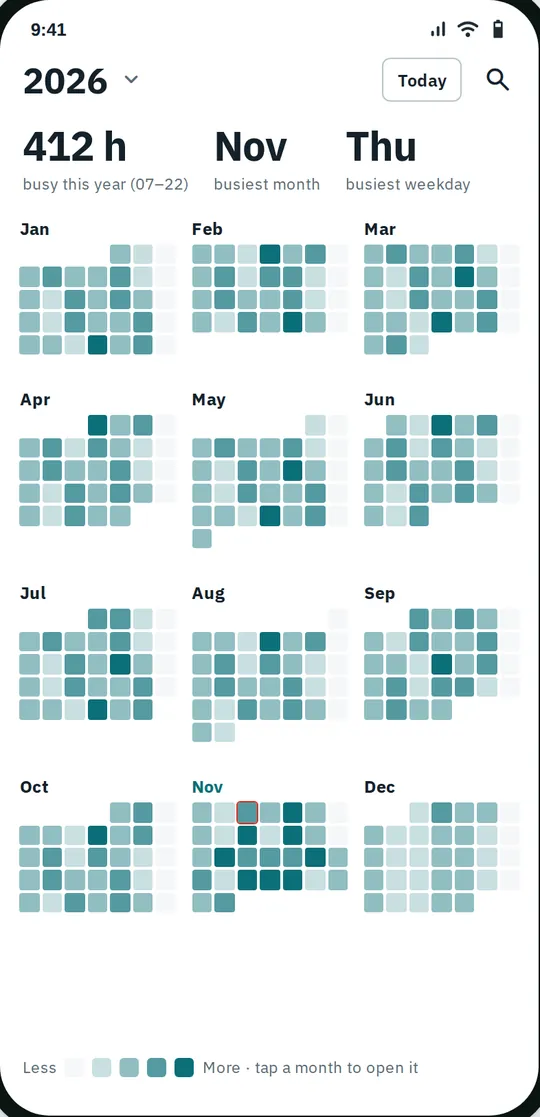
Year, week, day and agenda. A year heat map shows your busiest months and weekdays.
Tap a day to peek. A sheet lists the day's events with free time, your tasks, a note or sketch for the day, a sticker, and the weather if you turn it on.
Quick to add and change. Repeating and all-day events, up to 5 reminders with snooze, time zones, guests, colors, emoji, countdowns and voice input for the title.
Find free time. With Pro, pick a length and an hour range and Calendense highlights the days that still have that much free time this month.
Free vs Pro
| Feature | Free | Pro |
|---|---|---|
| Density month, year, week, day, agenda | Included | Included |
| Month widget + agenda widget | Included | Included |
| Find free time | Not included | Included |
| Copy to many days and shifts | Not included | Included |
| Drag & drop and multi-select | Not included | Included |
| Import/export .ics, print, scan schedule photo | Not included | Included |
| Event templates | 3 | Unlimited |
| Custom hour range | Not included | Included |
| Week widget, 8 to 14 day week | Not included | Included |
| 6 accent colors + AMOLED, date size | Not included | Included |
| Ringing alarms, sound per calendar, morning summary | Not included | Included |
| Share month as image | Not included | Included |
| No ads | Not included | Included |
Questions
How it works
- Allow calendar access. Your phone's calendars appear at once. Or start with a calendar kept in the app.
- Read the month. Each day shows its events as blocks by the hour, so busy and free days stand out.
- Add the widget. Put the month or the agenda on your home screen, sized and themed the way you like.
Is Calendense free?
Yes. The density month, year, week (1 to 7 days), day and agenda views, search, reminders with snooze, tasks, holidays, birthdays, weather, the month and agenda widgets and 3 event templates are free. Pro adds find free time, copy to many days and shift patterns, drag and drop, .ics import and export, printing, schedule photo scanning, more themes and widgets, ringing alarms and no ads.
Does it work with Google Calendar?
Yes. Calendense shows the calendars Android already syncs on your phone, such as Google, Samsung and Outlook or Exchange. Changes you make are synced by that account as usual. Calendense does not ask for your Google password.
Are my events uploaded?
No. Calendense reads and writes events on your phone through Android. We have no server, and your events, tasks and notes are never sent to us or passed to the ad SDK.
Do I need an account?
No. There is no sign-up. If you do not allow calendar access, you can still use a calendar kept inside the app.
Is Pro a subscription?
You choose: one lifetime payment, yearly with a 7-day free trial for new subscribers, or monthly. You can cancel a subscription anytime in Google Play.
Privacy at a glance
- Calendar events
- With your permission, Calendense reads and writes the calendars on your phone through Android (Calendar access). Events are synced only by the accounts you already set up on the phone, such as Google or Samsung; Calendense itself never uploads them. If you do not allow access, events you create are kept in a calendar inside the app's private storage.
- Tasks, day notes, sketches and stickers
- Saved in the app's private storage on your phone.
- Contact birthdays (optional)
- Only if you turn on Show contact birthdays, the app asks for contacts access and reads names and birthdays on your phone to show them in the calendar. They are not copied into your calendars or sent anywhere. Picking a contact for an event uses the Android contact picker.
- Attachments
- An event can link to a file you choose with the Android file picker. The file is not copied or uploaded; only a link to it is kept.
- Schedule photo scan (Pro)
- A photo you take or choose is read on your phone with Google ML Kit text recognition. The photo is not uploaded or kept. You check each event before it is saved.
- Voice input
- The microphone button opens Android's speech input; Calendense receives only the text.
- Settings
- Your views, themes, filters, templates, widget styles and the weather place are saved on your phone. A settings backup file is created only when you export one.
- Purchases
- Handled by Google Play; we never see your payment details.
Permissions: Calendar (read and write), asked when you first open the app, to show and edit the calendars on your phone; you can say no and use the in-app calendar. Contacts, optional, asked only when you turn on Show contact birthdays. Approximate location, optional, asked only when you tap Use my location for the weather. Notifications, for event and task reminders. Start at boot, so reminders and widgets are set again after a restart. No precise location, camera, microphone, storage or photos and media permission: photos are taken with your camera app or chosen with the Android file picker, and voice input uses Android's speech service. Google's ad and purchase libraries add the advertising ID, network state and billing permissions. Internet is used for ads, purchases, crash reports, usage statistics, the optional weather and holidays, and the settings file described above, never for your events.
Something else? Write to support@tinyfair.my.id.
More from tinyfair
 TracefulOn Google Play
 HearthdaysOn Google Play
 GlidecueOn Google Play
 NightechoOn Google Play
 WeehoursOn Google Play
 BackvoxOn Google Play
 PrintwrenOn Google Play
 BillfinchOn Google Play
 RowberryOn Google Play
 TonewashOn Google Play
 SlidequiltOn Google Play
 FrostdialOn Google Play
 WavetallyOn Google Play
 CreasebirdOn Google Play
 SprychairOn Google Play
 WinkboothOn Google Play
 TidepenOn Google Play
 HushmossOn Google Play
 TagnibOn Google Play
 RenewhawkOn Google Play
 RepcrestOn Google Play
 TickstaveOn Google Play
 PawsprigOn Google Play
 BrightwickOn Google Play
 SpinlarkOn Google Play
 BullkiteOn Google Play
 CubejayOn Google Play
 CapternOn Google Play
 CoverswiftOn Google Play
 StillwrenOn Google Play
 PasslarkOn Google Play
 ShiftRingOn Google Play
 StampkiteComing soon