 PasslarkPassport Photo Maker
Passport and visa photos, made on your phone.
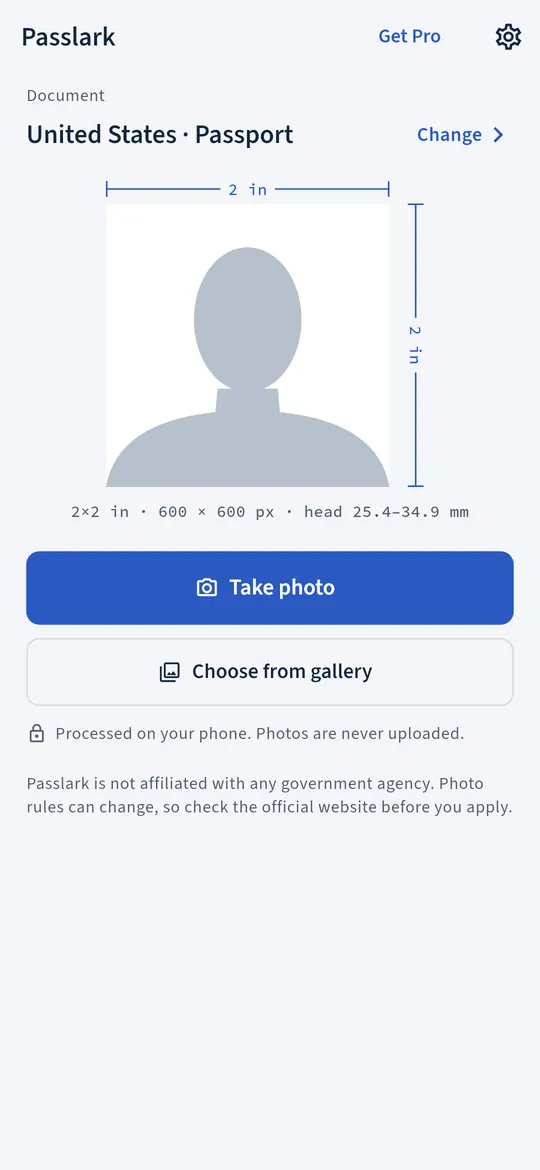
Pick your document, take or choose a photo, and Passlark swaps the background, crops to the published size rules and checks the head size before you save. Your photo is processed on the phone and never uploaded.
- One document size free, no watermark
- Processed on the phone, never uploaded
- Head size and background checked before you save
Swipe through Passlark
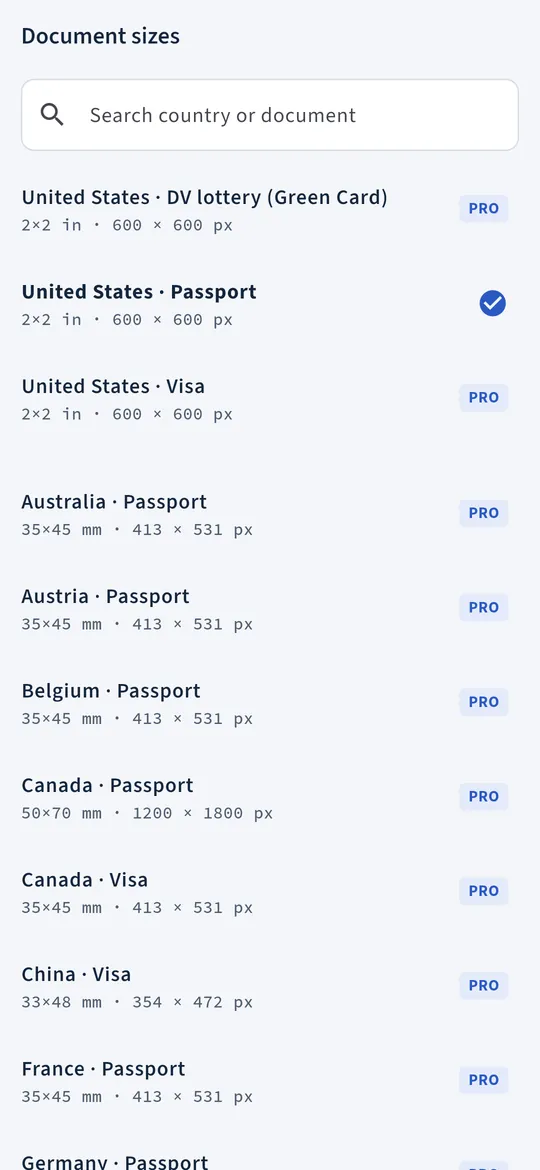
40 document sizes from 26 countries plus Schengen 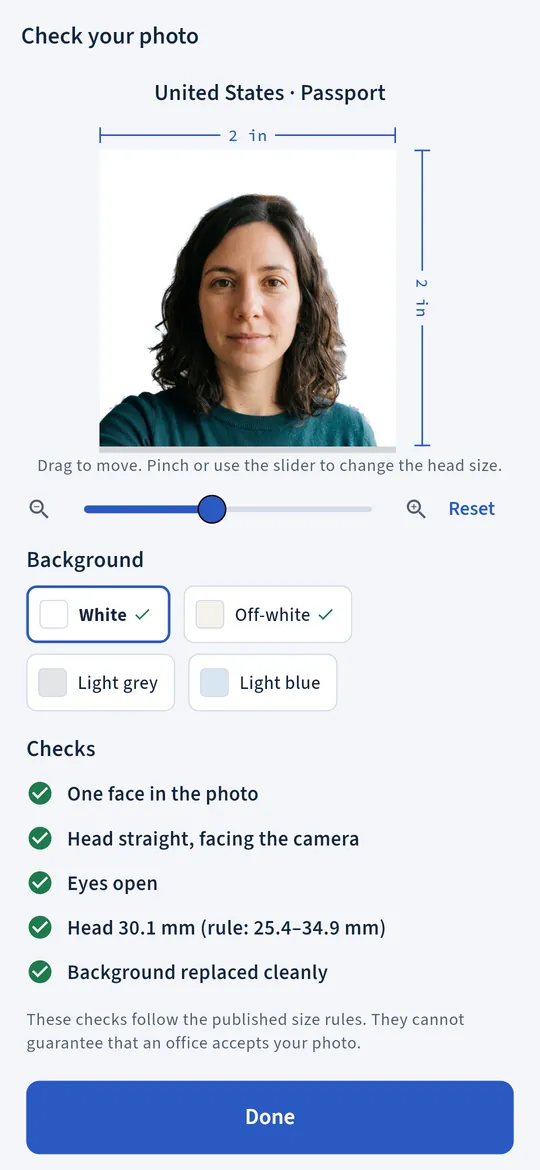
Background and crop done for you 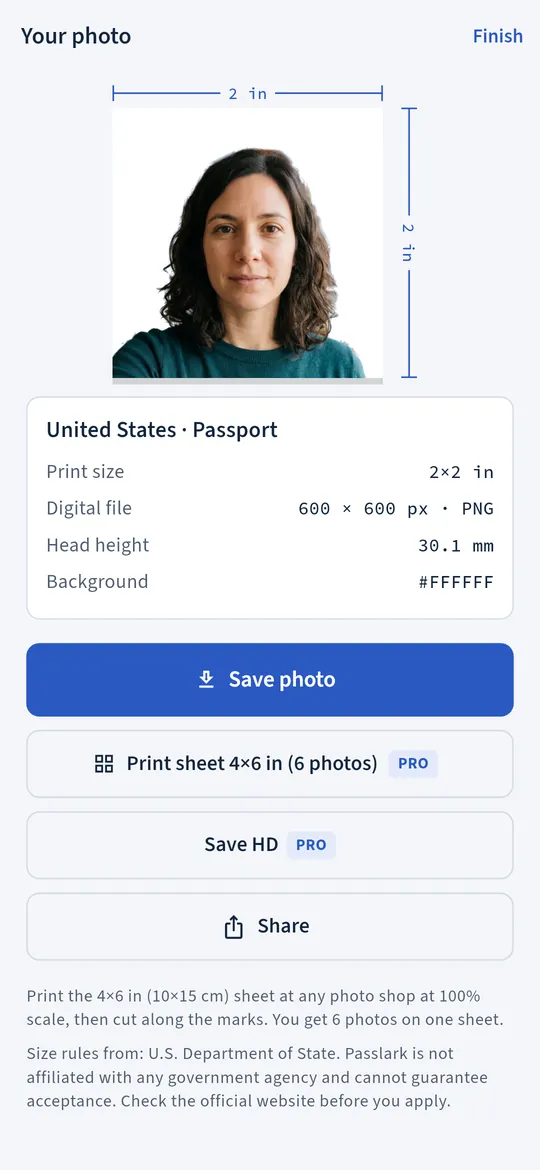
Digital photo and a 4x6 print sheet 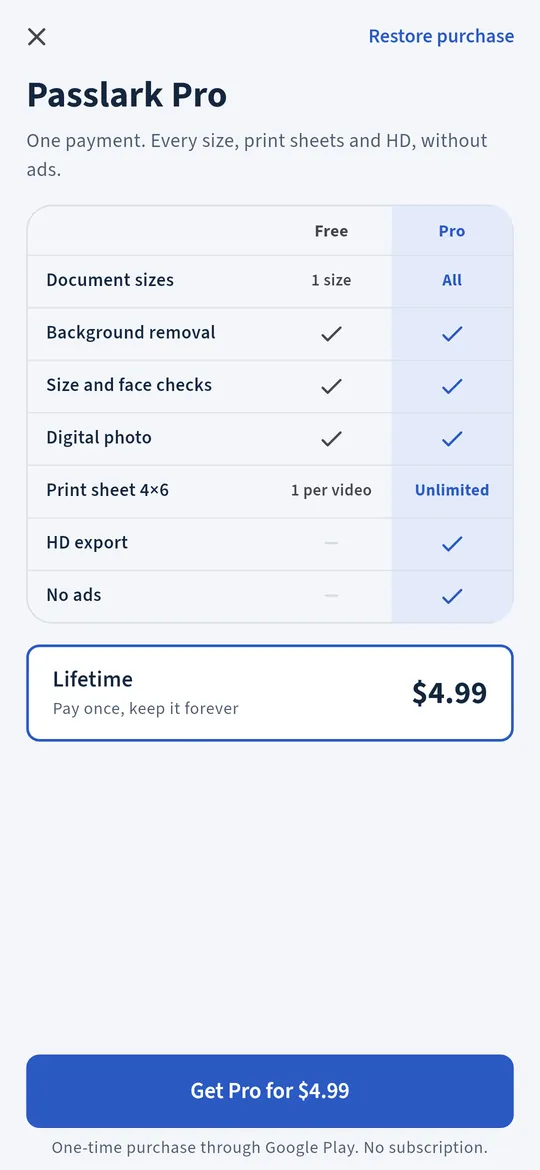
Pro once, for every size
What you can do
Take a photo or pick one. Use the front or back camera with an oval guide for your head, or choose a picture with the Android photo picker.
40 document sizes from 26 countries plus Schengen. Passports, visas, ID cards and more, such as 2x2 inches for a US passport, 35x45 mm for a Schengen visa, or 3x4 and 4x6 for Indonesia.
Background and crop done for you. A busy wall becomes a plain background, and the crop sets the head height and eye line for your document.
Digital photo and a 4x6 print sheet. Save the photo at the pixel size your document asks for, or a 4x6 inch (10x15 cm) sheet with several copies at 300 DPI, as PNG and PDF, ready for a photo printer or a print shop.
Pro once, for every size. One payment unlocks every document size, unlimited print sheets, HD export and no ads.
Free vs Pro
| Feature | Free | Pro |
|---|---|---|
| Document sizes | 1 size | All 40 |
| Background removal | Included | Included |
| Size and face checks | Included | Included |
| Digital photo | Included | Included |
| Print sheet 4x6 | 1 per video | Unlimited |
| HD export | Not included | Included |
| No ads | Not included | Included |
Questions
How it works
- Pick your document. Choose the country and the document: passport, visa, ID card and more.
- Take or pick a photo. Passlark removes the background, crops to size and checks the result.
- Save or print. Save the digital photo to your gallery, or make a 4x6 print sheet.
Is Passlark free?
Yes. One document size of your choice is free forever, with unlimited photos, background removal, the checks and digital saving, with no watermark. A 4x6 print sheet is free for each short video you choose to watch. Pro adds every size, unlimited print sheets, HD export and no ads.
Will my photo be accepted?
Passlark follows the published size rules and checks the head size and background, but we cannot promise that any office will accept a photo. Passlark is not affiliated with any government agency. Rules can change, so check the official website for your document before you submit.
Is my photo uploaded?
No. The background is removed and your face is found on your phone, with Google ML Kit models that run on the device. Your photos are never uploaded, sent to us or passed to the ad SDK.
Where are my photos saved?
Digital photos and print sheets go to your gallery, in the Passlark album. The PDF of a print sheet is kept in the app so you can share it.
Can I print it myself?
Yes. The print sheet is 4x6 inches (10x15 cm) at 300 DPI, the standard photo print size, so a home photo printer or any print shop can print it at actual size.
Privacy at a glance
- Photos
- Taken with the camera on the camera screen, or chosen with the Android photo picker, so the app cannot see the rest of your gallery. The background is removed and your face is found on your phone by Google ML Kit, using models that run on the device. Your photos are never uploaded, sent to us or passed to the ad SDK. ML Kit may send Google basic information about how its features perform, never your photos.
- Saved photos and print sheets
- Created only when you tap Save or make a print sheet. They go to your gallery in the Passlark album. The PDF of a print sheet is kept in the app's private storage. Where you share them next is up to you.
- Recent photos
- Small copies of your last 12 saved photos, with the document you picked and the date, are kept in the app's private storage for the Recent row; older ones are deleted by themselves. If you use Android backup, Android may include them in your Google account backup.
- Settings
- Your free document size and the last document you used are saved on your phone.
- Purchases
- Handled by Google Play; we never see your payment details.
Permissions: Camera, asked the first time you open the camera screen, and used only while it is open. Storage write access on Android 9 and older only, to save photos to your gallery. No location, contacts, microphone or photos and media permission; pictures are chosen with the Android photo picker. Google's ad and purchase libraries add the advertising ID, network state and billing permissions. Internet is used for ads, purchases, crash reports and the settings file described above, never for your photos.
Something else? Write to support@tinyfair.my.id.
More from tinyfair
 TracefulOn Google Play
 HearthdaysOn Google Play
 GlidecueOn Google Play
 NightechoOn Google Play
 WeehoursOn Google Play
 BackvoxOn Google Play
 PrintwrenOn Google Play
 BillfinchOn Google Play
 RowberryOn Google Play
 TonewashOn Google Play
 SlidequiltOn Google Play
 FrostdialOn Google Play
 WavetallyOn Google Play
 CreasebirdOn Google Play
 SprychairOn Google Play
 WinkboothOn Google Play
 TidepenOn Google Play
 HushmossOn Google Play
 TagnibOn Google Play
 RenewhawkOn Google Play
 RepcrestOn Google Play
 TickstaveOn Google Play
 PawsprigOn Google Play
 BrightwickOn Google Play
 SpinlarkOn Google Play
 BullkiteOn Google Play
 CubejayOn Google Play
 CapternOn Google Play
 CoverswiftOn Google Play
 StillwrenOn Google Play
 ShiftRingOn Google Play
 CalendenseComing soon
 StampkiteComing soon
PasslarkFree on Google Play