 StampkiteGPS Camera
Photos that show where and when.
Stampkite is a GPS camera that prints the address, coordinates, date and time and a small map onto every photo, ready for site reports, inspections and deliveries. No account, and your photos stay on your phone.
- Stamped photos free and unlimited, no watermark
- No account, photos never uploaded to Tinyfair
- No ads on the camera screen
Coming soon to Google Play.
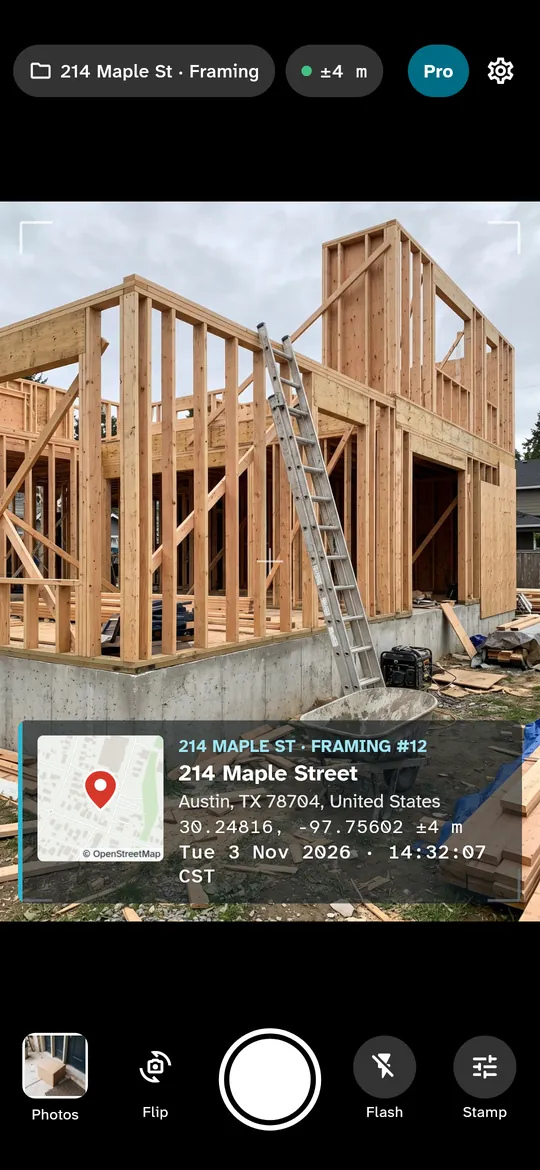
Swipe through Stampkite
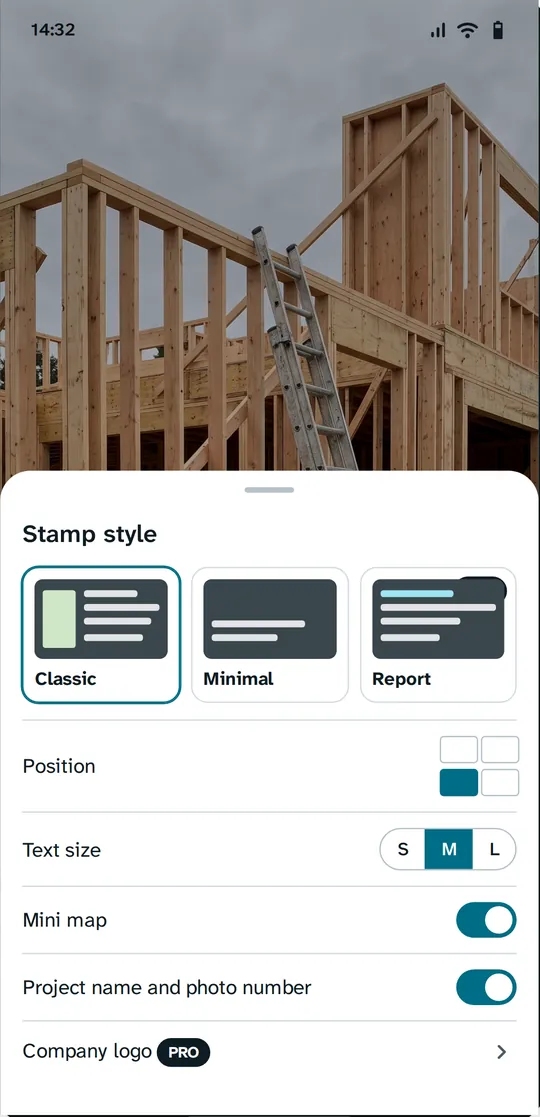
Three stamp templates, four corners 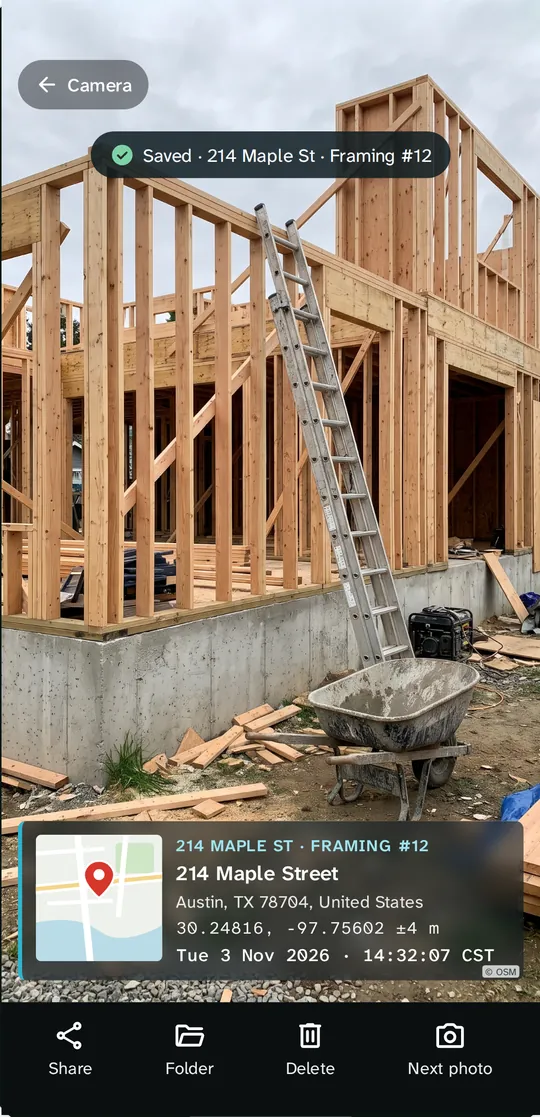
Saved to your gallery with GPS in EXIF 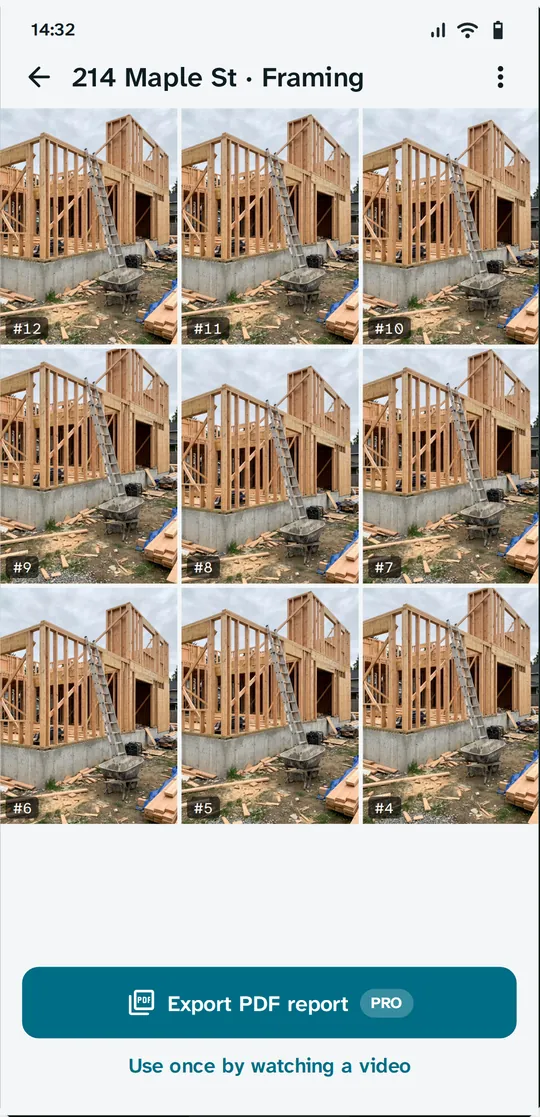
Project folders with numbered photos 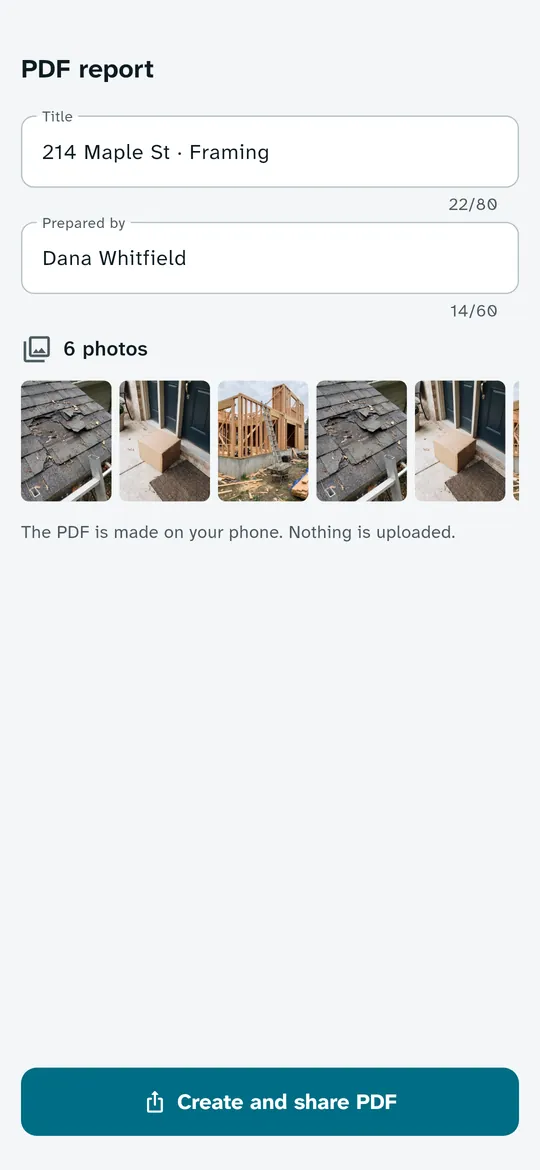
PDF photo reports made on your phone 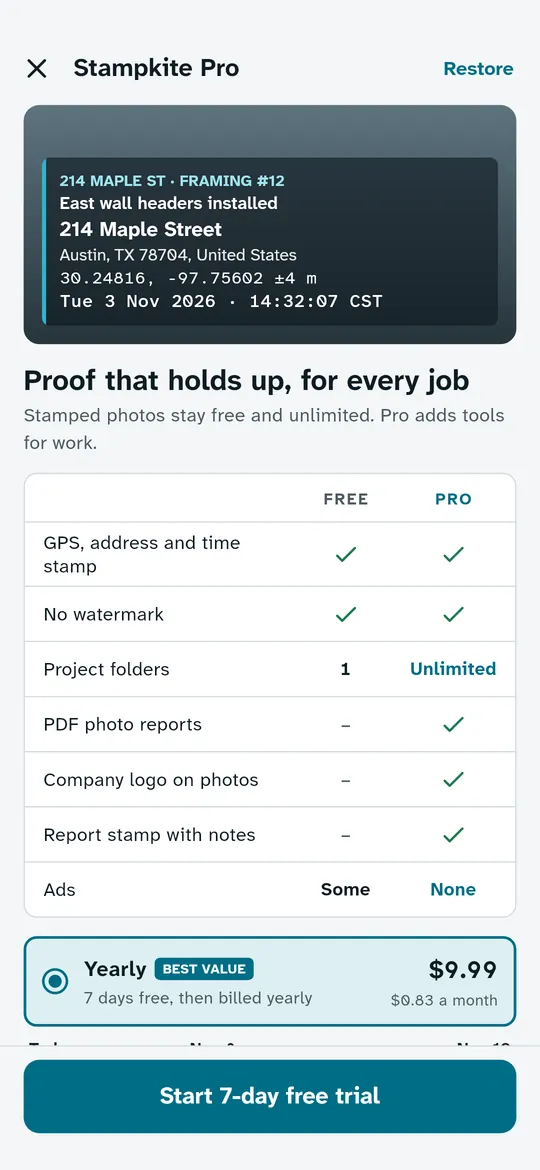
Pro for work
What you can do
Address, coordinates, time and a map on every photo. The stamp shows the street address, coordinates in decimal or degrees, minutes and seconds with the accuracy in meters or feet, the date and time to the second with the time zone, and a small map.
Three stamp templates, four corners. Choose Classic, Minimal or Report (Pro) and place the stamp in any corner of the photo.
Saved to your gallery with GPS in EXIF. Photos go to Pictures/Stampkite with the GPS position and time in the EXIF data.
Project folders with numbered photos. The folder name and photo number are printed on the stamp, so every job keeps its photos in order.
PDF photo reports made on your phone. Turn a folder into a PDF report with each photo and its stamp details.
Pro for work. Unlimited folders, PDF reports, your company logo on the stamp, the Report template and no ads.
Free vs Pro
| Feature | Free | Pro |
|---|---|---|
| GPS, address, time and map stamp | Included | Included |
| No watermark, unlimited photos | Included | Included |
| Classic and Minimal templates | Included | Included |
| Project folders | 1 | Unlimited |
| PDF photo reports | 1 per video | Unlimited |
| Company logo, Report template | Not included | Included |
| No ads | Not included | Included |
Questions
How it works
- Open Stampkite. The camera opens straight away and finds your location.
- Take the photo. The address, coordinates, time and map are stamped onto the photo.
- Keep it in order. Photos go to your gallery and to the active project folder, numbered in order.
Is Stampkite free?
Yes. Stamped photos are free and unlimited, with no watermark, using the Classic and Minimal templates in any corner and one project folder. Pro adds unlimited folders, PDF photo reports, your company logo, the Report template and no ads. You can also make one PDF report for each short video you choose to watch.
Does it work without internet?
Yes. GPS works without a connection, so the stamp shows the coordinates, date and time. The street address and the map need internet.
Are my photos uploaded?
No. Photos, locations and folder names stay on your phone and are never uploaded to Tinyfair. To show the address and the map, the phone asks the address service on your phone and downloads map tiles for the area around you, as described in the privacy policy.
Where are my photos saved?
In your gallery, in Pictures/Stampkite, with the GPS position and time in the EXIF data. You can choose to also save the original photo without the stamp.
Does it track my location in the background?
No. Location is used only while the app is open, to stamp your photos. Stampkite has no background location permission.
Which languages does it support?
Stampkite is available in 12 languages.
Privacy at a glance
- Location
- Your GPS position is read only while the app is open, to stamp your photos. It is written onto the photo and into its EXIF data on your phone. Stampkite has no background location permission and never sends your location to Tinyfair.
- Address
- To turn the position into a street address, the app uses the Android Geocoder, the location service built into your phone (provided by Google on most phones). Android sends the coordinates to that service to look up the address, so it needs internet. Offline, the stamp shows the coordinates only.
- Map
- The small map comes from OpenFreeMap (openfreemap.org), with map data from OpenStreetMap contributors. The phone downloads the map tiles around your location. The map server receives these tile requests, which show the rough area, and your IP address like any web request, but no photo, account or identifier from the app.
- Photos
- Taken with the camera only while the camera screen is open, and saved to your gallery in Pictures/Stampkite, with the GPS position and time in the EXIF data. If you turn it on, the original photo without the stamp is saved too. Photos are never uploaded to Tinyfair or passed to the ad SDK. Where you share them next is up to you.
- Project folders
- Folder names and photo numbers are saved on your phone.
- PDF reports
- Made on your phone from the photos you pick. Nothing is uploaded.
- Company logo
- Chosen with the Android photo picker, so the app cannot see the rest of your gallery, and kept in the app's private storage on your phone.
- Settings
- Your stamp template, corner, units and other settings are saved on your phone.
- Purchases
- Handled by Google Play; we never see your payment details.
Permissions: Camera, to take photos while the camera screen is open. Location (precise and approximate), only while the app is in use, to stamp the position and address; no background location. Notifications, only for one reminder 2 days before a Pro free trial ends. No contacts, microphone, storage or photos and media permission; the company logo is chosen with the Android photo picker. Internet is used for the address lookup, map tiles, ads, purchases, crash reports and the settings file described above, never to upload your photos. Google's ad and purchase libraries add the advertising ID, network state and billing permissions.
Something else? Write to support@tinyfair.my.id.
More from tinyfair
 TracefulOn Google Play
 HearthdaysOn Google Play
 GlidecueOn Google Play
 NightechoOn Google Play
 WeehoursOn Google Play
 BackvoxOn Google Play
 PrintwrenOn Google Play
 BillfinchOn Google Play
 RowberryOn Google Play
 TonewashOn Google Play
 SlidequiltOn Google Play
 FrostdialOn Google Play
 WavetallyOn Google Play
 CreasebirdOn Google Play
 SprychairOn Google Play
 WinkboothOn Google Play
 TidepenOn Google Play
 HushmossOn Google Play
 TagnibOn Google Play
 RenewhawkOn Google Play
 RepcrestOn Google Play
 TickstaveOn Google Play
 PawsprigOn Google Play
 BrightwickOn Google Play
 SpinlarkOn Google Play
 BullkiteOn Google Play
 CubejayOn Google Play
 CapternOn Google Play
 CoverswiftOn Google Play
 StillwrenOn Google Play
 PasslarkOn Google Play
 ShiftRingOn Google Play
 CalendenseComing soon