 DockglowStandBy Mode
Your charging phone, now a desk clock.
Dockglow turns your phone into a big full-screen clock while it charges, with the weather, your calendar, battery and next alarm beside it. Pick from 168 clock styles, let it start by itself when you plug in, and skip the sign-up: there is no account.
- Starts by itself when you plug in
- 86 clock styles and all 14 widgets free
- No ads on the clock screen
Swipe through Dockglow
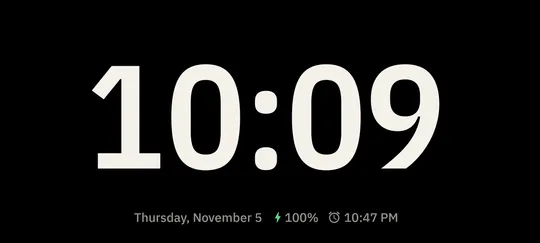
168 clock styles 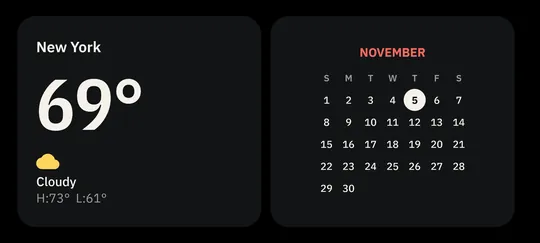
14 widgets next to the time 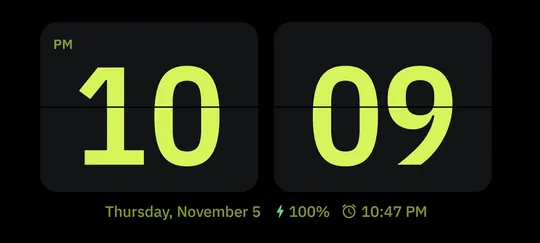
Make it yours 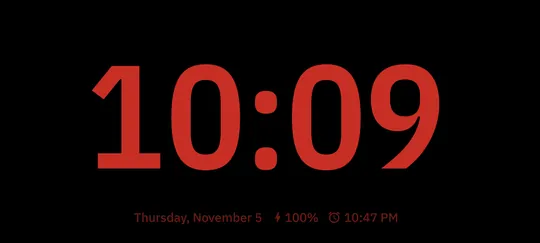
Night mode 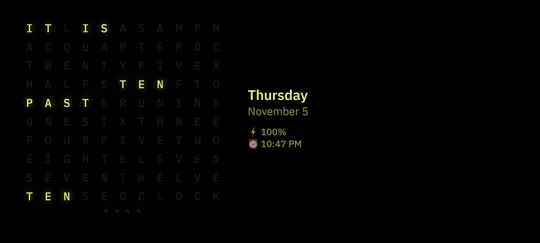
More with Pro
What you can do
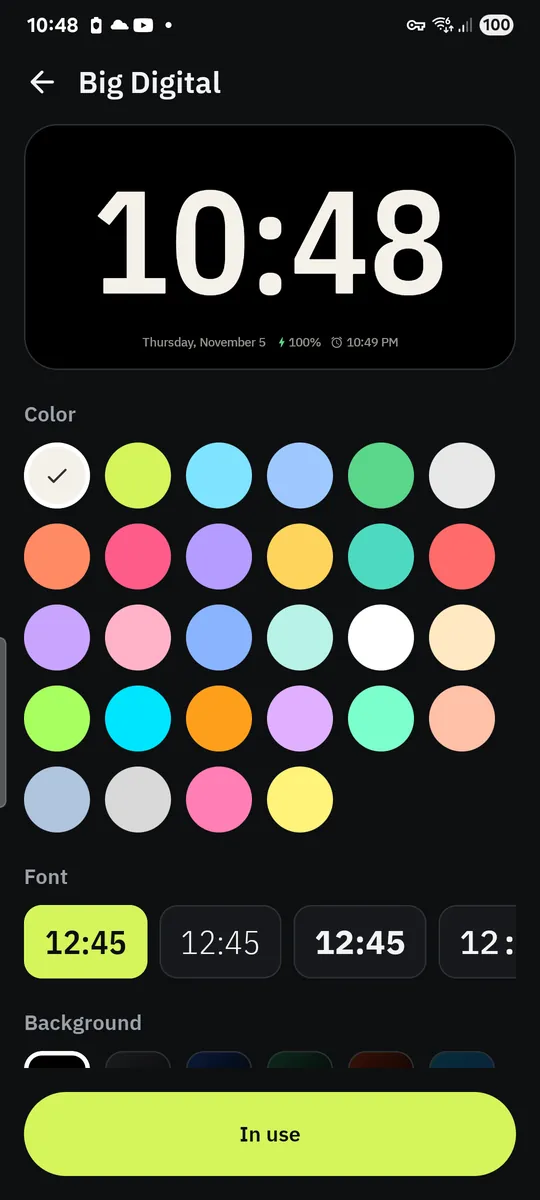
168 clock styles. Swipe between 22 layouts, from Big Digital, Flip and Analog to World Clock and Dot Matrix; 86 of the 168 styles are free.
14 widgets next to the time. Analog and digital clock, month calendar, Today with your phone's calendar events, weather, hourly forecast, sunrise and sunset, world clock, battery with an estimate of when it is full, next alarm, timer, stopwatch, Pomodoro and date.
Make it yours. Choose from 37 fonts, 28 colors and 24 backgrounds; 18 fonts, 10 colors and 8 backgrounds are free.
Night mode. A dim red clock that will not light up the bedroom, turned on by hand or with a double tap.
Starts on its own. Pick Dockglow as the Android screen saver, turn on Open automatically when charging, or tap the Quick Settings tile.
More with Pro. Word Clock, Neon, Rings, Aurora and the other Pro layouts, plus Photo Frame: pick photos with the Android photo picker and Dockglow shows them as a slideshow behind the clock.
Free vs Pro
| Feature | Free | Pro |
|---|---|---|
| Clock styles | 86 | 168 |
| Fonts | 18 | 37 |
| Backgrounds | 8 | 24 |
| Photo frame slideshow | Not included | Included |
| Colors | 10 | 28 + any color |
| Night mode | Manual | Included |
| Auto-start when charging | Included | Included |
| No ads | Not included | Included |
Questions
How it works
- Plug in your phone. Stand it sideways on a charging stand or lean it on something on your desk.
- Tap Start StandBy. The clock fills the screen. Swipe left or right to change the face.
- Let it start by itself. Set Dockglow as the screen saver, or turn on Open automatically when charging, once.
Is Dockglow free?
Yes. 86 clock styles in 14 layouts, all 14 widgets, 18 fonts, 10 colors, 8 backgrounds, auto-start when charging, close when unplugged, manual night mode, the talking clock and burn-in protection are free. Pro unlocks all 168 styles, Photo Frame, every font, color and background, scheduled and light sensor night mode, and removes ads.
Does it work like StandBy on iPhone?
It works in a similar way on Android: a large clock and widgets while your phone charges. Dockglow is not made by or connected to Apple.
Will it drain my battery?
The clock only runs while your phone is charging or while you have it open. There is no background service and no permanent notification.
Why does it ask to display over other apps?
Only if you turn on Open automatically when charging. Android needs this permission to open the clock by itself. The screen saver and the Quick Settings tile work without it.
Does it show my calendar?
Only if you add the Today widget and allow calendar access. Dockglow then reads today's events on your phone to show them; they are never sent anywhere. The month calendar widget needs no permission.
Do I need an account?
No. There is no sign-up, and your settings and photos stay on your phone.
Privacy at a glance
- Weather place (optional)
- If you type a city, the name and your language are sent to the Open-Meteo geocoding service to find it. If you tap Use my location instead, Android asks for approximate location permission and the app reads your approximate position on the phone. The place you choose is saved on your phone.
- Calendar events (optional)
- Only if you add the Today widget, Android asks for calendar access. Today's events are then read on your phone to show on the clock. They are not copied, stored by Dockglow or sent anywhere.
- Photos (Pro, optional)
- Photos for Photo Frame are chosen with the Android photo picker and read on your phone. They are not copied, uploaded or sent anywhere.
- Next alarm and battery
- Read from Android on your phone to show them on the clock. They are not stored or sent.
- Room light (Pro, optional)
- Night mode by light sensor reads the phone's light sensor while the clock is open. The readings are not stored or sent.
- Talking clock (optional)
- Uses your phone's own text-to-speech to say the time. Nothing is recorded or sent by Dockglow.
- Settings
- Your styles, fonts, colors, widgets, night mode and auto-start choices are saved on your phone.
- Purchases
- Handled by Google Play; we never see your payment details.
Permissions: Approximate location, optional, asked only when you tap Use my location for the weather. Calendar (read only), optional, asked only when you add the Today widget. Display over other apps, optional, asked only when you turn on Open automatically when charging. Start at boot, so that option keeps working after a restart. Your next alarm is only read from Android; Dockglow never creates, changes or deletes alarms. No precise location, camera, microphone, contacts, storage or photos and media permission: photos are chosen with the Android photo picker. Google's ad and purchase libraries add the advertising ID, network state and billing permissions. Internet is used for ads, purchases, crash reports, usage statistics, the optional weather and the settings file described above, never for your photos.
Something else? Write to support@tinyfair.my.id.
More from tinyfair
 TracefulOn Google Play
 HearthdaysOn Google Play
 GlidecueOn Google Play
 NightechoOn Google Play
 WeehoursOn Google Play
 BackvoxOn Google Play
 PrintwrenOn Google Play
 BillfinchOn Google Play
 RowberryOn Google Play
 TonewashOn Google Play
 SlidequiltOn Google Play
 FrostdialOn Google Play
 WavetallyOn Google Play
 CreasebirdOn Google Play
 SprychairOn Google Play
 WinkboothOn Google Play
 TidepenOn Google Play
 HushmossOn Google Play
 TagnibOn Google Play
 RenewhawkOn Google Play
 RepcrestOn Google Play
 TickstaveOn Google Play
 PawsprigOn Google Play
 BrightwickOn Google Play
 SpinlarkOn Google Play
 BullkiteOn Google Play
 CubejayOn Google Play
 CapternOn Google Play
 CoverswiftOn Google Play
 StillwrenOn Google Play
 PasslarkOn Google Play
 CalendenseOn Google Play
 StampkiteOn Google Play
 ShiftRingOn Google Play
 EvelarkComing soon
 ShelfwrenComing soon
DockglowFree on Google Play