 EvelarkCountdown Widget
Every day you are waiting for, on your home screen.
Evelark counts down to trips, holidays, weddings, exams and birthdays, with a big number on a card you style yourself and a home screen widget that updates at midnight. No account, and your events stay on your phone.
- Unlimited countdowns and all 7 widget sizes free
- Widgets refresh at midnight, even with the app closed
- No account, your events stay on your phone
Coming soon to Google Play.
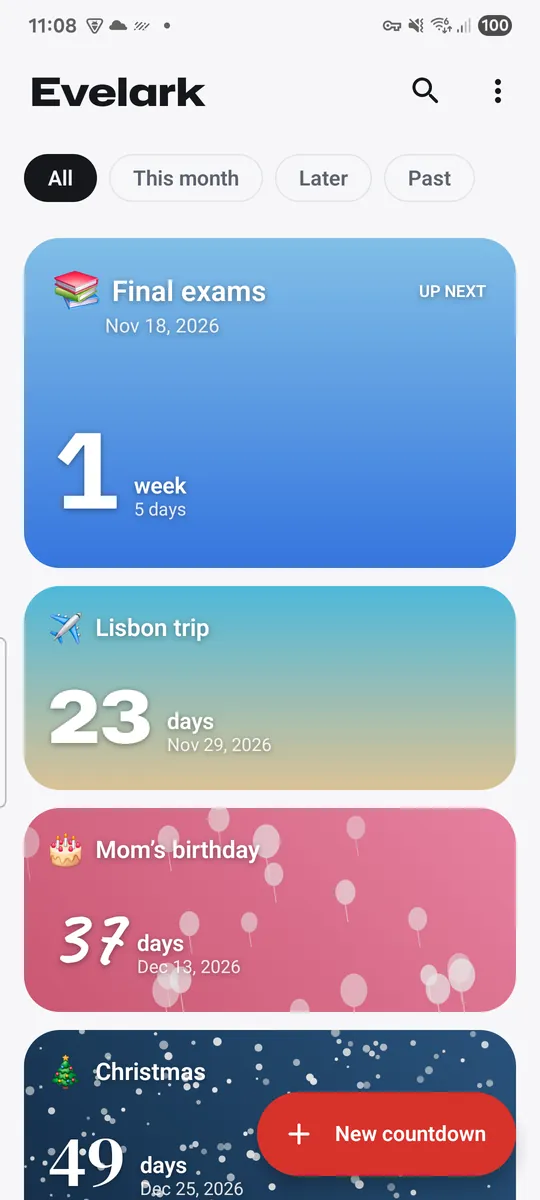
Swipe through Evelark
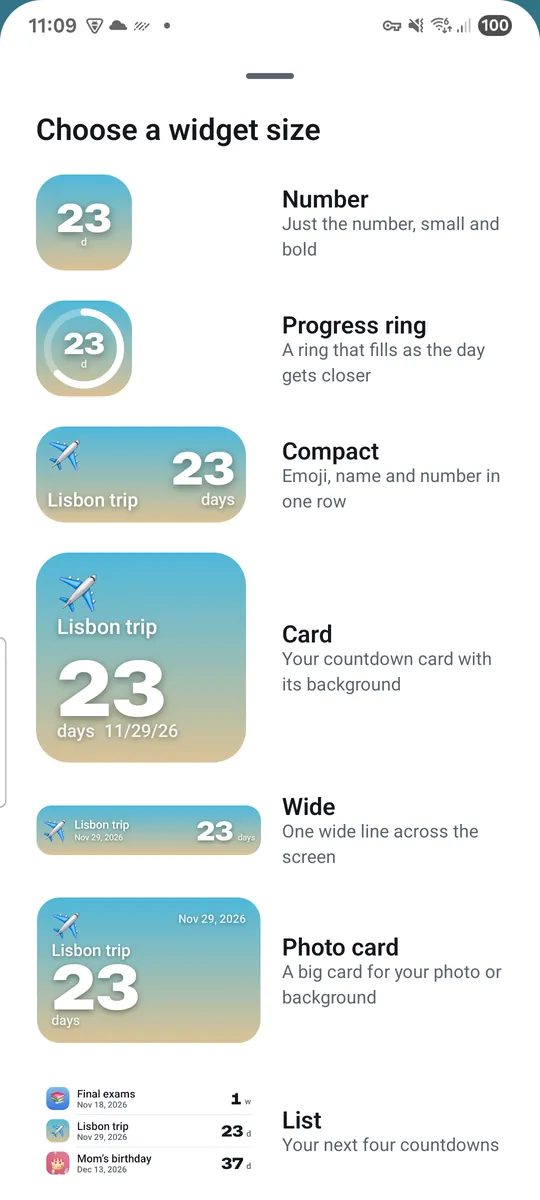
Widgets on your home screen 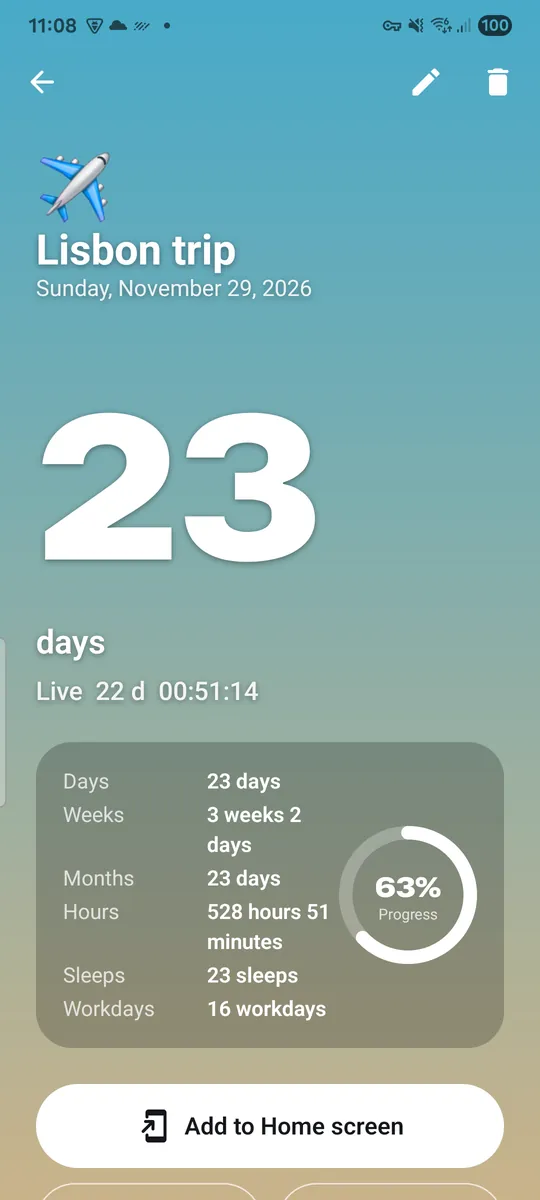
Count the way you think 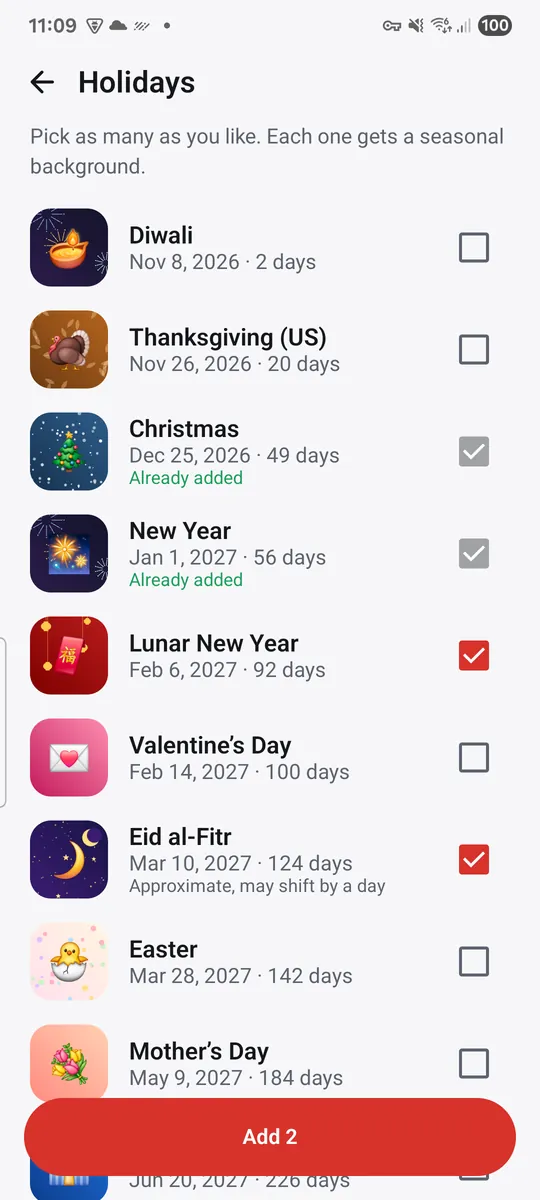
Holidays in one tap 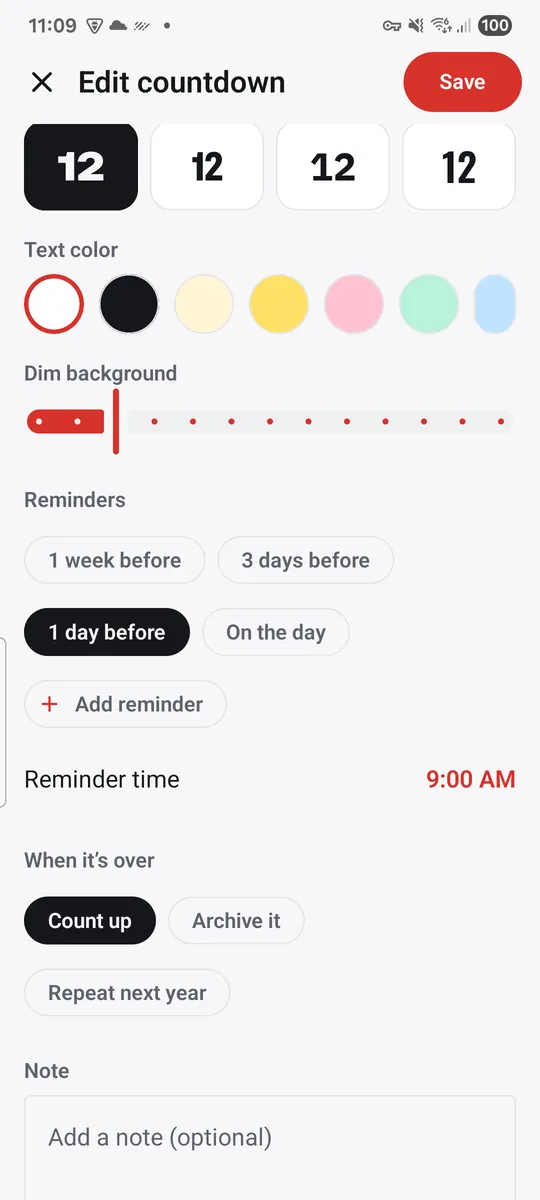
Reminders and a morning summary 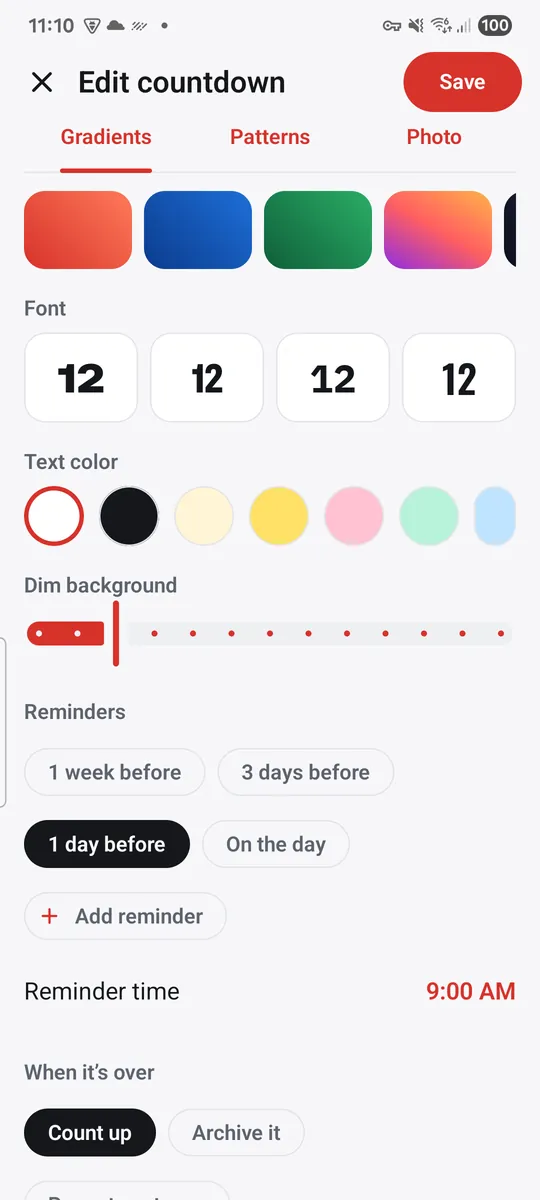
Share and style
What you can do
A countdown for anything. Give each event a title, an emoji, a date and an optional time.
Widgets on your home screen. Seven sizes, from a 1x1 number or progress ring to a 4x2 list of what is next.
Count the way you think. Days, weeks and days, months and days, hours and minutes, sleeps, workdays or a percentage, with a progress ring and live seconds inside the app.
Holidays in one tap. Add Christmas, New Year, Easter, Lunar New Year, Diwali, Eid al-Fitr and more at once, with the next date already worked out.
Reminders and a morning summary. Get a notification a week, three days or a day before, or on the day.
Share and style. Gradient and pattern backgrounds, fonts and text colors, or your own photo with Pro.
Free vs Pro
| Feature | Free | Pro |
|---|---|---|
| Countdowns | Unlimited | Unlimited |
| Widgets, 7 sizes | Included | Included |
| Photo backgrounds | Not included | Included |
| Backgrounds | 16 | All |
| Fonts | 8 | All |
| Live seconds on widgets | Not included | Included |
| Share without watermark | Not included | Included |
| No ads | Not included | Included |
Questions
How it works
- Tap New countdown. Type a name, pick an emoji and the date. Add a time if it matters.
- Style the card. Choose a background, font and text color, and add reminders if you want them.
- Add it to your home screen. Tap Add to Home screen and pick a widget size. It updates by itself.
Is Evelark free?
Yes. Unlimited countdowns, all seven widget sizes, reminders, the holiday list, calendar and .ics import, backup and sharing are free. Pro adds photo backgrounds, every background and font, live seconds on widgets, sharing without the small Evelark mark, and removes ads.
Will my widget freeze or show the wrong number?
Widgets are refreshed at midnight and whenever the date, time or time zone changes, and after your phone restarts, so the app does not need to stay open.
Why does it ask for calendar access?
Only if you tap Import from calendar. Evelark then reads your upcoming events on your phone so you can tick the ones to add. Nothing is sent anywhere. Say no and everything else still works.
Can I move my countdowns to a new phone?
Yes. Settings, Backup saves a file you keep wherever you like, and Restore reads it back on the new phone.
Do I need an account?
No. There is no sign-up, and your countdowns and photos stay on your phone.
Privacy at a glance
- Countdowns
- Titles, emoji, dates, times, notes, styles and reminders are saved in the app on your phone.
- Calendar events (optional)
- Only if you tap Import from calendar, Android asks for calendar access. Your upcoming events are read on your phone so you can choose which to add; only the ones you tick are saved in Evelark as countdowns. Nothing is sent anywhere.
- Photos (Pro, optional)
- A photo background is chosen with the Android photo picker. A resized copy is saved inside the app on your phone. It is never uploaded or sent anywhere.
- Files you import or back up
- .ics files and backups are opened or saved with the Android file picker, in the place you choose. Evelark does not upload them.
- Notifications
- Reminders and the optional morning summary are scheduled on your phone. Their content is not sent anywhere.
- Shared images
- When you share a countdown, the image is made on your phone and handed to the app you pick in the Android share sheet.
- Settings
- Theme, clock format, first day of the week, default unit and summary time are saved on your phone.
- Purchases
- Handled by Google Play; we never see your payment details.
Permissions: Calendar (read only), optional, asked only when you tap Import from calendar; Evelark never creates, changes or deletes calendar events. Notifications, asked when you add your first reminder. Start at boot, so reminders and widgets are set up again after a restart. No location, camera, microphone, contacts, storage or photos and media permission, and no exact alarm permission: photos are chosen with the Android photo picker and files with the Android file picker. Google's ad and purchase libraries add the advertising ID, network state and billing permissions. Internet is used for ads, purchases, crash reports, usage statistics and the settings file described above, never for your countdowns.
Something else? Write to support@tinyfair.my.id.
More from tinyfair
 TracefulOn Google Play
 HearthdaysOn Google Play
 GlidecueOn Google Play
 NightechoOn Google Play
 WeehoursOn Google Play
 BackvoxOn Google Play
 PrintwrenOn Google Play
 BillfinchOn Google Play
 RowberryOn Google Play
 TonewashOn Google Play
 SlidequiltOn Google Play
 FrostdialOn Google Play
 WavetallyOn Google Play
 CreasebirdOn Google Play
 SprychairOn Google Play
 WinkboothOn Google Play
 TidepenOn Google Play
 HushmossOn Google Play
 TagnibOn Google Play
 RenewhawkOn Google Play
 RepcrestOn Google Play
 TickstaveOn Google Play
 PawsprigOn Google Play
 BrightwickOn Google Play
 SpinlarkOn Google Play
 BullkiteOn Google Play
 CubejayOn Google Play
 CapternOn Google Play
 CoverswiftOn Google Play
 StillwrenOn Google Play
 PasslarkOn Google Play
 CalendenseOn Google Play
 DockglowOn Google Play
 StampkiteOn Google Play
 ShiftRingOn Google Play
 ShelfwrenComing soon
 TallyforgeComing soon
 TillmintComing soon
 BoutbellComing soon
 CuffkeepComing soon
 SpoolhumComing soon
 MoodwrenComing soon
 IronjotComing soon
 WitsprintComing soon
 LamplingComing soon