 ShelfwrenReading Tracker
Keep track of every book you read.
Scan a barcode or search by title to add a book, time your reading sessions and watch your yearly goal fill up. Your library stays on your phone, with no account and no sign-up.
- Books, timer, notes and goals free with no limits
- Import from Goodreads or StoryGraph
- No account, your library stays on your phone
Coming soon to Google Play.
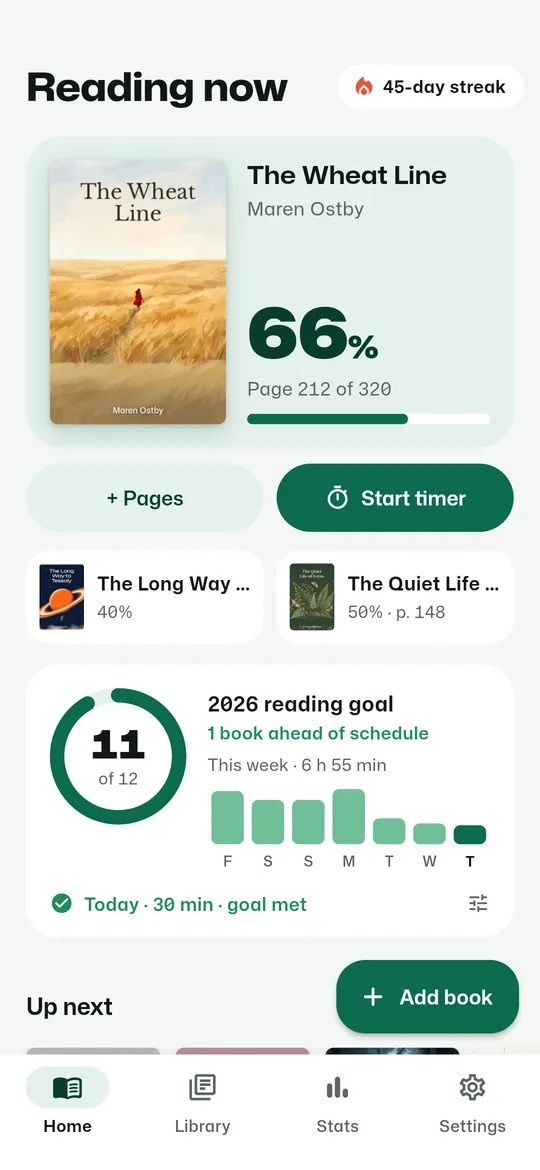
Swipe through Shelfwren
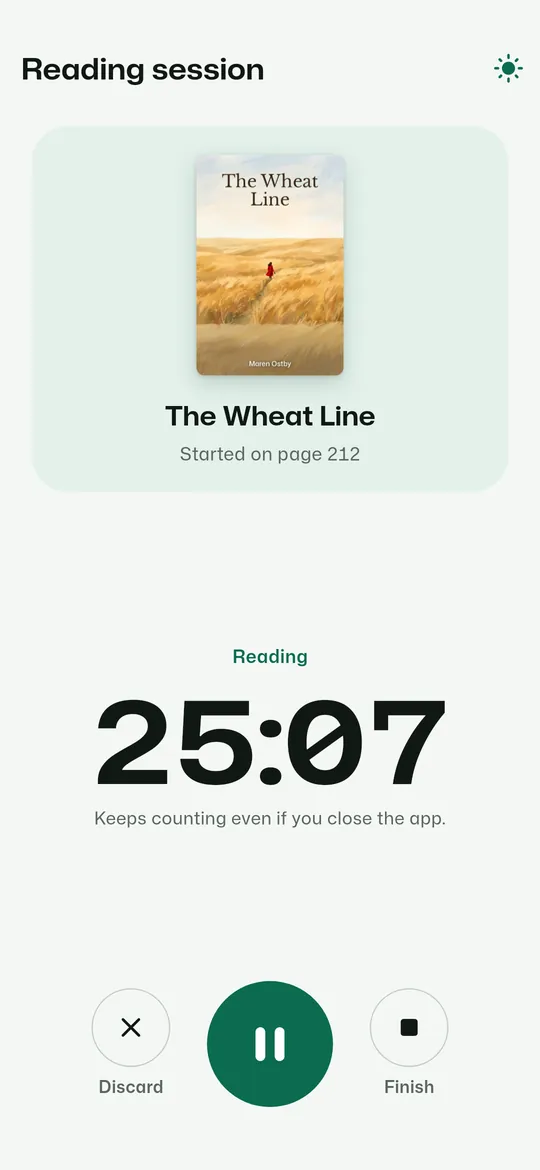
A reading timer 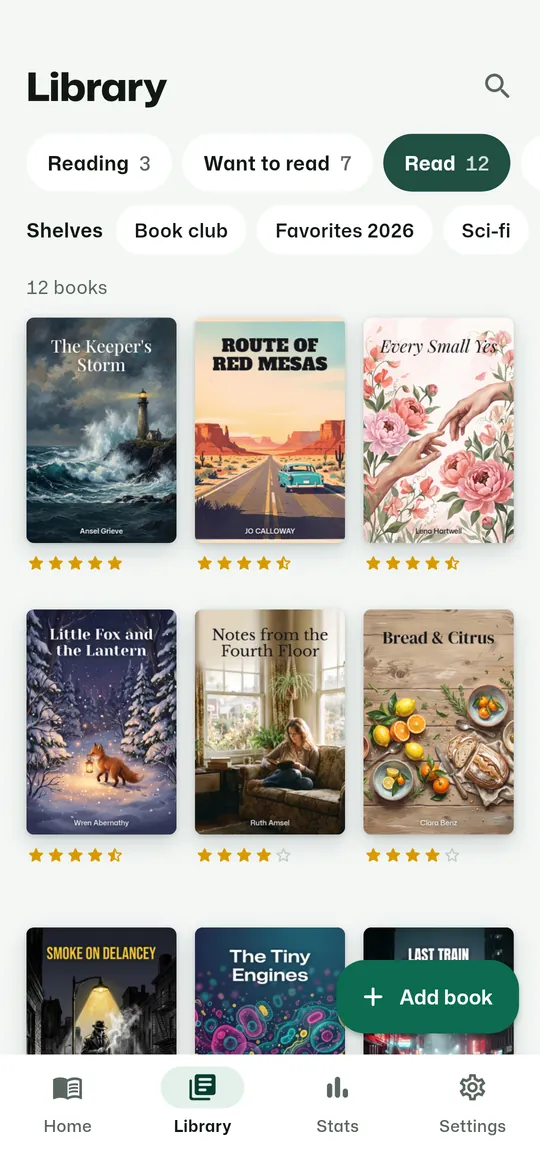
Statuses and your own shelves 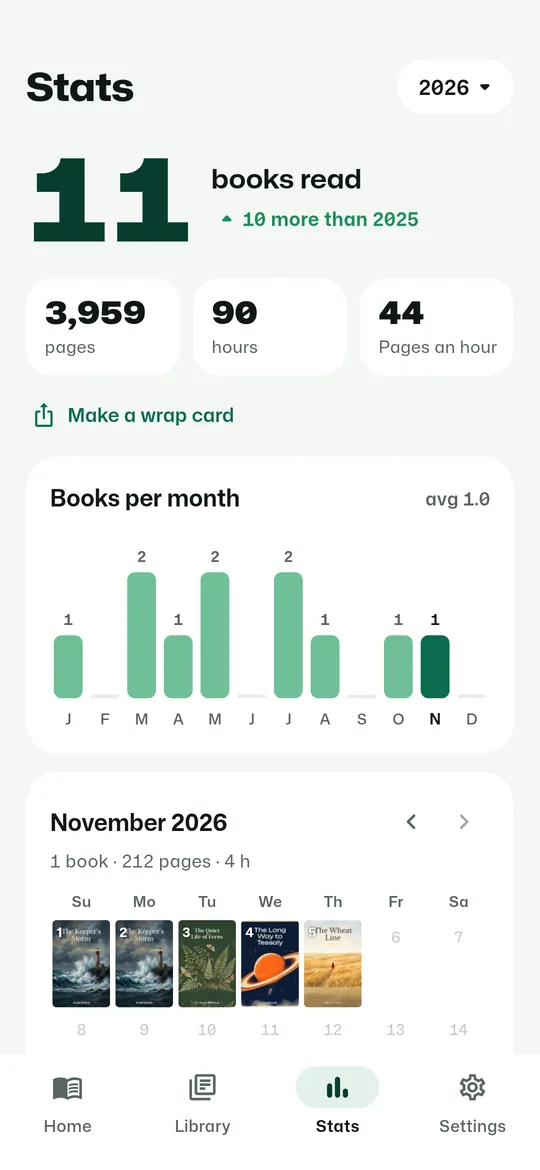
Stats and a reading calendar 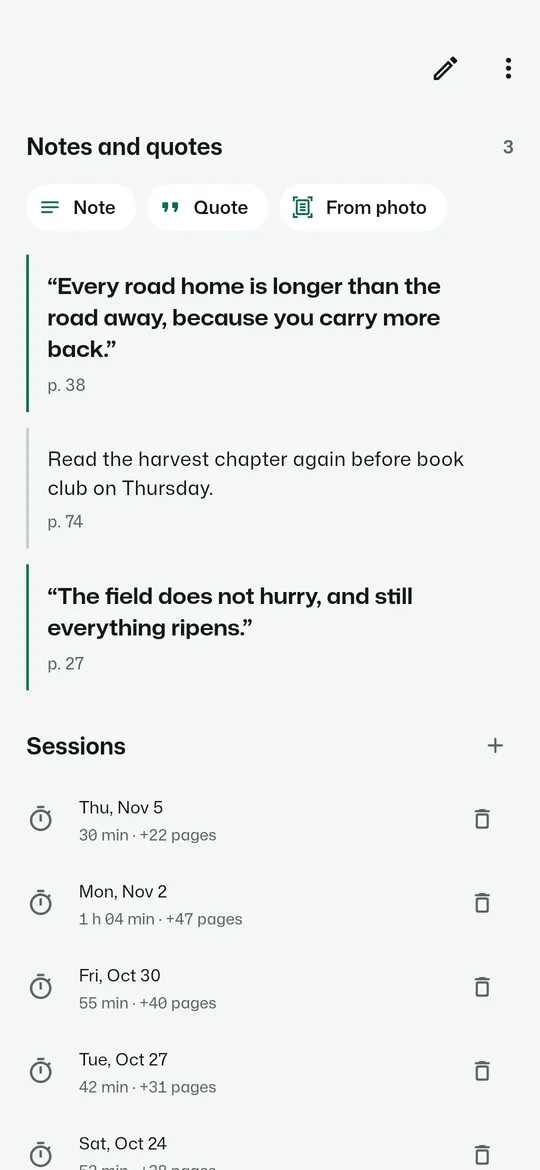
Notes, quotes and sessions 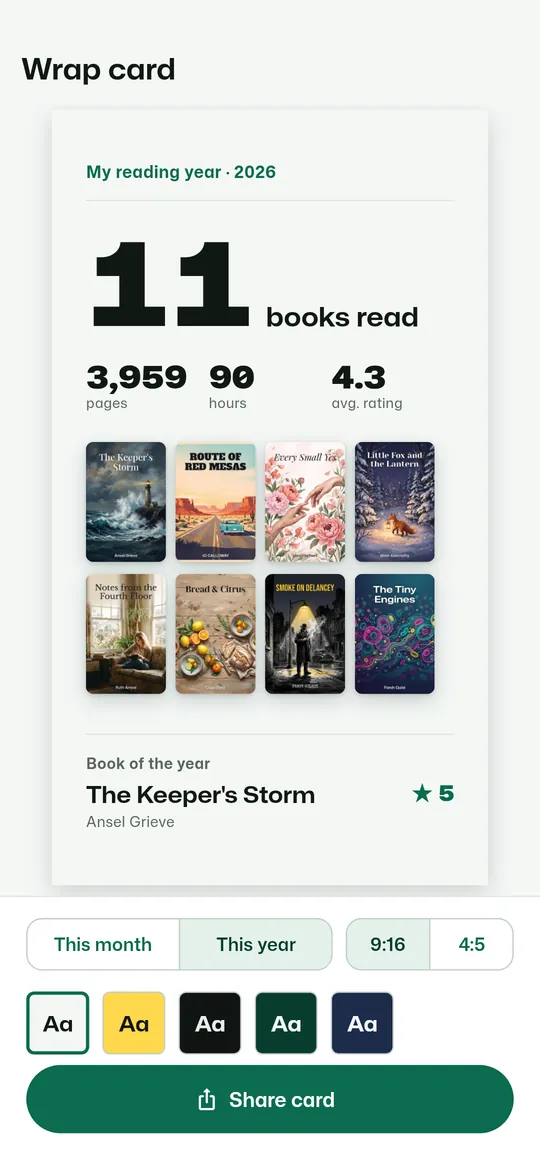
Wrap cards to share
What you can do
A reading timer. Start a session from the book on your home screen.
Goals and a streak. Set a yearly goal in books and a daily goal in minutes or pages, log pages in two taps, and keep your reading streak going.
Statuses and your own shelves. Keep books under Reading, Want to read and Read, with Paused and DNF too, and make as many shelves of your own as you like.
Stats and a reading calendar. Books, pages and hours for the year, books per month and a month calendar with the covers of what you read.
Notes, quotes and sessions. Save notes and quotes with their page number, and see every reading session for the book.
Wrap cards to share. Turn your month or your year into a card for stories or posts: books, pages, hours, covers and your book of the year.
Free vs Pro
| Feature | Free | Pro |
|---|---|---|
| Books, timer, notes, goals | Included | Included |
| Reading speed, top authors, heatmap | Not included | Included |
| Quotes from photos | Not included | Included |
| Wrap card themes, no watermark | 1 | 5 |
| Home screen widgets | 1 | 2 |
| Monthly goal and accent colors | Not included | Included |
| No ads | Not included | Included |
Questions
How it works
- Add your books. Scan barcodes, search by title, or import your Goodreads or StoryGraph library.
- Read and log it. Start the timer or tap + Pages, and add notes and quotes as you go.
- See your year. Watch your goal, streak and stats grow, then share a wrap card.
Is Shelfwren free?
Yes. Adding books, shelves, the reading timer, notes and quotes, yearly and daily goals, the streak, yearly stats, import, export, backup and the Reading now widget are free with no limits. Pro adds advanced and all-time stats, quotes from photos, more wrap card themes, the reading goal widget, a monthly goal, accent colors, and removes ads.
Can I move my books from Goodreads?
Yes. Export your library on goodreads.com (My Books, Import and export) or on thestorygraph.com, then import the CSV file. You see a preview of new books and duplicates before anything is saved.
Does it need the camera permission to scan?
No. Barcodes are read by Google's code scanner in Google Play services, which hands the app only the number. Shelfwren has no camera permission.
Do I need an account?
No. There is no sign-up. Your books, sessions and notes stay on your phone, and you can save a backup file whenever you like.
Does it work offline?
Yes. Everything except searching for a book and downloading its cover works without a connection.
Privacy at a glance
- Books, shelves and reading sessions
- Your books, statuses, shelves, pages, timer sessions, ratings, reviews, goals and streak are kept in a database on your phone.
- Notes and quotes
- Kept on your phone with the book they belong to.
- Barcode scanning
- Done by Google Code Scanner in Google Play services. The app receives only the barcode number; it has no camera permission and does not see or store the camera image.
- Photos (optional)
- A cover photo you take or pick for a book is saved in the app's private storage. A photo for Quotes from photos (Pro) is read on your phone by Google ML Kit text recognition and is never uploaded or sent to us. ML Kit may send Google basic information about how its features perform, never your photos.
- Import, export and backup files
- CSV and backup files are only read or written when you choose a file with the Android file picker, and they stay where you put them.
- Android backup
- If you use Android backup, Android may include your book database and settings in your Google account backup. Covers are not included.
- Settings and reminders
- Your goals, theme, timer and reminder choices are saved on your phone. The daily reminder is a notification made on your phone.
- Purchases
- Handled by Google Play; we never see your payment details.
Permissions: Notifications, asked when you turn on the daily reminder or start your first timer, for the running timer, the reminder and one reminder 2 days before a Pro free trial ends. Start at boot, so reminders are set again after a restart. No camera permission: barcodes are read by Google Code Scanner, and photos are taken with your camera app or chosen with the Android photo picker. No location, contacts, microphone, storage or photos and media permission. Google's ad and purchase libraries add the advertising ID, network state and billing permissions. Internet is used for book search and covers, ads, purchases, crash reports, usage statistics and the settings file described above.
Something else? Write to support@tinyfair.my.id.
More from tinyfair
 TracefulOn Google Play
 HearthdaysOn Google Play
 GlidecueOn Google Play
 NightechoOn Google Play
 WeehoursOn Google Play
 BackvoxOn Google Play
 PrintwrenOn Google Play
 BillfinchOn Google Play
 RowberryOn Google Play
 TonewashOn Google Play
 SlidequiltOn Google Play
 FrostdialOn Google Play
 WavetallyOn Google Play
 CreasebirdOn Google Play
 SprychairOn Google Play
 WinkboothOn Google Play
 TidepenOn Google Play
 HushmossOn Google Play
 TagnibOn Google Play
 RenewhawkOn Google Play
 RepcrestOn Google Play
 TickstaveOn Google Play
 PawsprigOn Google Play
 BrightwickOn Google Play
 SpinlarkOn Google Play
 BullkiteOn Google Play
 CubejayOn Google Play
 CapternOn Google Play
 CoverswiftOn Google Play
 StillwrenOn Google Play
 PasslarkOn Google Play
 CalendenseOn Google Play
 DockglowOn Google Play
 StampkiteOn Google Play
 ShiftRingOn Google Play
 EvelarkComing soon
 TallyforgeComing soon
 TillmintComing soon
 BoutbellComing soon
 CuffkeepComing soon
 SpoolhumComing soon
 MoodwrenComing soon
 IronjotComing soon
 WitsprintComing soon
 LamplingComing soon
 InklarkComing soon