 InklarkDraw Music Maker
Draw a line, hear a song.
Inklark turns your doodles into music. Draw on the canvas with one finger and press Play: the higher the line, the higher the note, and the further right, the later it plays. No sign-in, and no ads while you draw or play.
- Draw a line, press Play, hear a song
- No ads while you draw or play
- No account, songs on your phone
Coming soon to Google Play.
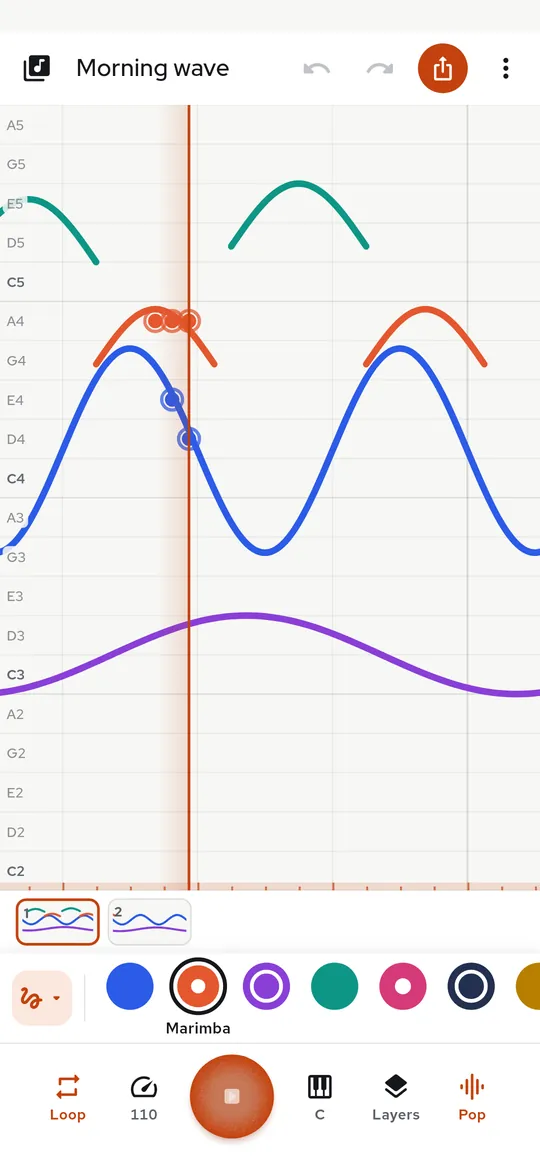
Swipe through Inklark
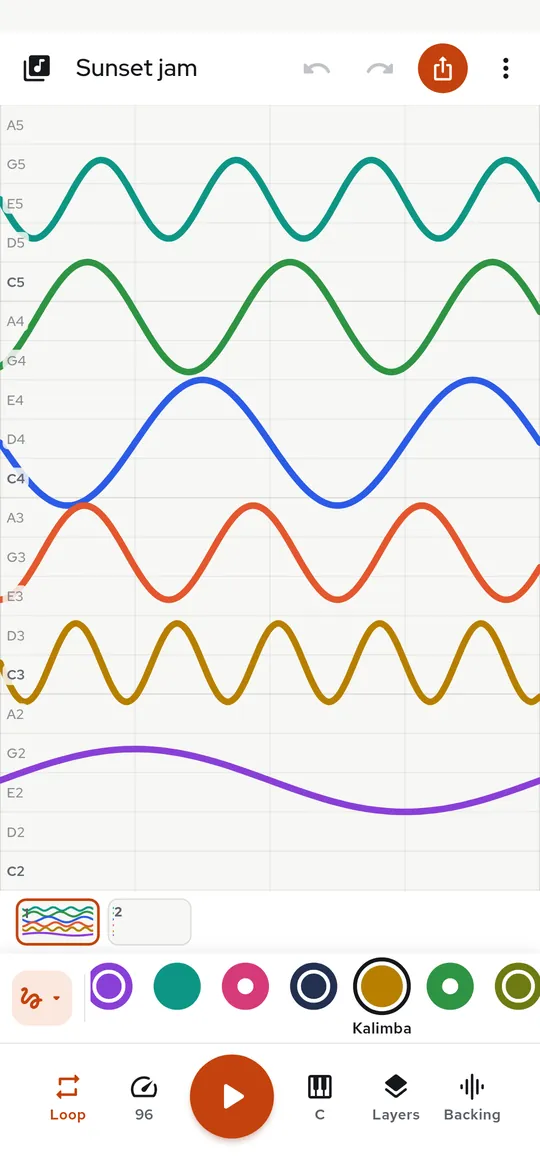
Colors are instruments 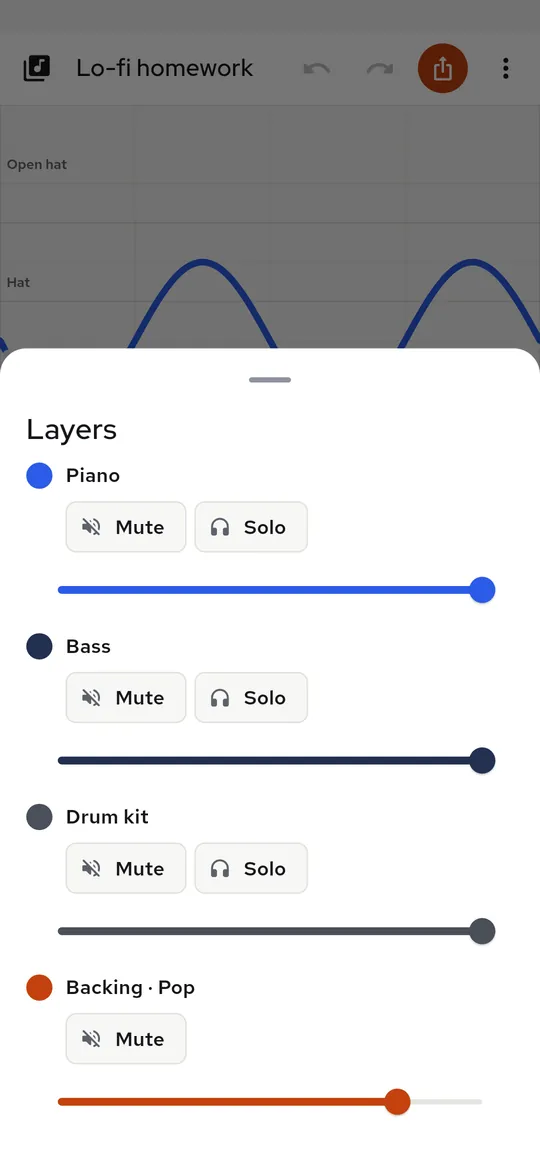
Layers and backing 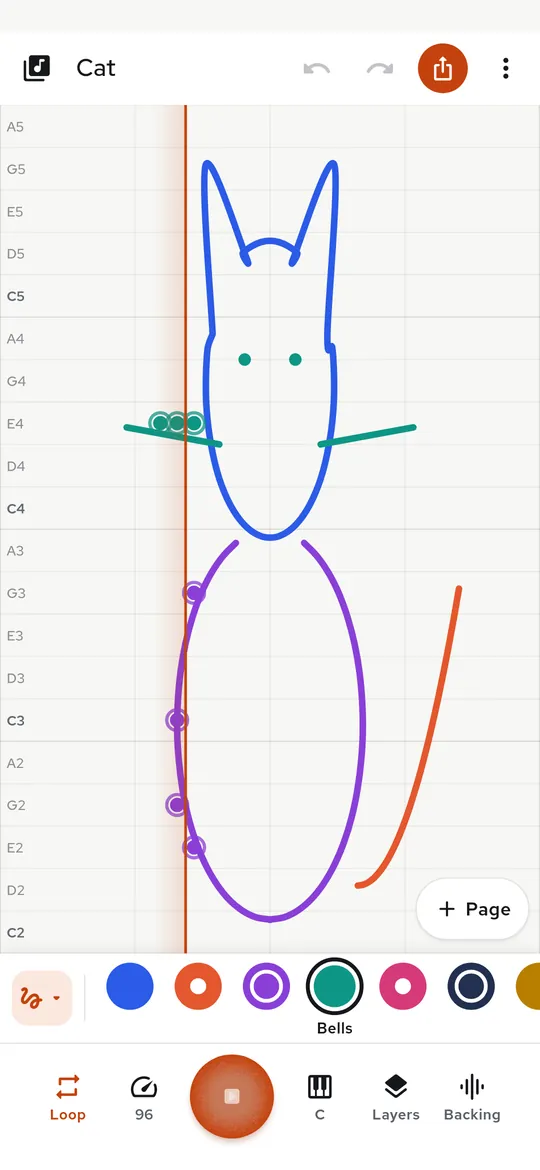
Ready-made drawings 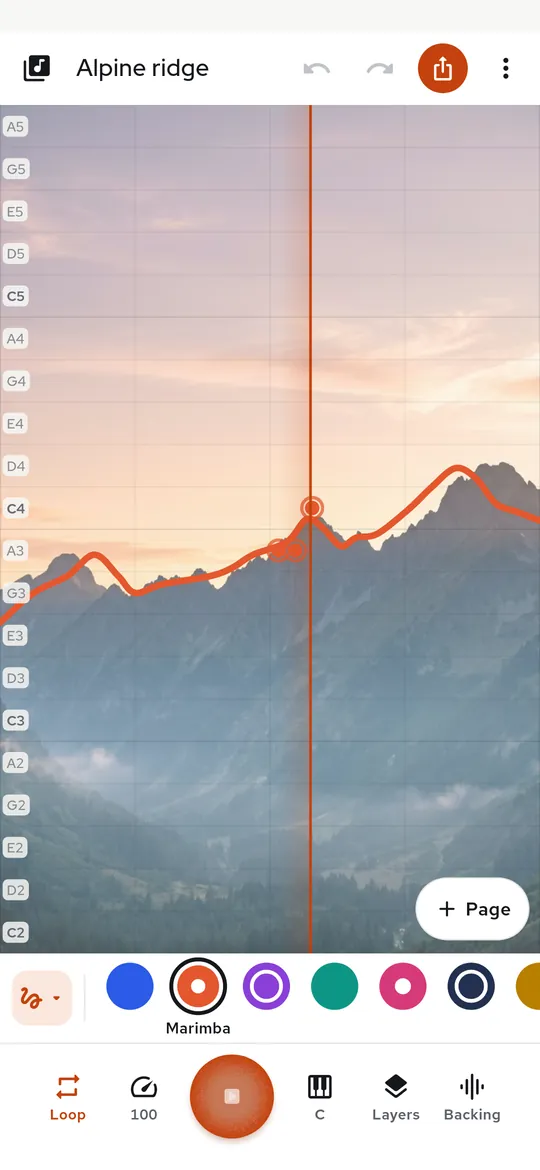
Trace a photo 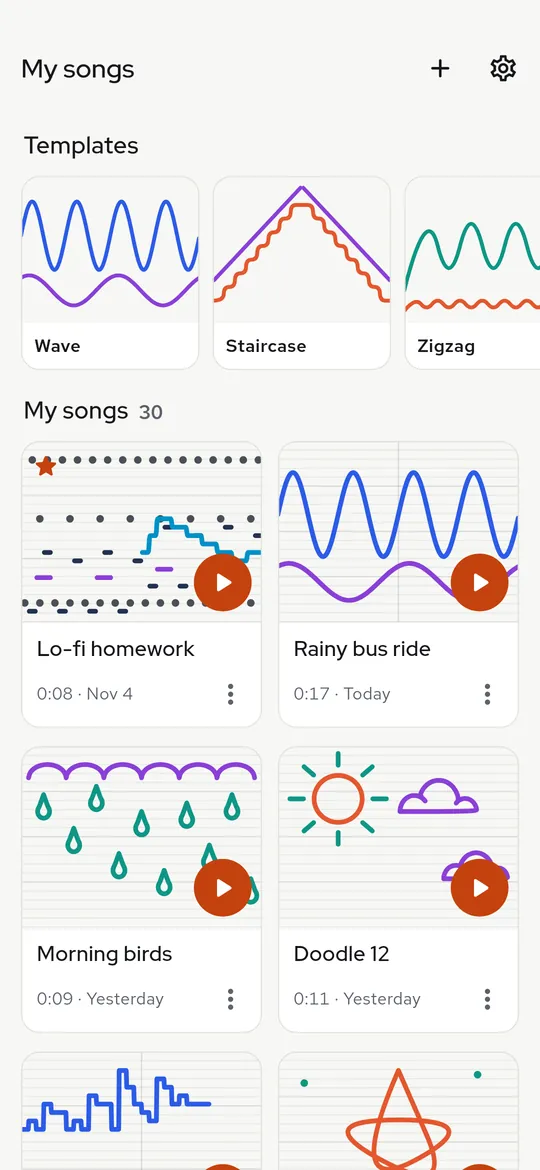
All your songs in one place 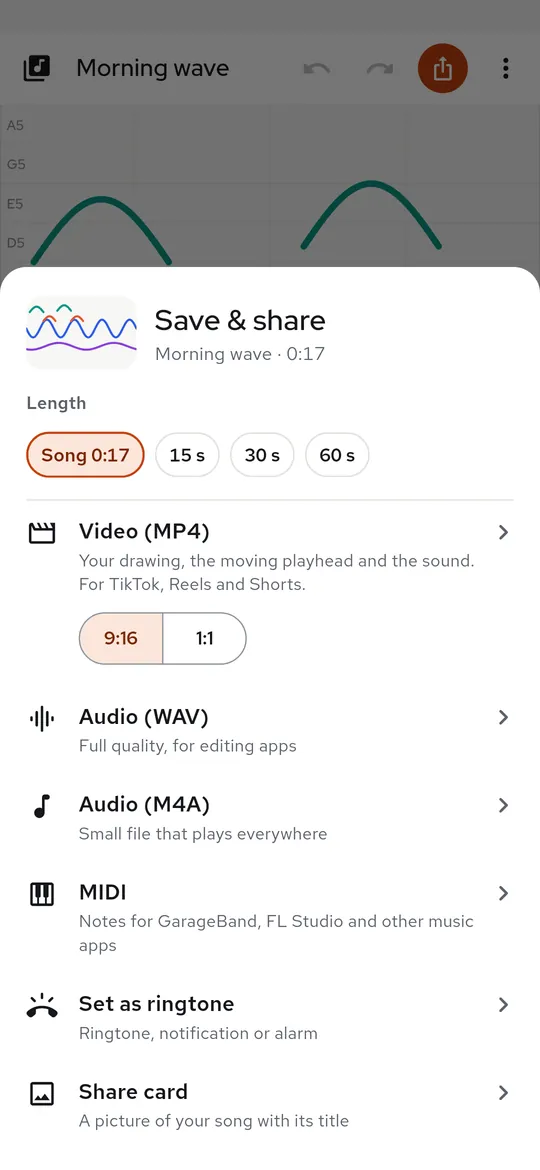
Share it as a video
What you can do
Colors are instruments. Draw a melody in piano, add marimba, synth pad or bells on top, then a beat, and hear them together.
Layers and backing. Mute or solo each instrument, set its volume, and add a drum and bass backing that follows your tempo.
Ready-made drawings. Start from 27 ready drawings, from a cat or a whale to Ode to Joy, and press Play.
Trace a photo. Pick a photo, draw over its shapes, and the ridge or outline you trace becomes the melody.
All your songs in one place. Every song saves itself.
Share it as a video. Export a 9:16 video with the moving playhead and the sound, or save WAV, M4A or MIDI.
Free vs Pro
| Feature | Free | Pro |
|---|---|---|
| Full canvas, autosave and unlimited saved songs | Included | Included |
| Instruments | 4 + one-page drums | 11 + full drum kit |
| Scales | 3 | 9 and swing |
| Song length | About 15 seconds | About 2 minutes |
| Video export | Small watermark | No watermark, 9:16 or square |
| Set a song as ringtone | Once with a video | Included |
| No ads | Not included | Included |
Questions
How it works
- Draw. Sketch any line or tap dots on the canvas.
- Press Play. A playhead sweeps across and every note lights up as it sounds.
- Share. Save a video or audio file and send it anywhere.
Do I need to read music?
No. Height is pitch and left to right is time. Notes always fit the scale you pick, so any line sounds musical.
What is free?
The full canvas, Piano, Marimba, Synth pad and Bells, a one-page drum kit, 27 ready drawings, songs up to 2 pages (about 15 seconds) and exports with a small watermark. Pro adds 7 more instruments, the full drum kit, more scales, longer songs, exports without the watermark, ringtones and no ads.
Can I trace a photo?
Yes. Pick a photo with the Android photo picker and it shows faintly behind the canvas. It stays inside the app on your phone.
Privacy at a glance
- Songs and drawings
- Your drawings, songs, titles and settings are saved only in the app on your phone. They are never sent to us, and the ad SDK never receives them.
- Photos you trace
- A photo you choose as a tracing background is picked with the Android photo picker (no storage permission), resized and copied into the app's own folder on your phone. It is never uploaded. It appears in a video only if you turn on Show photo in video.
- Exports and ringtones
- Videos and audio files are created on your phone when you ask for them, and you choose where they go with the Android share sheet. A song set as a ringtone is saved to your phone's ringtone list.
- Purchases
- Handled by Google Play; we never see your payment details.
Permissions: Modify system settings, asked only when you choose Set as ringtone, so the song can become your ringtone, notification or alarm sound; if you decline, the file is still saved. Notifications, only for an optional reminder before a free trial ends; the reminder is set again after the phone restarts. Photos are picked with the Android photo picker, which needs no permission. No microphone, camera, location, contacts or storage permission. Google's ad and purchase libraries add the advertising ID, network state and billing permissions. Internet is used for ads, purchases, crash reports, usage statistics and the settings file described above, never for your songs.
Something else? Write to support@tinyfair.my.id.
More from tinyfair
 TracefulOn Google Play
 HearthdaysOn Google Play
 GlidecueOn Google Play
 NightechoOn Google Play
 WeehoursOn Google Play
 BackvoxOn Google Play
 PrintwrenOn Google Play
 BillfinchOn Google Play
 RowberryOn Google Play
 TonewashOn Google Play
 SlidequiltOn Google Play
 FrostdialOn Google Play
 WavetallyOn Google Play
 CreasebirdOn Google Play
 SprychairOn Google Play
 WinkboothOn Google Play
 TidepenOn Google Play
 HushmossOn Google Play
 TagnibOn Google Play
 RenewhawkOn Google Play
 RepcrestOn Google Play
 TickstaveOn Google Play
 PawsprigOn Google Play
 BrightwickOn Google Play
 SpinlarkOn Google Play
 BullkiteOn Google Play
 CubejayOn Google Play
 CapternOn Google Play
 CoverswiftOn Google Play
 StillwrenOn Google Play
 PasslarkOn Google Play
 CalendenseOn Google Play
 DockglowOn Google Play
 StampkiteOn Google Play
 ShiftRingOn Google Play
 EvelarkComing soon
 ShelfwrenComing soon
 TallyforgeComing soon
 TillmintComing soon
 BoutbellComing soon
 CuffkeepComing soon
 SpoolhumComing soon
 MoodwrenComing soon
 IronjotComing soon
 WitsprintComing soon
 LamplingComing soon