 TillmintCash Register POS
A cash register that fits in your pocket.
Tillmint is a simple point of sale for small shops, market stalls, cafes and pop-ups: tap items, take cash, print or share the receipt, and see today's sales. No account, and your data stays on your phone.
- Selling is always free
- Receipts on a thermal printer or as a PDF
- No account, data on your phone
Coming soon to Google Play.
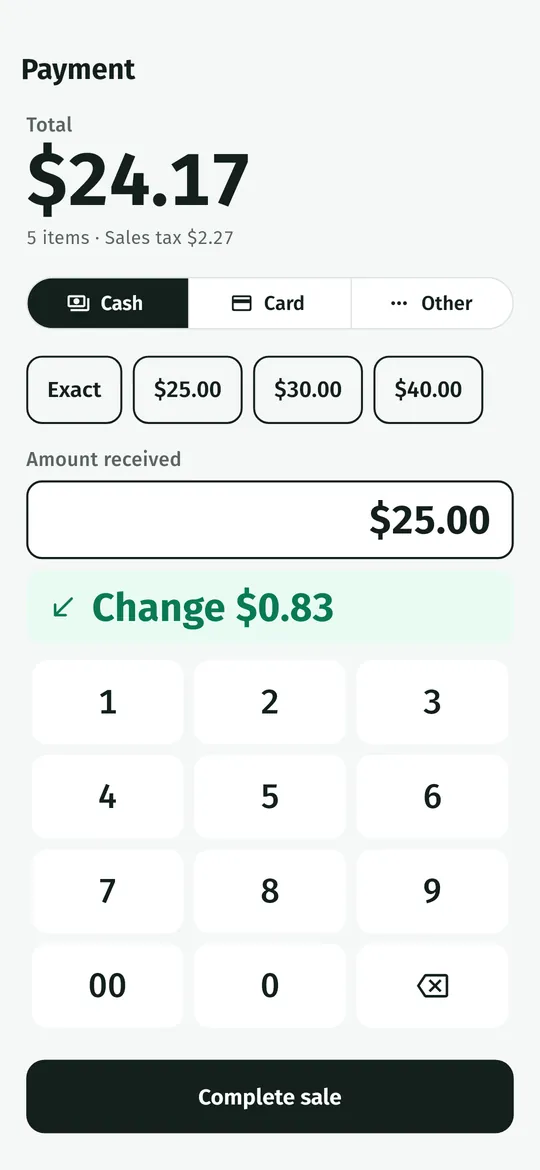
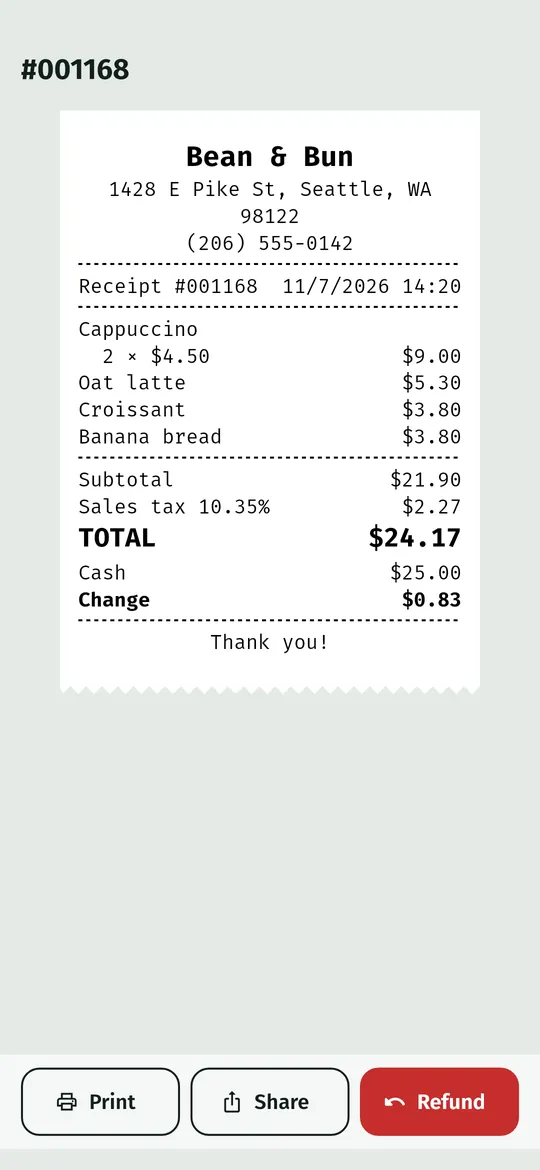
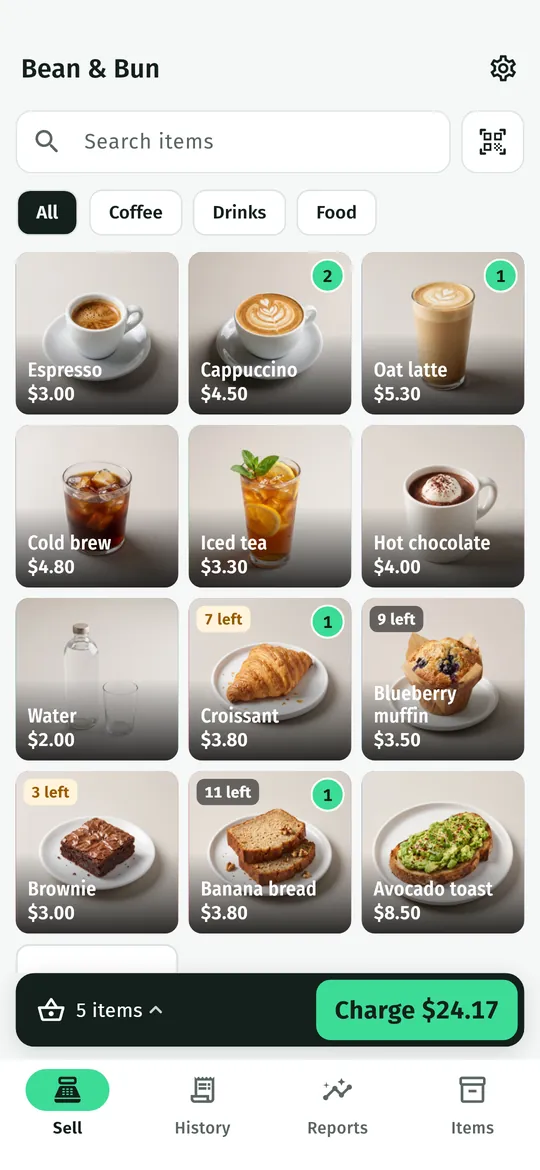
Swipe through Tillmint
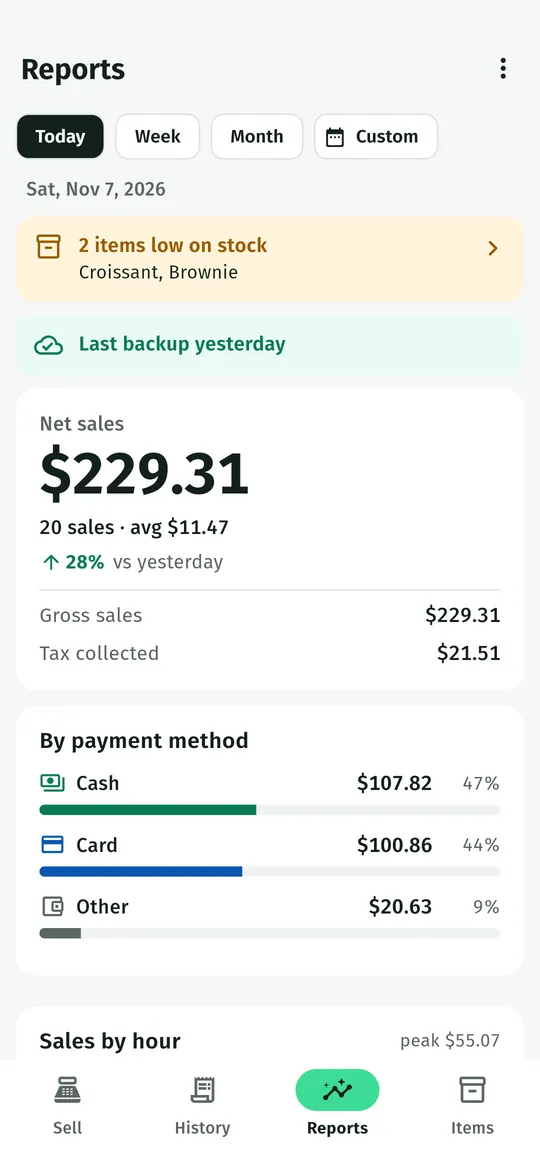
Reports and stock 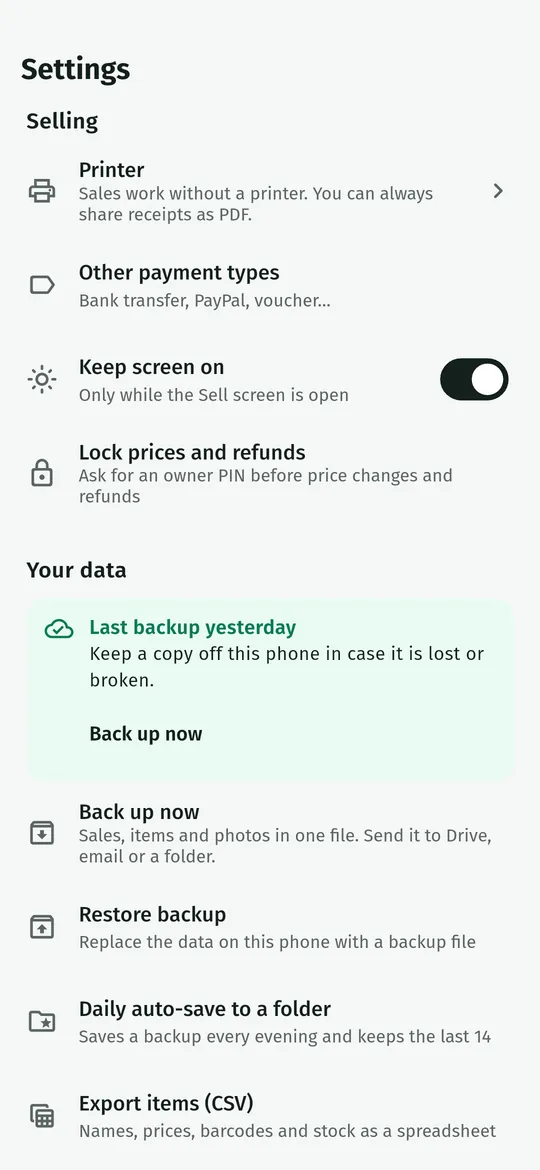
Backups you control
What you can do
Fast checkout. A grid of your items, a custom amount key, discounts and notes, then cash, card or other payment.
Reports and stock. Sales for today, the week or the month, top products, payment methods, and low stock alerts.
Backups you control. Back up your shop to a file and save it where you choose, such as your own Google Drive.
Free vs Pro
| Feature | Free | Pro |
|---|---|---|
| Sell, receipts, reports and stock | Included | Included |
| Unlimited products | Included | Included |
| Sales history | Last 90 days | All |
| Custom range reports | Not included | Included |
| No ads | Not included | Included |
Questions
How it works
- Name your store. Pick your currency and tax, or start with sample data.
- Add your items. Name, price, colour or photo, and a barcode if you have one.
- Start selling. Tap items, charge, and print or share the receipt.
Do I need an account?
No. There is no sign-up, and your products, sales and settings stay on your phone.
Does Tillmint process card payments?
No. Tillmint records that a sale was paid by card; take the payment on your own card terminal.
How do I keep my data safe?
Use Back up now in Settings and save the file to a place you choose, such as your own Google Drive. You can restore it on any phone.
Privacy at a glance
- Products and sales
- Your items, prices, photos, stock, sales, refunds and reports are saved in the app on your phone.
- Store settings
- Your store name, receipt lines, currency, tax and printer choices are saved on your phone.
- Backups
- A backup file is made only when you ask for it (or, with Pro, when you turn on daily auto-save to a folder you pick). You choose where it goes, such as your own Google Drive, and it is never sent to us.
- Barcode scanning
- The camera picture is read on your phone to find the barcode and is not saved or sent anywhere.
- Purchases
- Handled by Google Play; we never see your payment details.
Permissions: Camera, asked the first time you tap scan, to read barcodes on your phone. Nearby devices (Bluetooth), only to talk to the receipt printers you pair; on Android 11 and older Android asks for location for Bluetooth scanning, and the app never reads your location. Product photos are taken with your camera app or chosen with the Android photo picker, and backups are saved with the Android file picker, so no storage permission is needed. Google's ad and purchase libraries add the advertising ID, network state and billing permissions. Internet is used for ads, purchases, crash reports, usage statistics, Wi-Fi printers on your own network and the settings file described above, never for your sales.
Something else? Write to support@tinyfair.my.id.
More from tinyfair
 TracefulOn Google Play
 HearthdaysOn Google Play
 GlidecueOn Google Play
 NightechoOn Google Play
 WeehoursOn Google Play
 BackvoxOn Google Play
 PrintwrenOn Google Play
 BillfinchOn Google Play
 RowberryOn Google Play
 TonewashOn Google Play
 SlidequiltOn Google Play
 FrostdialOn Google Play
 WavetallyOn Google Play
 CreasebirdOn Google Play
 SprychairOn Google Play
 WinkboothOn Google Play
 TidepenOn Google Play
 HushmossOn Google Play
 TagnibOn Google Play
 RenewhawkOn Google Play
 RepcrestOn Google Play
 TickstaveOn Google Play
 PawsprigOn Google Play
 BrightwickOn Google Play
 SpinlarkOn Google Play
 BullkiteOn Google Play
 CubejayOn Google Play
 CapternOn Google Play
 CoverswiftOn Google Play
 StillwrenOn Google Play
 PasslarkOn Google Play
 CalendenseOn Google Play
 DockglowOn Google Play
 StampkiteOn Google Play
 ShiftRingOn Google Play
 EvelarkComing soon
 ShelfwrenComing soon
 TallyforgeComing soon
 BoutbellComing soon
 CuffkeepComing soon
 SpoolhumComing soon
 MoodwrenComing soon
 IronjotComing soon
 WitsprintComing soon
 LamplingComing soon