 Tallyforge75 Day Challenge
Seventy-five days, one tally mark at a time.
Tallyforge is a 75 day challenge tracker built around one screen: today's checklist. Tap each task as you finish it, watch one more tally mark fill in, and keep progress photos that never leave your phone. No account and no sign-up.
- Tick off your daily tasks and watch the tally grow
- Progress photos stay on your phone
- No account and no sign-up
Coming soon to Google Play.
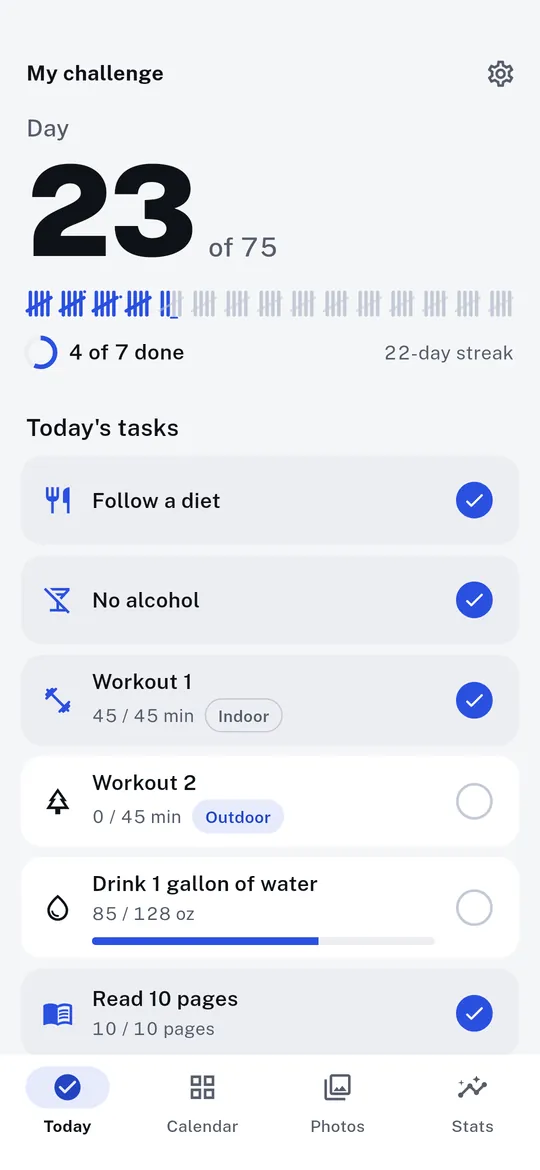
Swipe through Tallyforge
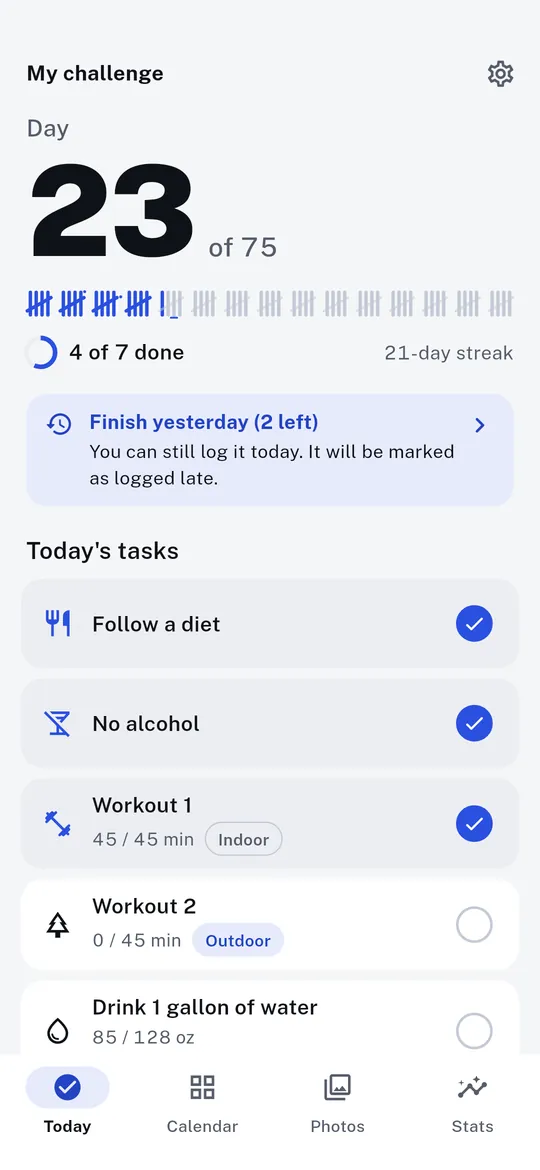
A grace day for late logging 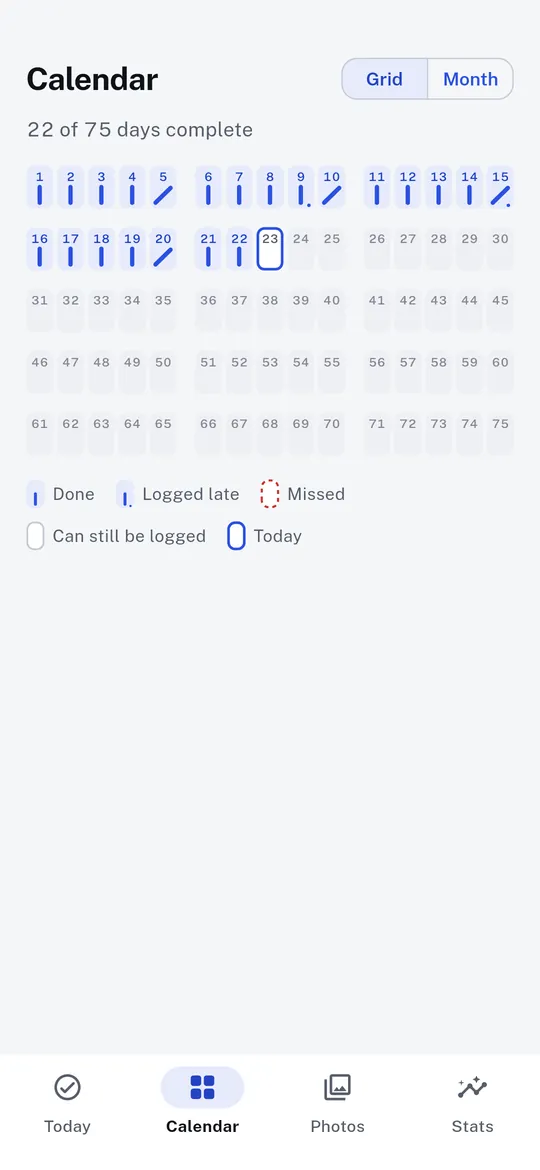
All 75 days as tally marks 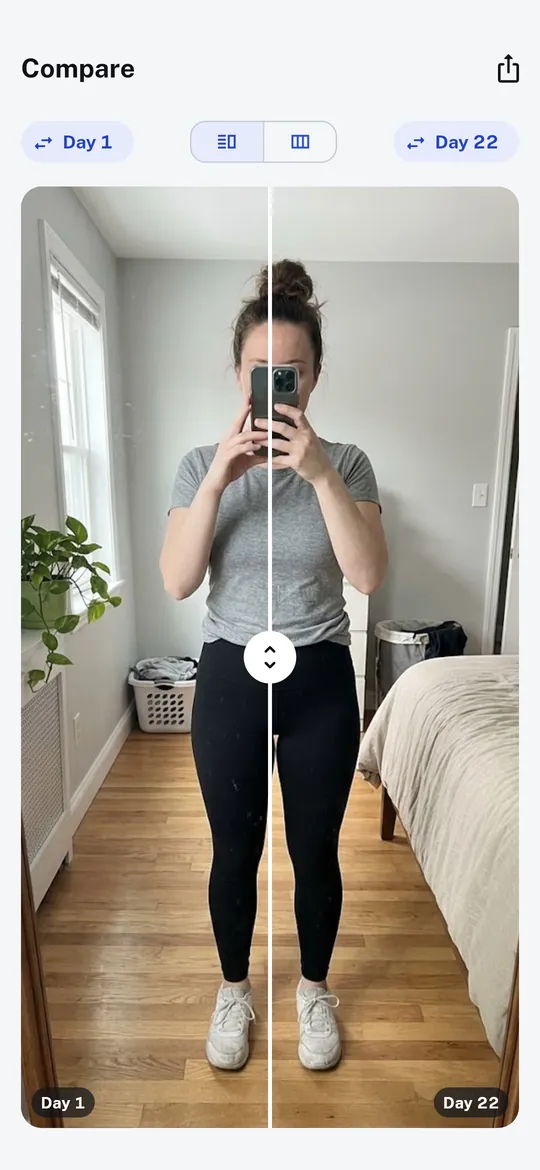
Progress photos and Compare 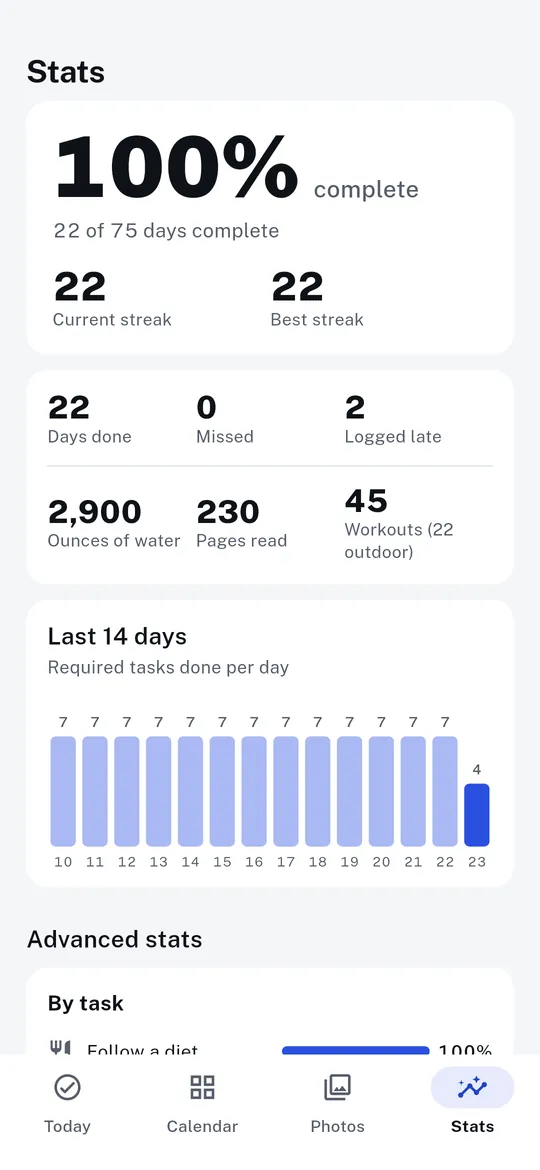
Stats, reminders and a widget 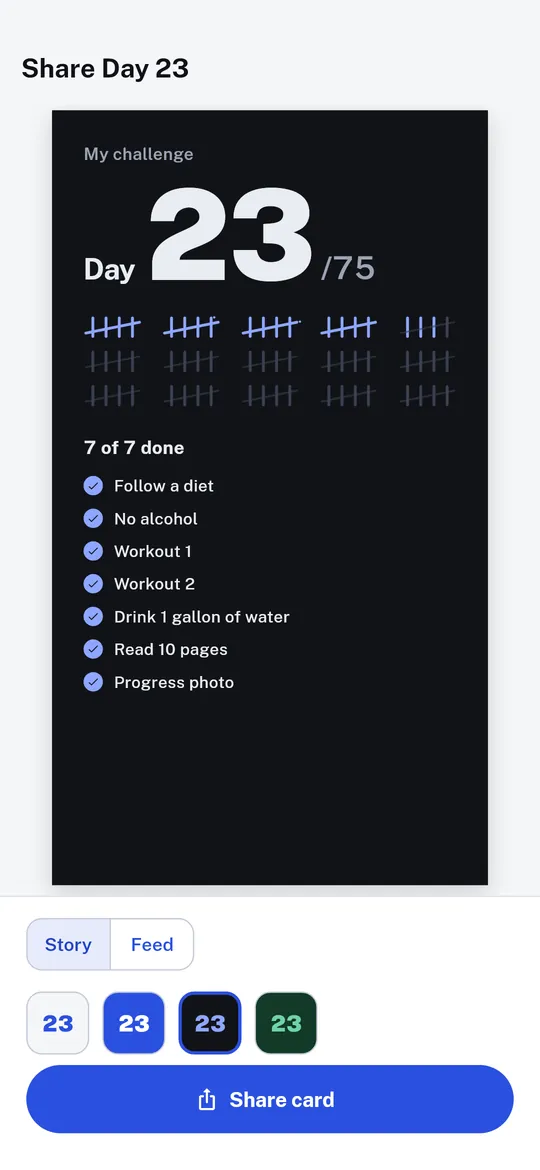
Share your day
What you can do
A one-tap daily checklist. Pick a strict, softer, medium or custom plan, then tick each task as you finish it.
A grace day for late logging. Yesterday stays open until today ends, and your day can end at 3 am instead of midnight.
All 75 days as tally marks. The calendar shows 75 boxes in groups of five: done, logged late, missed and today each look different.
Progress photos and Compare. A gallery labelled by day.
Stats, reminders and a widget. Completion rate, streaks, total water, pages and workouts, a reminder for each task and an evening nudge only when tasks are still open.
Share your day. Make a Day 23/75 card for a Story or a post with your tally and checklist.
Free vs Pro
| Feature | Free | Pro |
|---|---|---|
| Checklist, grace day, tally calendar, attempt history | Included | Included |
| Progress photos and Compare | Included | Included |
| Timelapse video and collage | Not included | Included |
| Stats | Basic | Advanced |
| Your own extra tasks | 2 | Unlimited |
| Challenges at once | 1 | 5 |
| Home screen widgets | 1 | 3 |
| Share card styles | 1 | 4 |
| Backup with photos, CSV export | Not included | Included |
| No ads | Not included | Included |
Questions
How it works
- Pick your plan. Choose a plan, change any task or target, and set the start date.
- Tick off each day. Check off your tasks and add a progress photo if you like.
- Watch the tally grow. Every finished day adds a mark until you reach day 75.
Is Tallyforge free?
Yes. The checklist, grace day, tally calendar, attempt history, progress photos, Compare, journal, basic stats, reminders and the Today widget are free. Pro adds a timelapse video and collage, advanced stats, unlimited extra tasks (2 free), up to 5 challenges at once (1 free), 3 widgets (1 free), 4 share card styles (1 free), ZIP backup and CSV export, and removes ads.
How much is Pro?
US$9.99 a year with a 7-day free trial, or US$14.99 once for lifetime access. Google Play shows the price in your currency. There is no monthly plan. Cancel the subscription anytime in Google Play.
What if I forget to log a day?
Yesterday stays open until today ends and is marked Logged late. In strict mode Tallyforge asks before restarting, so a day never fails silently.
Are my progress photos uploaded?
No. Progress photos are saved inside the app on your phone. They are never uploaded or sent to us.
Is Tallyforge the official 75 Hard app?
No. Tallyforge is an independent tracker for 75 day challenges and is not affiliated with any program or brand.
Privacy at a glance
- Challenge and tasks
- Your plan, start date, daily tasks, ticks, streaks and attempt history are saved in the app on your phone.
- Journal
- Daily journal notes are saved in the app on your phone.
- Progress photos
- Photos you take with your camera app or pick with the Android photo picker are saved inside the app on your phone. They are never uploaded or sent anywhere.
- Timelapse and collage (Pro)
- Made on your phone from your photos and saved to your phone's gallery. Nothing is uploaded.
- Backup and CSV files (Pro)
- Saved or opened with the Android file picker, in the place you choose. Tallyforge does not upload them.
- Shared images
- When you share a card or a comparison, the image is made on your phone and handed to the app you pick in the Android share sheet.
- Notifications
- Task reminders, the evening and grace day nudges and the free trial reminder are scheduled on your phone. Their content is not sent anywhere.
- Settings
- Your theme, units and reminder choices are saved on your phone.
- Purchases
- Handled by Google Play; we never see your payment details.
Permissions: Notifications, for the task reminders and nudges you turn on and the free trial reminder. Start at boot, so reminders are set again after a restart. No camera permission: progress photos are taken with your camera app or chosen with the Android photo picker. No location, contacts, microphone, storage or photos and media permission. Google's ad and purchase libraries add the advertising ID, network state and billing permissions. Internet is used for ads, purchases, crash reports, usage statistics and the settings file described above, never for your photos.
Something else? Write to support@tinyfair.my.id.
More from tinyfair
 TracefulOn Google Play
 HearthdaysOn Google Play
 GlidecueOn Google Play
 NightechoOn Google Play
 WeehoursOn Google Play
 BackvoxOn Google Play
 PrintwrenOn Google Play
 BillfinchOn Google Play
 RowberryOn Google Play
 TonewashOn Google Play
 SlidequiltOn Google Play
 FrostdialOn Google Play
 WavetallyOn Google Play
 CreasebirdOn Google Play
 SprychairOn Google Play
 WinkboothOn Google Play
 TidepenOn Google Play
 HushmossOn Google Play
 TagnibOn Google Play
 RenewhawkOn Google Play
 RepcrestOn Google Play
 TickstaveOn Google Play
 PawsprigOn Google Play
 BrightwickOn Google Play
 SpinlarkOn Google Play
 BullkiteOn Google Play
 CubejayOn Google Play
 CapternOn Google Play
 CoverswiftOn Google Play
 StillwrenOn Google Play
 PasslarkOn Google Play
 CalendenseOn Google Play
 DockglowOn Google Play
 StampkiteOn Google Play
 ShiftRingOn Google Play
 EvelarkComing soon
 ShelfwrenComing soon
 TillmintComing soon
 BoutbellComing soon
 CuffkeepComing soon
 SpoolhumComing soon
 MoodwrenComing soon
 IronjotComing soon
 WitsprintComing soon
 LamplingComing soon