 CuffkeepBlood Pressure Log
Your blood pressure and sugar log, ready for your doctor.
Cuffkeep is a simple log for the blood pressure, pulse and blood sugar readings you take with your own monitor or meter. Type them in, see morning and evening averages, and bring a clear summary to your next visit. Your phone does not measure anything, and your readings stay on your phone.
- Unlimited readings, ranges and averages for free
- Your phone never measures: you type in your readings
- No account, readings stay on your phone
Coming soon to Google Play.
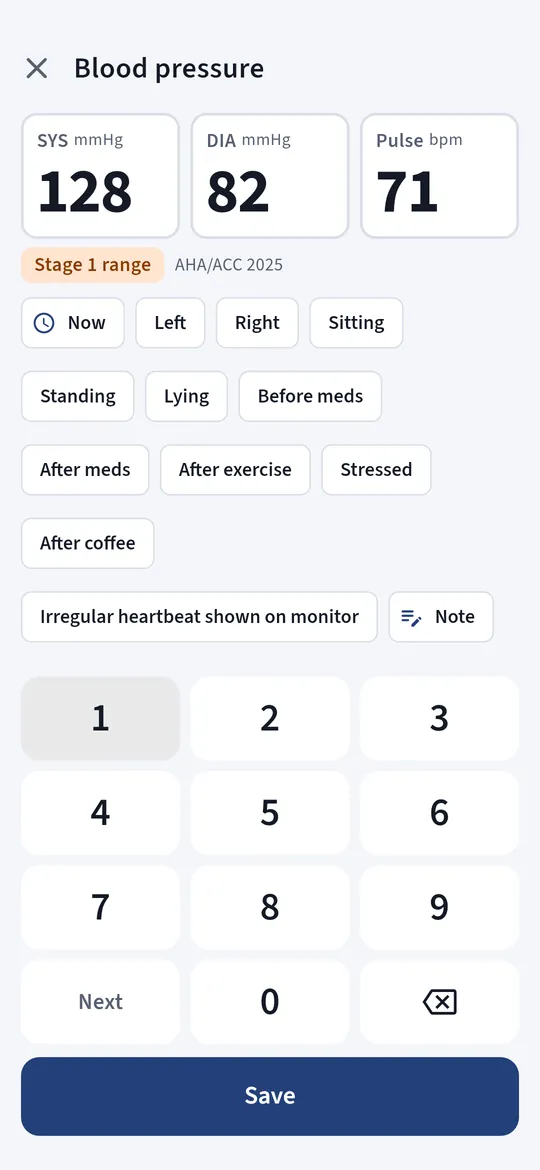
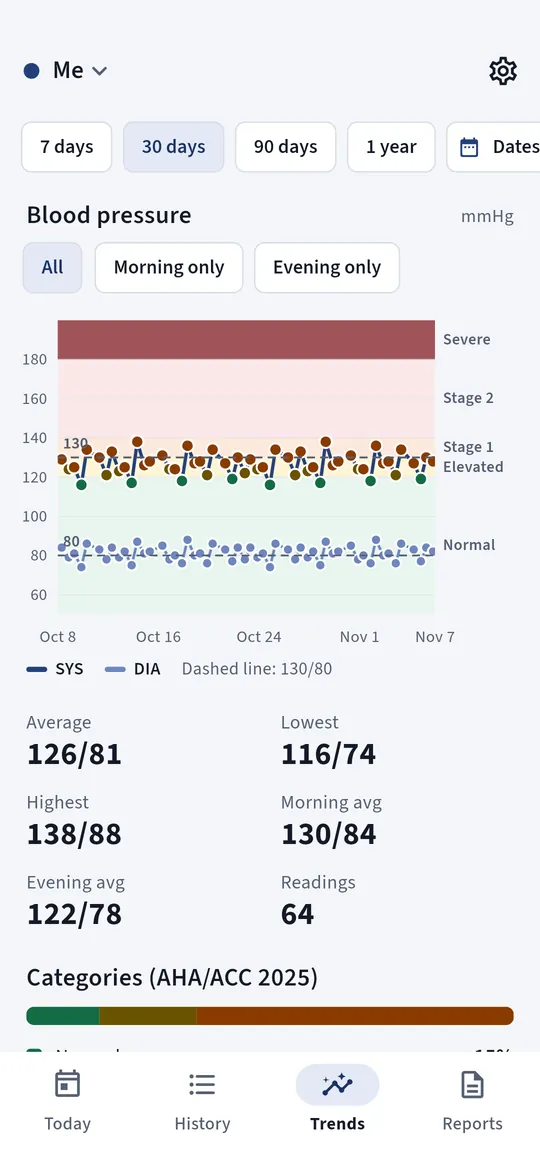
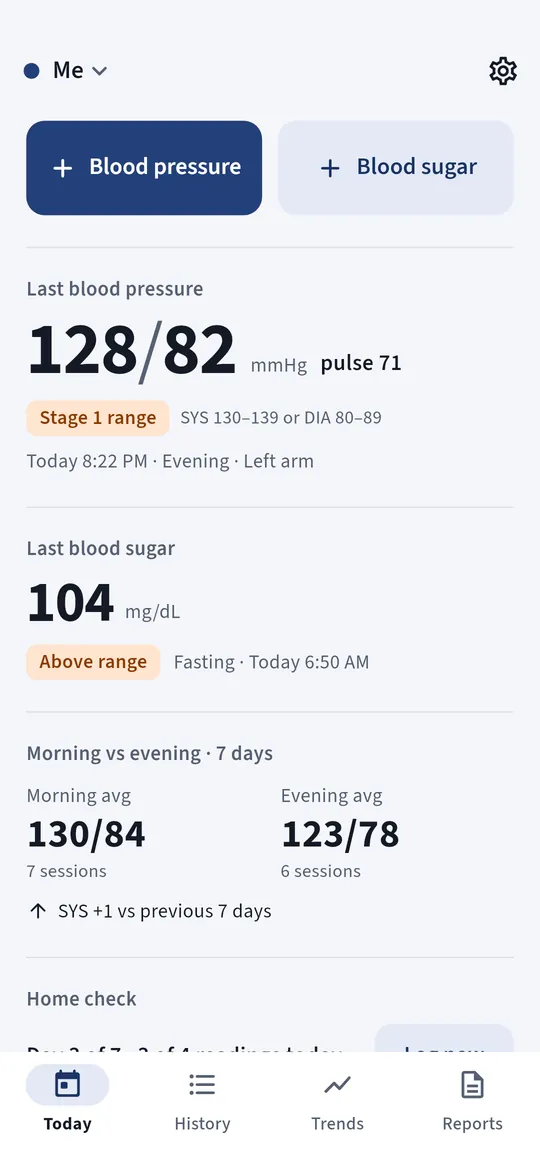
Swipe through Cuffkeep
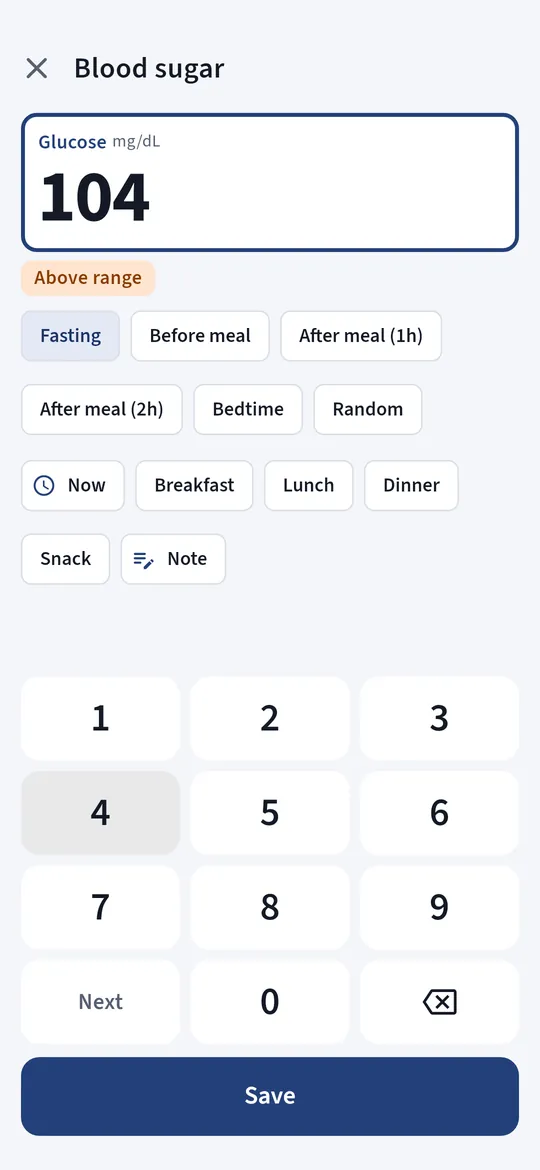
Blood pressure and sugar together 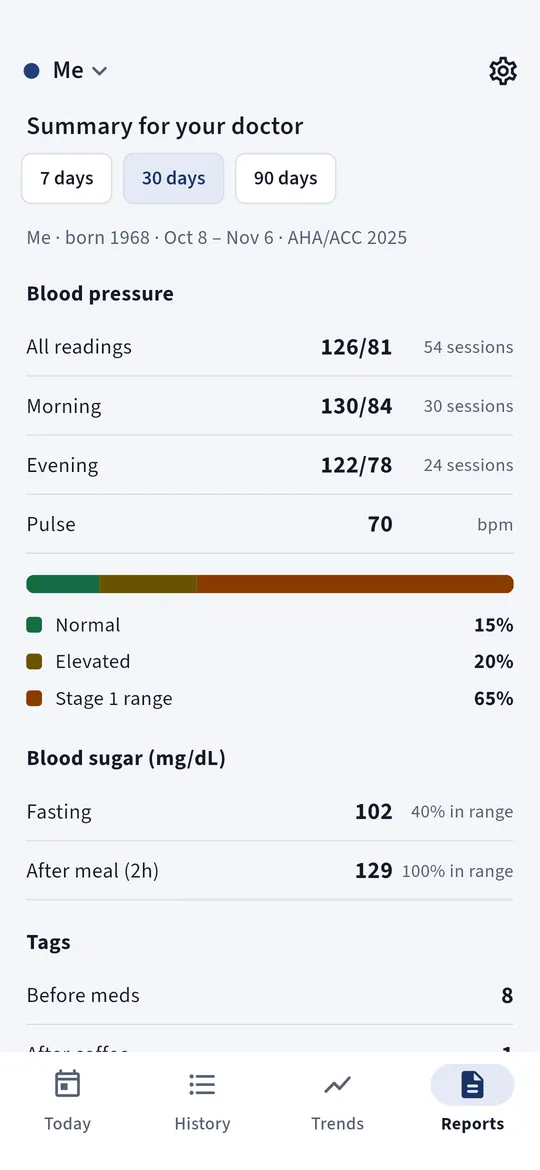
A 7-day home check 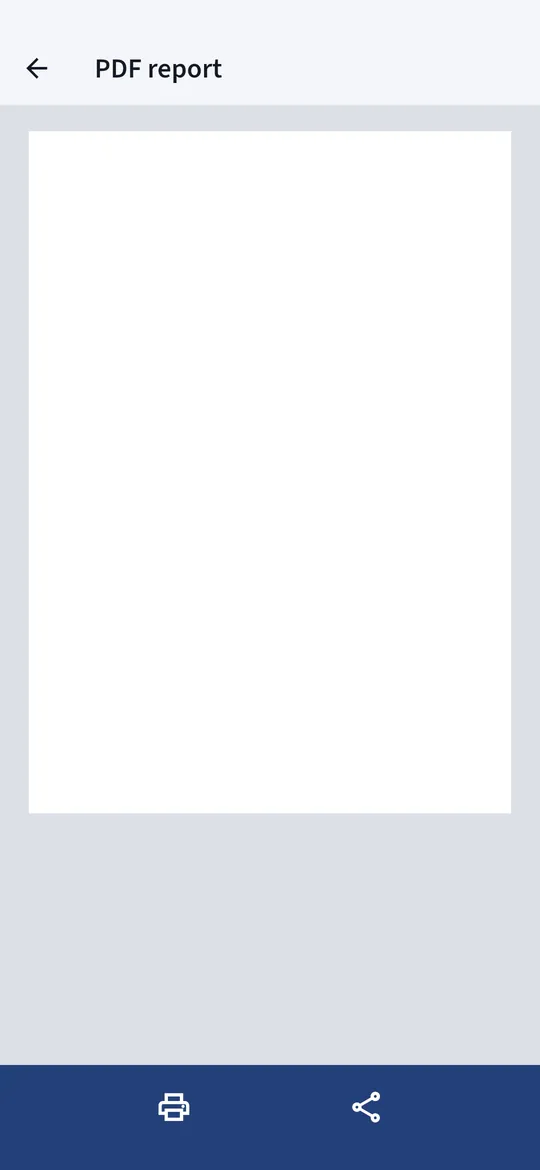
A report for your doctor
What you can do
Blood pressure and sugar together. Systolic, diastolic and pulse, blood sugar in mg/dL or mmol/L with meal tags, and weight if you want it.
A 7-day home check. Reminders morning and evening for a week, then the average your doctor asked for.
A report for your doctor. With Pro, create a clean PDF with averages, a chart and every reading, or export a CSV file.
Free vs Pro
| Feature | Free | Pro |
|---|---|---|
| Unlimited blood pressure, pulse and sugar log | Included | Included |
| Ranges, averages, charts and 7-day home check | Included | Included |
| PDF report for your doctor and CSV export | Not included | Included |
| Profiles | 1 | Unlimited |
| No ads | Not included | Included |
Questions
How it works
- Measure as usual. Use your own blood pressure monitor or glucose meter.
- Type in the numbers. Tap + Blood pressure or + Blood sugar and enter the reading.
- See the trend. Averages, charts and ranges build up as you log.
Does my phone measure my blood pressure?
No. No phone can do that on its own. Cuffkeep is a log: you measure with your own monitor or meter and type in the numbers.
Is Cuffkeep a medical device?
No. It does not diagnose, treat or give advice about medicines. The ranges follow published guidelines for information only. Talk to your doctor about your readings.
Do I need an account?
No. There is no sign-up, and your readings stay on your phone.
Privacy at a glance
- Health readings
- Blood pressure, pulse, blood sugar and weight readings, with their time, tags and notes, are saved only in the app on your phone. They are never sent to us, to Google Analytics, to the ad SDK or to anyone else.
- Profiles, medicines and reminders
- Profile names, the medicines and reminder times you enter, and your settings are saved on your phone.
- Backups
- A backup file is made only when you ask for it, and you choose where it goes with the Android file picker (for example your own Google Drive). Android cloud backup is turned off for this app, so your readings are not copied to your Google account automatically.
- Reports
- PDF reports and CSV files are created on your phone and shared only when you choose to share them.
- Purchases
- Handled by Google Play; we never see your payment details.
Permissions: Notifications, for the measurement, medicine and 7-day home check reminders you set; reminders are scheduled again after the phone restarts. No camera, microphone, location, contacts, sensors or storage permission: backups use the Android file picker. Google's ad and purchase libraries add the advertising ID, network state and billing permissions. Internet is used for ads, purchases, crash reports, usage statistics and the settings file described above, never for your readings.
Something else? Write to support@tinyfair.my.id.
More from tinyfair
 TracefulOn Google Play
 HearthdaysOn Google Play
 GlidecueOn Google Play
 NightechoOn Google Play
 WeehoursOn Google Play
 BackvoxOn Google Play
 PrintwrenOn Google Play
 BillfinchOn Google Play
 RowberryOn Google Play
 TonewashOn Google Play
 SlidequiltOn Google Play
 FrostdialOn Google Play
 WavetallyOn Google Play
 CreasebirdOn Google Play
 SprychairOn Google Play
 WinkboothOn Google Play
 TidepenOn Google Play
 HushmossOn Google Play
 TagnibOn Google Play
 RenewhawkOn Google Play
 RepcrestOn Google Play
 TickstaveOn Google Play
 PawsprigOn Google Play
 BrightwickOn Google Play
 SpinlarkOn Google Play
 BullkiteOn Google Play
 CubejayOn Google Play
 CapternOn Google Play
 CoverswiftOn Google Play
 StillwrenOn Google Play
 PasslarkOn Google Play
 CalendenseOn Google Play
 DockglowOn Google Play
 StampkiteOn Google Play
 ShiftRingOn Google Play
 EvelarkComing soon
 ShelfwrenComing soon
 TallyforgeComing soon
 TillmintComing soon
 BoutbellComing soon
 SpoolhumComing soon
 MoodwrenComing soon
 IronjotComing soon
 WitsprintComing soon
 LamplingComing soon