 SeamwrenSewing Pattern Maker
Sewing patterns drafted to your size.
Seamwren drafts sewing patterns from your own body measurements with classic pattern-making formulas: skirts, trousers, bags and more, with seam allowance added. Print them at true scale on home paper, work out how much fabric to buy, and follow step-by-step sewing guides.
- Six basic patterns and printing are free
- True-scale tiled PDF with a test square
- No account, measurements stay on your phone
Coming soon to Google Play.
Swipe through Seamwren
Measurement profiles 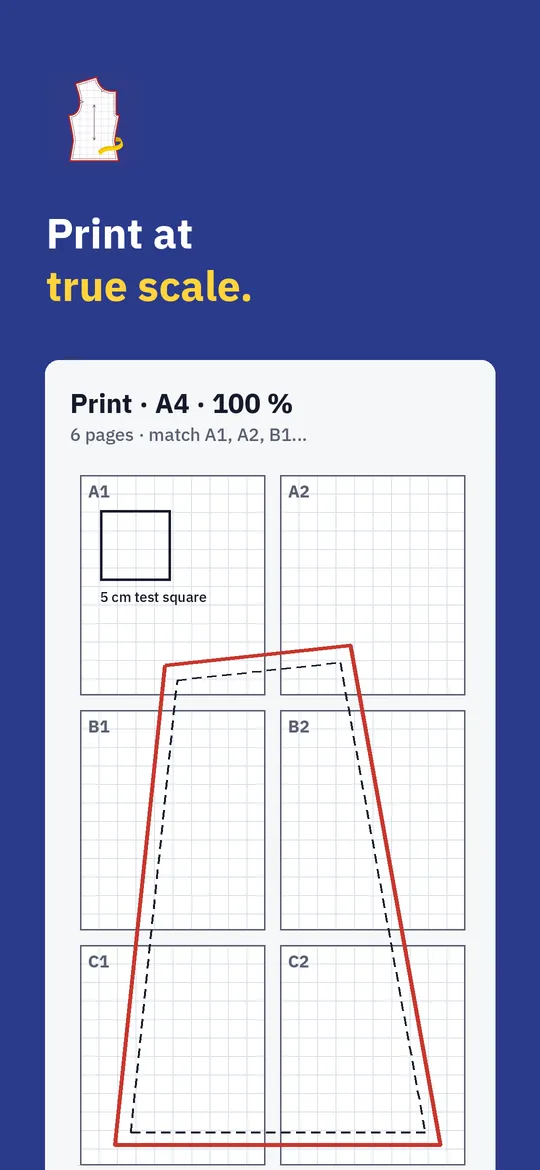
Print at home
What you can do
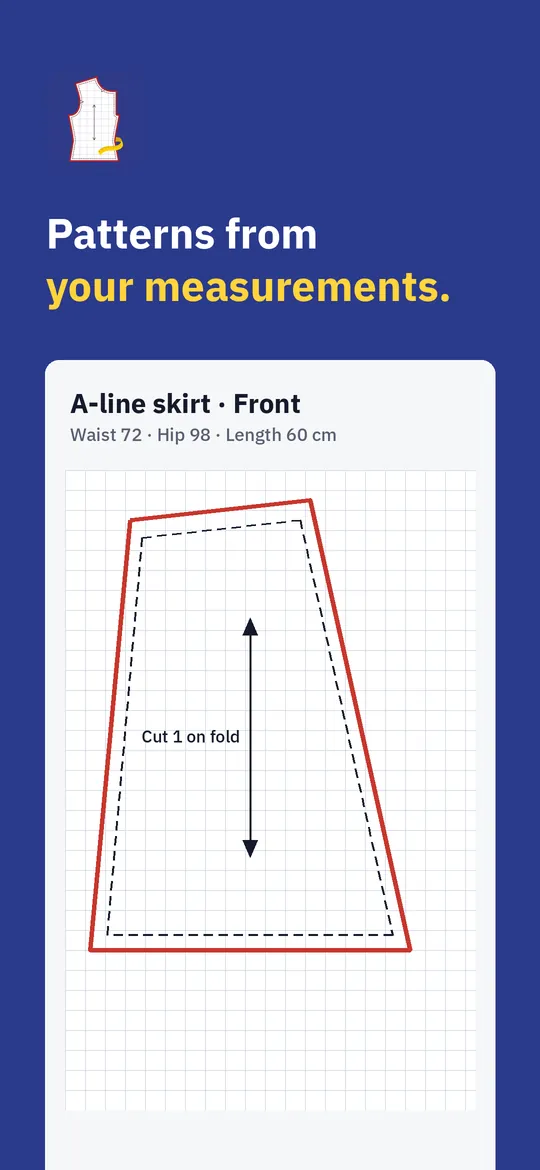
Patterns to your size. Choose a pattern, pick a measurement profile and see the pieces drawn on a grid: cutting line, stitching line, notches, grainline and fold.
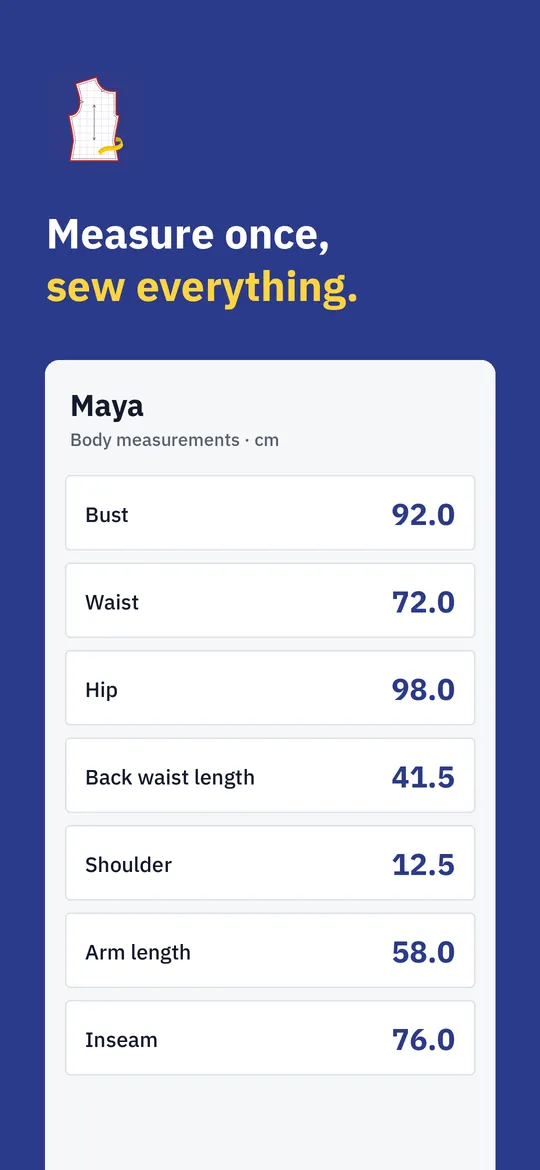
Measurement profiles. Save measurements for yourself and the people you sew for, in centimeters or inches, or start from a standard size.
Print at home. Export a PDF tiled over A4 or Letter pages, with match marks, page numbers and a test square.
Fabric and guides. Find out how much fabric you need for your fabric width, and learn each step with illustrated sewing guides.
Free vs Pro
| Feature | Free | Pro |
|---|---|---|
| Measurement profiles, cm and inches | Included | Included |
| Patterns | 6 basic | 40+ |
| Tiled A4/Letter PDF with test square | Included | Included |
| Fabric calculator | Included | Included |
| A0 copy shop and projector files, SVG | Not included | Included |
| Sewing guides | 10 basics | All guides |
| Projects and fabric stash | Not included | Included |
| No ads | Not included | Included |
Questions
How it works
- Measure. Enter a few body measurements once. The app shows how to take each one.
- Pick a pattern. Your pieces are drafted to fit, with the seam allowance you choose.
- Print and sew. Print at 100 %, check the test square, cut your fabric and follow the guide.
How do I print at the right size?
Print the PDF at 100 % (Actual size), never "Fit to page". Then measure the test square on the first page: it should be exactly 5 cm.
Do I need to know pattern making?
No. Enter your measurements and the app drafts the pattern. The guides explain each sewing step.
Centimeters or inches?
Both. You can switch at any time; patterns are calculated the same way.
Is my data uploaded?
No. Seamwren has no account and no server for your data. Measurements and projects stay on your phone.
Privacy at a glance
- Measurements and projects
- Measurement profiles, projects, notes and fabric you add are stored only in the app's private storage on your device. We never receive them, and usage statistics and crash reports never include them.
- Patterns you export
- PDF and SVG files you export are saved or sent where you choose. We never see them.
- Purchases
- Handled by Google Play; we never see your payment details.
Permissions: Posting notifications, only for project reminders you turn on (and restoring them after the phone restarts). No camera, microphone, location, contacts or storage permission: PDF and SVG files are saved through the Android file picker or share sheet you choose. Google's ad and purchase libraries add the advertising ID, network state and billing permissions. Internet is used for ads, purchases, crash reports, usage statistics and the settings file described above, never to upload your data.
Something else? Write to support@tinyfair.my.id.
More from tinyfair
 TracefulOn Google Play
 HearthdaysOn Google Play
 GlidecueOn Google Play
 NightechoOn Google Play
 WeehoursOn Google Play
 BackvoxOn Google Play
 PrintwrenOn Google Play
 BillfinchOn Google Play
 RowberryOn Google Play
 TonewashOn Google Play
 SlidequiltOn Google Play
 FrostdialOn Google Play
 WavetallyOn Google Play
 CreasebirdOn Google Play
 SprychairOn Google Play
 WinkboothOn Google Play
 TidepenOn Google Play
 HushmossOn Google Play
 TagnibOn Google Play
 RenewhawkOn Google Play
 RepcrestOn Google Play
 TickstaveOn Google Play
 PawsprigOn Google Play
 BrightwickOn Google Play
 SpinlarkOn Google Play
 BullkiteOn Google Play
 CubejayOn Google Play
 CapternOn Google Play
 CoverswiftOn Google Play
 StillwrenOn Google Play
 PasslarkOn Google Play
 CalendenseOn Google Play
 DockglowOn Google Play
 EvelarkOn Google Play
 StampkiteOn Google Play
 ShelfwrenOn Google Play
 TallyforgeOn Google Play
 TillmintOn Google Play
 BoutbellOn Google Play
 CuffkeepOn Google Play
 SpoolhumOn Google Play
 MoodwrenOn Google Play
 IronjotOn Google Play
 WitsprintOn Google Play
 LamplingOn Google Play
 InklarkOn Google Play
 VersewrenOn Google Play
 PitchfinchOn Google Play
 ChorebloomOn Google Play
 BlurwrenOn Google Play
 NurwellOn Google Play
 MealwrenOn Google Play
 NotiwrenOn Google Play
 ShiftRingOn Google Play
 ChatwrenComing soon
 RevfinchComing soon
 SiftwrenComing soon