 GuesslarkCharades Party Game
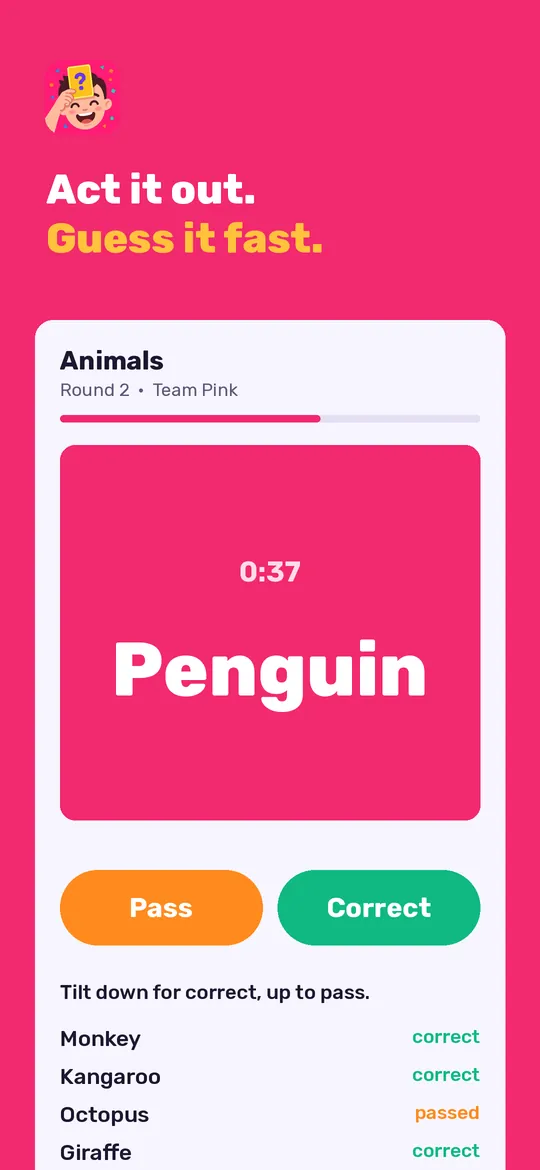
Phone on your forehead. Friends shout clues.
Guesslark is a charades party game for friends and family: hold the phone to your forehead, your team acts it out, and you tilt to score. Imposter, Truth or Dare, Never Have I Ever, Most Likely To, Taboo and Who am I are in the same app. It works offline and needs no account.
- Every game can be played free, with daily limits
- Reaction videos made on your phone
- Offline, no account
Coming soon to Google Play.
Swipe through Guesslark
Decks for every group 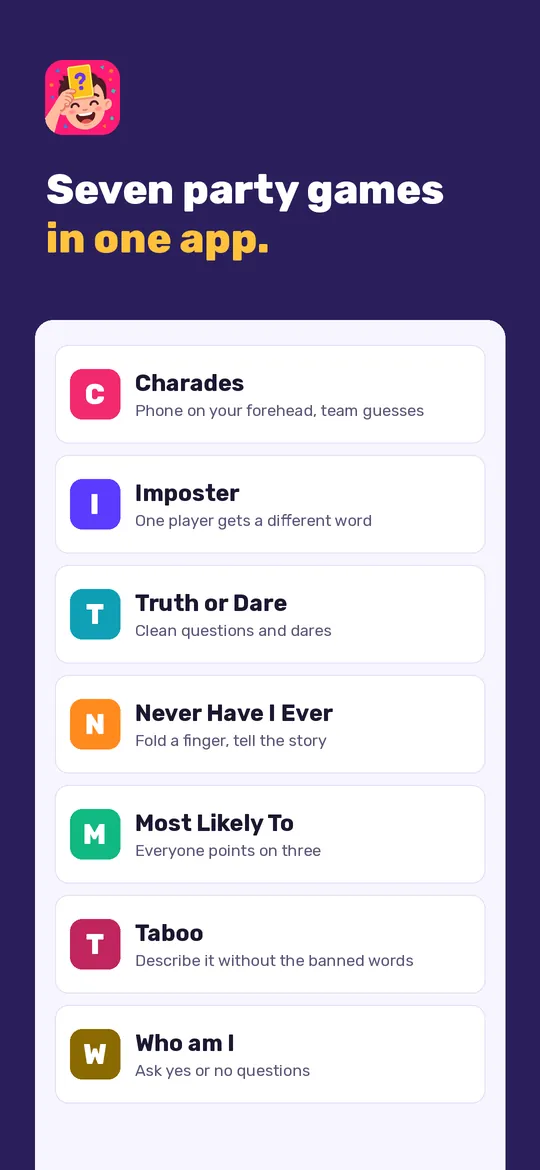
More party games
What you can do
Tilt to score. Hold the phone to your forehead.
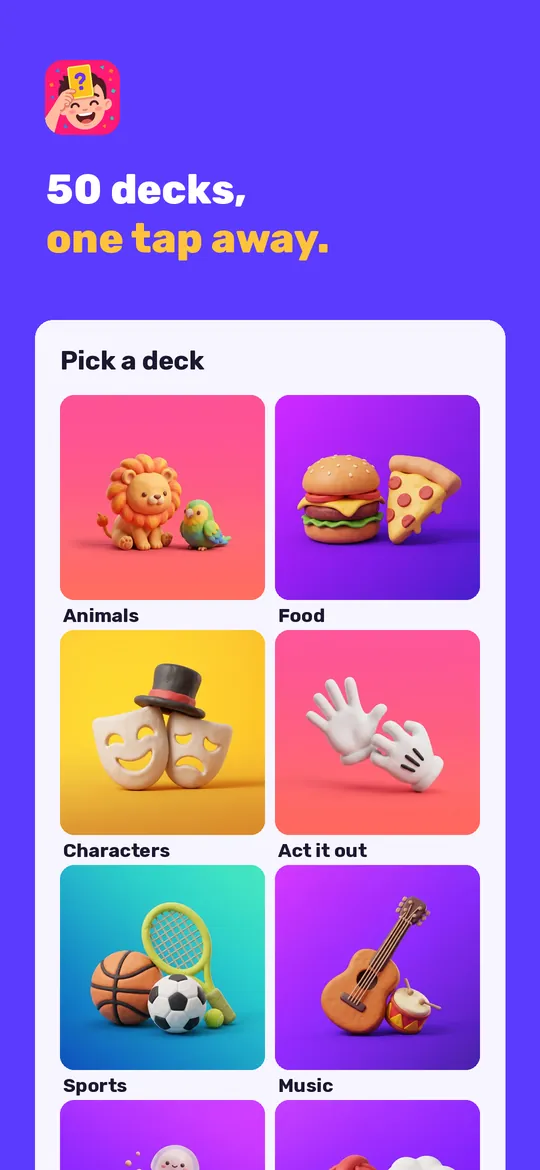
Decks for every group. Fifty decks from easy family topics to harder ones, plus your own custom deck.
More party games. Imposter, Truth or Dare with clean questions, Never Have I Ever, Most Likely To, Taboo and Who am I, all for one phone passed around the room.
Teams and reaction videos. Play solo or in teams with a score board.
Free vs Pro
| Feature | Free | Pro |
|---|---|---|
| Decks | Mix + 3 daily decks | All 50 decks |
| Charades rounds | 8 a day | Unlimited |
| Teams | 2 | Up to 8 |
| Reaction videos | 3 a day, 720p with mark | 1080p, no mark |
| Highlight clips | 1 a day | Unlimited |
| Truth or Dare, Never Have I Ever, Most Likely To | 20 cards a day each | Unlimited |
| Imposter | 3 rounds a day, 4 categories | Unlimited, all categories |
| Taboo | 3 rounds a day | Unlimited |
| Custom decks | 1 deck, 30 words | Unlimited |
| Share decks by QR code | Not included | Included |
| Game history | Last party | Full history |
| No ads | Not included | Included |
Questions
How it works
- Pick a deck. Choose Mix or a deck, set the timer and the teams.
- Phone to forehead. Friends act it out or give clues. Tilt down for correct, up to pass.
- See the results. Check the words, the score and the reaction video when the time runs out.
How do I play charades with it?
One player holds the phone to their forehead and cannot see the word. The others act it out or give clues. Tilt down when you guess it, tilt up to pass.
Is it clean enough for family nights?
Yes. The decks and the Truth or Dare, Never Have I Ever and Most Likely To cards have no alcohol, gambling or sexual content.
Does it work without internet?
Yes. All decks are built into the app. Internet is only used for ads, purchases and the small settings file described in the privacy policy.
Are reaction videos uploaded?
No. The video is recorded and made on your phone, saved to your phone if you choose Save, and only leaves it when you share it yourself.
Privacy at a glance
- Reaction videos
- Only when you turn on the reaction video before a round, the app uses the front camera and the microphone to record the players during that round. Recording, editing and the highlight clip are all done on your device. Videos stay in the app's private storage, or in your phone's Movies folder if you tap Save. We never receive them, and they are never sent to us, to the ad SDK or to any other service.
- Players, scores and decks
- Player and team names, scores, game history, your custom decks and settings are stored only in the app's private storage on your device. We never receive them, and usage statistics and crash reports never include them.
- QR codes for custom decks
- When you scan a deck QR code, the camera image is read on your device and not stored. The QR code itself contains only the words of the deck.
- Videos and cards you share
- Sharing uses the Android share sheet and goes only where you choose. We never see what you share.
- Purchases
- Handled by Google Play; we never see your payment details.
Permissions: Camera, only for the reaction video you turn on before a round (front camera) and for scanning a custom deck QR code; the video is made and kept on your device. Microphone, only to add sound to that reaction video; nothing is recorded when the reaction video is off. Both are asked for the first time you use them, and the game works fully if you say no. Notifications, only for the optional daily reminder (one a day); it is set again after the device restarts (start at boot). No location, contacts or storage permission: saved videos go to your Movies folder through Android's media store. Motion sensors (no permission) read the tilt of the phone. Google's ad and purchase libraries add the advertising ID, network state and billing permissions. Internet is used for ads, purchases, crash reports, usage statistics and the settings file described above, never to upload your videos.
Something else? Write to support@tinyfair.my.id.
More from tinyfair
 TracefulOn Google Play
 HearthdaysOn Google Play
 GlidecueOn Google Play
 NightechoOn Google Play
 WeehoursOn Google Play
 BackvoxOn Google Play
 PrintwrenOn Google Play
 BillfinchOn Google Play
 RowberryOn Google Play
 TonewashOn Google Play
 SlidequiltOn Google Play
 FrostdialOn Google Play
 WavetallyOn Google Play
 CreasebirdOn Google Play
 SprychairOn Google Play
 WinkboothOn Google Play
 TidepenOn Google Play
 HushmossOn Google Play
 TagnibOn Google Play
 RenewhawkOn Google Play
 RepcrestOn Google Play
 TickstaveOn Google Play
 PawsprigOn Google Play
 BrightwickOn Google Play
 SpinlarkOn Google Play
 BullkiteOn Google Play
 CubejayOn Google Play
 CapternOn Google Play
 CoverswiftOn Google Play
 StillwrenOn Google Play
 PasslarkOn Google Play
 CalendenseOn Google Play
 DockglowOn Google Play
 EvelarkOn Google Play
 StampkiteOn Google Play
 ShelfwrenOn Google Play
 TallyforgeOn Google Play
 TillmintOn Google Play
 BoutbellOn Google Play
 CuffkeepOn Google Play
 SpoolhumOn Google Play
 MoodwrenOn Google Play
 IronjotOn Google Play
 WitsprintOn Google Play
 LamplingOn Google Play
 InklarkOn Google Play
 VersewrenOn Google Play
 PitchfinchOn Google Play
 ChorebloomOn Google Play
 BlurwrenOn Google Play
 NurwellOn Google Play
 MealwrenOn Google Play
 NotiwrenOn Google Play
 RoomwrenOn Google Play
 ChatwrenOn Google Play
 RevfinchOn Google Play
 ShiftRingOn Google Play
 SeamwrenComing soon
 SiftwrenComing soon
 SketchwrenComing soon