 SketchwrenLearn to Draw
Learn to draw, one stroke at a time.
Sketchwren breaks every drawing into a few easy strokes and animates each one. Copy it with a pencil on real paper or draw right on the screen, from the first circle to animals, faces, food and scenery. It works offline and needs no account.
- The basics path and 25 more lessons are free
- Paper mode and screen mode
- Offline, no account

Swipe through Sketchwren
From circles to a finished drawing 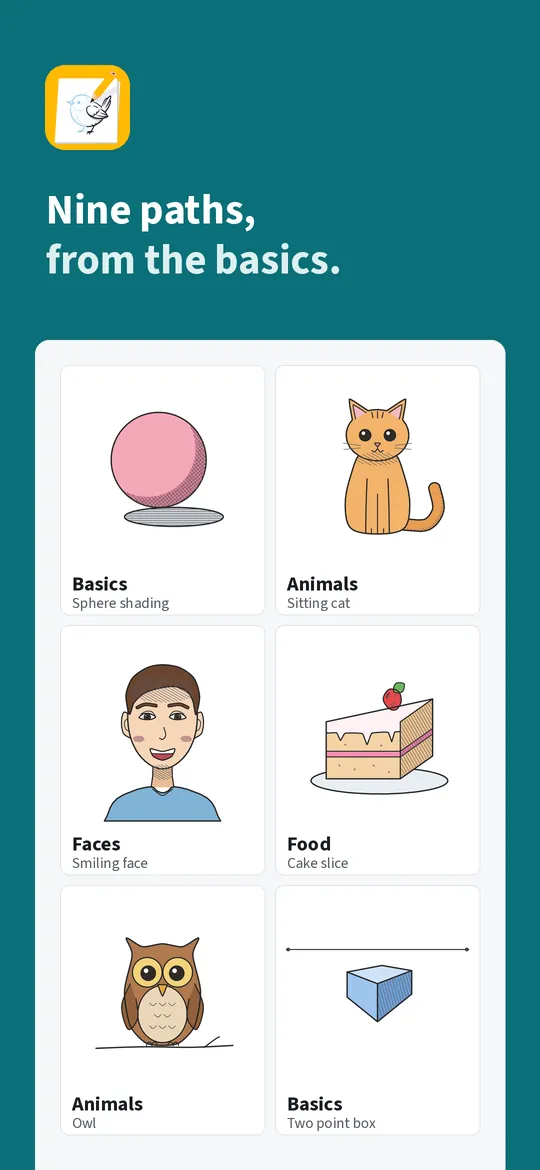
Nine paths from the basics
What you can do
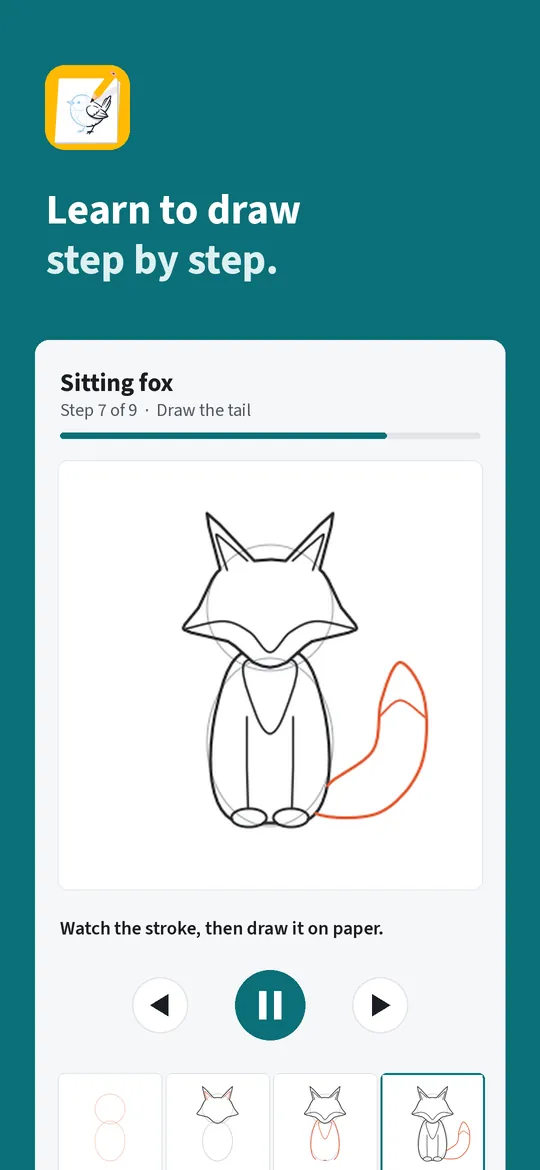
Watch, then draw. Each stroke appears as an animation over light guide lines.
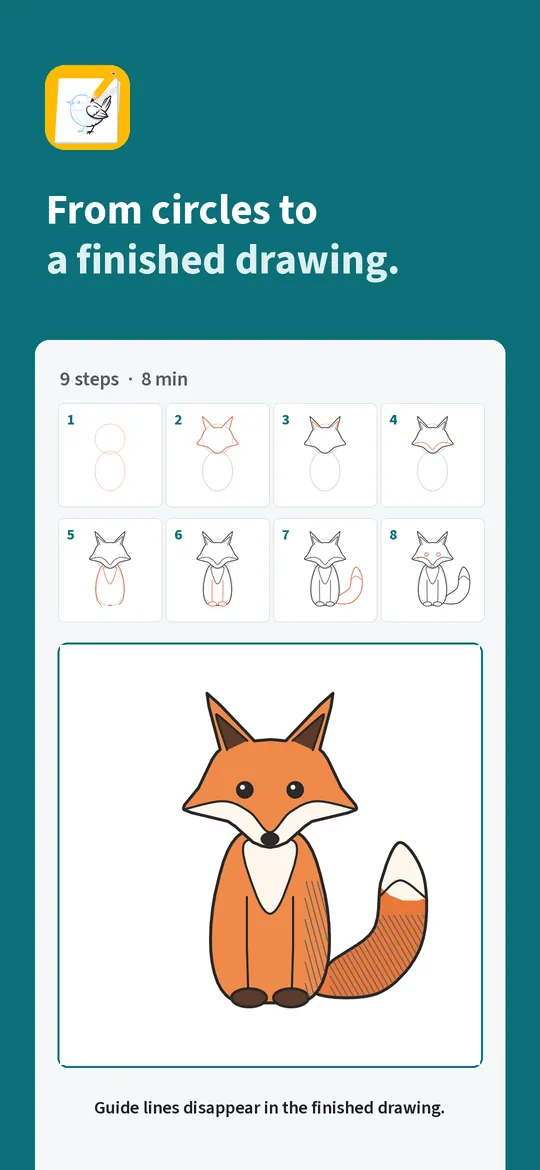
From circles to a finished drawing. Guide shapes come first and disappear in the finished picture, so you learn how artists build a drawing.
Nine paths from the basics. Lines, shapes, shading and perspective first, then animals, faces and people, cartoons, objects, food, plants, scenery and lettering.
A drawing habit. A daily streak, a reminder at the time you choose, a progress gallery and a 30-day challenge that puts day 1 next to day 30.
Free vs Pro
| Feature | Free | Pro |
|---|---|---|
| Basics path, paper and screen mode, gallery | Included | Included |
| Lessons in the other paths | 25 lessons | All lessons |
| Daily streak and reminder | Included | Included |
| 30-day challenge | First 3 days | All 30 days |
| Animation speed | 1x | 0.5x to 2x |
| Mirror and grid helpers | Not included | Included |
| Share cards without watermark | Not included | Included |
| No ads | Not included | Included |
Questions
How it works
- Pick a lesson. Start with the basics or jump to an animal, a face or a cake slice.
- Follow the steps. Watch each stroke, then draw it on paper or on the screen.
- Keep your drawing. Take a photo of your paper drawing or save the screen drawing to your gallery.
I have never drawn before. Is it for me?
Yes. The basics path starts with straight lines and circles, and every lesson shows each stroke before you draw it.
Do I need a stylus or a tablet?
No. In paper mode you draw with a pencil on paper and the phone only shows the steps. In screen mode a finger is enough.
Does it work without internet?
Yes. All lessons are built into the app. Internet is only used for ads, purchases and the small settings file described in the privacy policy.
Are my drawings uploaded?
No. Sketchwren has no account and no server for your drawings. Photos and screen drawings stay on your phone until you share them.
Privacy at a glance
- Drawings and progress
- Screen drawings, lesson progress, streak, challenge days and settings are stored only in the app's private storage on your device. We never receive them, and usage statistics and crash reports never include them.
- Photos of your paper drawings
- When you photograph a paper drawing, Android's own camera app takes the picture, or you pick one with the Android photo picker. The image is copied into the app's private storage and stays on your device. The app cannot see your other photos.
- Cards you share
- Share cards are images made on your phone and sent only where you choose with the Android share sheet. We never see them.
- Purchases
- Handled by Google Play; we never see your payment details.
Permissions: No camera, microphone, location, contacts or storage permission: photos of paper drawings are taken with Android's own camera app or picked with the Android photo picker, and share cards go through the share sheet you choose. Notifications, only for the daily drawing reminder you turn on; it is set again after the device restarts (start at boot). The screen stays on while a lesson is open in paper mode. Google's ad and purchase libraries add the advertising ID, network state and billing permissions. Internet is used for ads, purchases, crash reports, usage statistics and the settings file described above, never to upload your drawings.
Something else? Write to support@tinyfair.my.id.
More from tinyfair
 TracefulOn Google Play
 HearthdaysOn Google Play
 GlidecueOn Google Play
 NightechoOn Google Play
 WeehoursOn Google Play
 BackvoxOn Google Play
 PrintwrenOn Google Play
 BillfinchOn Google Play
 RowberryOn Google Play
 TonewashOn Google Play
 SlidequiltOn Google Play
 FrostdialOn Google Play
 WavetallyOn Google Play
 CreasebirdOn Google Play
 SprychairOn Google Play
 WinkboothOn Google Play
 TidepenOn Google Play
 HushmossOn Google Play
 TagnibOn Google Play
 RenewhawkOn Google Play
 RepcrestOn Google Play
 TickstaveOn Google Play
 PawsprigOn Google Play
 BrightwickOn Google Play
 SpinlarkOn Google Play
 BullkiteOn Google Play
 CubejayOn Google Play
 CapternOn Google Play
 CoverswiftOn Google Play
 StillwrenOn Google Play
 PasslarkOn Google Play
 CalendenseOn Google Play
 DockglowOn Google Play
 EvelarkOn Google Play
 StampkiteOn Google Play
 ShelfwrenOn Google Play
 TallyforgeOn Google Play
 TillmintOn Google Play
 BoutbellOn Google Play
 CuffkeepOn Google Play
 SpoolhumOn Google Play
 MoodwrenOn Google Play
 IronjotOn Google Play
 WitsprintOn Google Play
 LamplingOn Google Play
 InklarkOn Google Play
 VersewrenOn Google Play
 PitchfinchOn Google Play
 ChorebloomOn Google Play
 BlurwrenOn Google Play
 NurwellOn Google Play
 MealwrenOn Google Play
 NotiwrenOn Google Play
 RoomwrenOn Google Play
 ChatwrenOn Google Play
 RevfinchOn Google Play
 ShiftRingOn Google Play
 SeamwrenComing soon
 SiftwrenComing soon
 GuesslarkComing soon
SketchwrenFree on Google Play